












Summary
A plain-English map of the dbt build process, from parsing your project to the moment Snowflake writes the final table, built for analytics engineers who want to know exactly what is happening under the hood.
Introduction
You type dbt build, hit enter, and for a few seconds, nothing seems to happen. Then the terminal fills with green: models built, tests passing, a tidy summary waiting at the bottom. It looks effortless. It isn’t.
Underneath that simplicity, dbt works through a dozen distinct stages before Snowflake ever touches a query. This article walks through every one of them, using a single pipeline as the running example throughout:
| RAW.CUSTOMERS ↓ stg_customers ↓ int_customers ↓ dim_customers |
A raw customer table lands in Snowflake. stg_customers cleans it up. int_customers enriches it a bit further. dim_customers is the final table your BI tool actually queries. By the end of this piece, you will be able to trace that pipeline from the .sql files you wrote to the objects sitting in Snowflake, and know exactly where to look when something breaks.
The lifecycle at a glance
Before getting into any single stage, it helps to see the whole shape of the process:
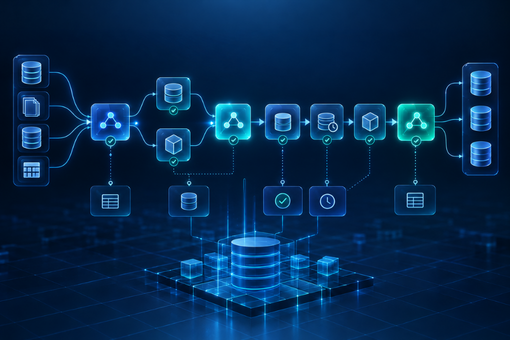
| dbt build ↓ Initialize dbt -> Discover project -> Parse project ↓ Build dependency graph (DAG) -> Select execution nodes ↓ Compile SQL -> Materialize model -> Adapter -> Snowflake executes ↓ Tests run -> Continue or skip downstream nodes -> Artifacts written |
The rest of this article unpacks each of these stages, one question at a time.
What Does dbt Do Before It Runs Any SQL?
dbt spends its first moments confirming it can even talk to Snowflake, then reads dbt_project.yml, then parses every model into a single internal map called manifest.json, before a single line of your SQL gets touched.
The first thing dbt does has nothing to do with your models. It checks that it is set up correctly: which dbt version is running, which adapter plugin is available (dbt-snowflake, in our case), where profiles.yml lives, and which target and credentials apply to this invocation. Nothing project-specific happens yet. dbt is simply confirming it has a working connection before it goes looking for anything else.
Once that is settled, dbt goes looking for your project. It starts by reading dbt_project.yml to understand where your models live and what configuration applies. From there, it sweeps through those folders looking for .sql model files, .yml files holding source and test definitions, plus any macros, seeds, and snapshots along the way.
It is worth pulling apart two things that sound alike but are not: locating the files versus actually understanding what is inside them. What dbt has done so far is only the first one. It has a list of files it knows it will need to look at, nothing more.
Understanding what those files mean is a separate step called parsing. For every model, dbt works out what kind of resource it is, what SQL it contains, whether it calls ref() or source() (and if so, what those calls point to), what it is configured to materialize as, and what its YAML says about tests and columns.
Take stg_customers.sql:
| select * from {{ source(‘raw’, ‘customers’) }} |
Parsing tells dbt that this is a model called stg_customers, and that it depends on the raw.customers source. It does not turn that Jinja into real SQL yet. That happens later, during compilation. Parsing is purely about structure and relationships.
All of this structured understanding, every model’s type, dependencies, configuration, and tests, gets written to a single file called the manifest (manifest.json). Conceptually, one entry in it looks something like this:
| stg_customers resource_type = model depends_on = raw.customers materialized = view |
Every later stage, building the dependency graph, selecting nodes, compiling SQL, reads from this manifest instead of re-parsing your files from scratch. It is dbt’s internal map of the project: not your code, and not the results of running it, just how everything relates.
How Does dbt Know What Depends on What?
This is arguably the single most important idea in the entire dbt build process, and it hinges on two small functions: ref() and source().
Here is what a developer writes in int_customers.sql:
| select * from {{ ref(‘stg_customers’) }} |
It is tempting to read ref() as a fancy way to type a table name. It is not. It is doing two separate jobs at once.
The first job is declaring a dependency. The moment dbt parses this file and sees ref(‘stg_customers’), it records that int_customers depends on stg_customers. That single fact is what feeds the dependency graph.
The second job is resolving to an actual relation, and that only happens later, at compile time. ref(‘stg_customers’) eventually becomes something like ANALYTICS.PROD.STG_CUSTOMERS. dbt works out the correct database, schema, and object name based on your target and config. Point the same project at a QA target instead of prod, and ref() resolves to something different automatically, without you editing a single model file.
source() works the same way, just pointed outward instead of at another model:
| select * from {{ source(‘raw’, ‘customers’) }} |
In stg_customers.sql, this line tells dbt two things: that stg_customers depends on a source defined in your YAML as raw.customers, and that at compile time it resolves to the real relation, RAW.CUSTOMERS. This is the very first edge in our pipeline:
| RAW.CUSTOMERS ↓ stg_customers |
source() exists so that raw, untransformed data has a documented, traceable entry point into the graph, instead of the first model simply hard-coding a table name with no metadata attached.
Because every ref() and source() call also declares a dependency, dbt can assemble the entire dependency graph, the DAG, or Directed Acyclic Graph, just by scanning for these calls across the project. Directed, because dependencies only point one way: stg_customers depends on raw.customers, never the reverse. Acyclic, because dbt will not allow a model to depend on itself, even indirectly through a chain of other models. For our pipeline, the DAG is a straight line:
| RAW.CUSTOMERS -> stg_customers -> int_customers -> dim_customers |
Real projects usually branch. Picture two models, B and C, that both depend on A, and a fourth, D, that depends on both:
| A / \ B C \ / D |
B and C do not depend on each other, so dbt is free to build them at the same time. D needs both to finish first. There is no way around that ordering. There is no separate step where you tell dbt “this is the order things should run in.” The order falls directly out of how your models reference each other.
How Does dbt Decide What to Build, and in What Order?
dbt does not ask you to specify a build order. It already has one, because the order falls directly out of your ref() calls.
By default, dbt build tries to build your entire project. Most of the time you do not want that. You want to work on one model, or one branch of the graph, without re-running everything.
| dbt build –select stg_customers |
builds only stg_customers. Add a trailing plus sign:
| dbt build –select stg_customers+ |
and the meaning changes to “build stg_customers and everything downstream of it.” In our pipeline, that pulls in int_customers and dim_customers too, since they depend on it either directly or transitively.
dbt already has the whole graph mapped out in the manifest. Selection just narrows it down to the subset that matters for this run. Everything after that (compiling, materializing, executing) only touches the nodes that got selected.
With a subgraph selected, dbt still needs an execution order, and that falls straight out of the graph structure: a node cannot start until everything it depends on has finished. Where the graph branches, like B and C above, dbt is free to work on independent branches at the same time, up to a limit you control:
| dbt build –threads 4 |
It is worth being precise about what –threads actually controls, because this is a common point of confusion. More threads means dbt can have more independent branches of the graph in flight at once. It does not make Snowflake execute any individual query faster. If your project is one long straight line, like our stg_customers to int_customers to dim_customers pipeline, there is no branching to exploit, and extra threads will not help that chain at all. Threads control how many things dbt can submit and coordinate simultaneously, not how fast the warehouse processes any single query.
What Does “Compiling” Actually Mean in dbt?
dbt compile turns the Jinja-laced SQL you wrote into plain SQL that Snowflake can actually execute, and it does this without sending anything to your warehouse.
This is one of the more confusing parts to grasp early on, mostly because the word “compile” gets used loosely elsewhere in software. Here it means something specific: turning the Jinja-laced SQL you wrote into plain SQL that Snowflake can actually execute.
Take this model:
| select customer_id from {{ ref(‘stg_customers’) }} |
Snowflake has no idea what {{ ref(…) }} means. That is Jinja template syntax, not SQL. Before this can go anywhere, dbt must render the template: resolve ref(‘stg_customers’) to its real relation, apply any variables or macros, and produce plain SQL:
| select customer_id from ANALYTICS.PROD.STG_CUSTOMERS |
That is compilation: Jinja plus the dbt context (which knows your variables, target, and macros) plus the node’s metadata from the manifest, going in; warehouse-specific SQL, coming out.
The one thing worth remembering above everything else here: compilation does not execute anything. dbt can generate this SQL without ever sending it to Snowflake. You can trigger just this step yourself:
| dbt compile |
dbt compile renders every model’s SQL and writes it to target/compiled/, but does not touch your warehouse. dbt build, by contrast, compiles and then actually sends that SQL to Snowflake to be executed. If you ever want to sanity-check what dbt is about to run before committing to it, dbt compile, or just checking target/compiled/ after a build, is the tool for that.
Does dbt Run the SQL, or Does Snowflake?
dbt never touches the warehouse computation itself. It understands your project, builds the dependency graph, compiles the SQL, and hands it off through the dbt Snowflake adapter. Snowflake does every bit of the actual work.
This distinction is worth stating as plainly as possible, because it is probably the single most common point of confusion for people new to dbt.
| dbt understands the project builds the dependency graph compiles SQL coordinates execution ↓ (adapter) Snowflake executes the SQL creates/updates database objects |
dbt’s core framework does not know how to talk to Snowflake. That is the job of the adapter (dbt-snowflake, in our case). Adapters exist because every warehouse has its own connection protocol, SQL dialect quirks, and way of implementing things like incremental merges. The adapter is the translation layer that lets dbt’s core logic (parsing, DAG construction, compilation, orchestration) stay largely the same across warehouses, while the platform-specific bits live in the adapter.
Here is the split: dbt understands your project, builds the graph, compiles the SQL, and figures out the run order. Snowflake handles the actual work: executing queries, doing the joins, filters, aggregations, reading and writing data, creating or updating tables and views, spinning up compute. dbt itself never touches the warehouse computation. It just passes the compiled SQL through the adapter and waits to hear back whether it worked.
What Does Materialization Actually Change?
Materialization is the configuration that tells dbt whether your SELECT statement becomes a view, a full table, or an incrementally updated table. Understanding dbt incremental models is the part worth being careful about, since they do not behave the same way on every run.
Your model file is just a SELECT statement. Nowhere in select * from {{ ref(‘stg_customers’) }} does it say whether the result should become a view, a full table, or something updated incrementally. That decision comes from materialization: configuration that tells dbt what kind of database object your SELECT should become.
As a view, dbt conceptually issues something like create or replace view … wrapping your SELECT. No data gets duplicated; Snowflake re-runs the query underneath every time the view is queried. As a table, dbt has Snowflake compute and store the result, conceptually a create table … as select …, fully rebuilt each run.
Incremental models are the one worth being careful about, because the behaviour is not the same on every run. On the first run, an incremental model behaves like a plain table: dbt builds the whole thing from scratch. On every run after that, dbt needs to work out what is new or changed and apply it according to a configured incremental strategy:
| {% if is_incremental() %} where updated_at > (select max(updated_at) from {{ this }}) {% endif %} |
is_incremental() is only true once the model already exists as a table and you are not forcing a full refresh. It lets you write logic that only applies on subsequent runs. {{ this }} refers to the model’s own resulting relation, which is how a model can reference “the table I am currently building” inside its own logic.
It is easy to assume incremental models just insert the new rows, but that is not universally true. Whether rows get appended, merged, or replaced for matching keys depends entirely on which strategy is configured, and that can vary by adapter and by dbt version. If you are relying on specific incremental behaviour, check the strategy your project actually has configured rather than assuming.
Where Do Tests Fit Into dbt build?
Tests are nodes in the graph, just like models. dbt runs each one immediately after the model it checks, and it can skip downstream models if that test fails.
This is the part that justifies the name dbt build, rather than it just being dbt run with extra steps.
Picture a not_null test on a column in stg_customers. In the graph, that test is itself a node, sitting right after stg_customers and before anything downstream of it:
| stg_customers ↓ not_null test ↓ PASS? YES -> int_customers -> dim_customers NO -> downstream models are skipped (int_customers, dim_customers) |
If the test passes, int_customers is cleared to run. If it fails, int_customers, and anything downstream of it, including dim_customers, may be skipped, because dbt considers the data it would be built from suspect.
Compare that to running things separately:
| dbt run dbt test |
Here, dbt run builds every model first, with no test feedback involved at all. Only after everything is built does dbt test run and potentially reveal that stg_customers has bad data, by which point int_customers and dim_customers have already been built on top of it. dbt build avoids that by interleaving tests into the graph as it goes, so a failure upstream can stop bad data from propagating downstream within the same run.
One thing worth flagging: the precise rules around test severity, and what causes a skip versus just a warning, can shift depending on your dbt version and how a particular test’s severity and error handling are set up. If you are counting on exact skip behaviour, check it against the dbt version you are on rather than assuming.
dbt run vs. dbt test vs. dbt build: What Is the Real Difference?
Since this question comes up in almost every dbt onboarding conversation, here is the direct comparison in one place. The one people search for most often is dbt run vs dbt build, since that is the pairing that actually changes whether a failed test can stop bad data from moving downstream:
| Command | What It Does | Runs Tests? | Best Used For |
| dbt run | Builds and materializes every selected model | No | Fast iteration when you just need tables refreshed |
| dbt test | Runs configured tests against objects that already exist | Yes, only | Validating data that has already been built |
| dbt compile | Renders Jinja into SQL and writes it to target/compiled/ | No | Sanity-checking SQL before anything touches the warehouse |
| dbt build | Builds each model, then immediately tests it before moving downstream | Yes, interleaved | Production runs where bad data must not propagate |
What Files Does dbt Leave Behind After a Run?
Every dbt build writes a set of artifacts to the target/ directory, and each file answers a different question about your project or your run.
| target/ manifest.json run_results.json compiled/ run/ partial_parse.msgpack |
manifest.json is the structured understanding of your project built during parsing: every node, its dependencies, its configuration. Think of it as answering, what does dbt know about my project? It describes the project itself, independent of whether you have ever actually run it.
run_results.json answers a different question: what happened during this specific run? Which nodes ran, which passed, which failed, which were skipped, and how long each one took.
compiled/ holds the rendered SQL for every model, with all Jinja resolved: exactly the SQL dbt generated, before it went anywhere.
run/ holds the SQL executed against the warehouse for each materialization step. This can differ slightly from compiled/, since some materializations wrap the compiled SQL in additional setup or teardown statements.
partial_parse.msgpack is a caching optimization. dbt keeps a record of the previous parse and, where it safely can, only re-parses files that changed instead of walking the whole project again. On a small project this saves nothing noticeable; on one with hundreds or thousands of models, it meaningfully speeds up every invocation. It does not change the result, just how quickly dbt gets there.
Why This Matters Beyond a Single dbt Project
Understanding the dbt build lifecycle is genuinely useful for debugging one pipeline. It becomes a different kind of useful once you are responsible for dozens of them, spread across a real modern data stack.
The pipeline in this article had one source and three models. Most enterprise environments look nothing like that. They have a dozen source systems, several warehouses or lakehouses, a mix of batch and streaming ingestion, and a dbt layer sitting on top of all of it, expected to stay reliable while the business keeps adding new data every quarter.
That is where the discipline behind a single dbt build run (dependency graphs, tested transformations, clear artifacts) scales into something closer to a data platform: data pipeline automation built on frameworks like Airflow, dbt, and Kafka, cloud data integration across AWS, Azure, and Snowflake, and DataOps practices that catch a broken pipeline before it reaches a leadership dashboard.
This is the exact problem Inferenz’s Data Engineering and Integration practice is built to solve: designing the architecture, building the ingestion and transformation pipelines, and layering in the data observability and governance that keep every downstream model, dashboard, and AI initiative standing on data that can actually be trusted.