Summary
A data lake is a centralized, scalable repository that stores structured, semi-structured, and unstructured data in its native format. Unlike a data warehouse, a data lake supports flexible schema design and accommodates diverse data types from multiple sources. Organizations adopt data lake architecture to accelerate analytics, reduce storage costs, and power AI and machine learning workloads. However, without proper governance, security, and architecture design, data lakes can become unmanageable. This guide covers every critical dimension of data lake architecture, from core components and types to best practices and emerging trends.
Introduction
Most organizations today generate data at a scale and variety that traditional storage systems cannot handle efficiently. Relational databases and warehouses impose rigid schemas that slow data ingestion, limit flexibility, and inflate costs. Meanwhile, data scientists, analysts, and AI teams need fast, unrestricted access to raw data across formats and sources.
This gap is where data lake architecture delivers decisive value. However, many implementations fail not because the technology is flawed, but because organizations lack a clear architecture strategy, proper governance frameworks, and the right data engineering foundations.
This guide provides a structured, decision-ready overview of data lake architecture, covering what it is, how it compares to warehouses, what components and technologies power it, and how to implement it effectively.
What is Data Lake Architecture?
A data lake is a centralized storage repository that holds large volumes of raw data in its native format until the data is needed for analysis or processing. The architecture is flat rather than hierarchical, meaning each data element carries a unique identifier and metadata tags rather than residing in predefined folders or schemas.
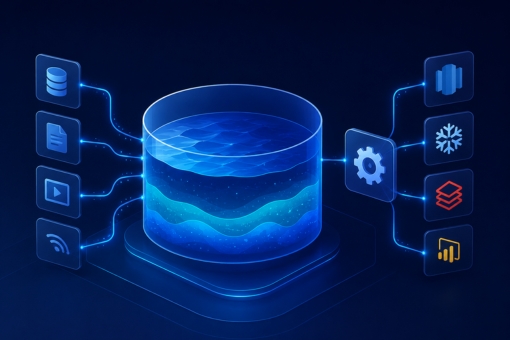
Data enters a data lake from multiple sources simultaneously, including IoT devices, transaction systems, log files, social media, and application events. This multi-source ingestion model makes the data lake a single source of truth for both operational and analytical workloads.
How Data Lake Architecture Works
At its core, data lake architecture organizes data across distinct layers, each serving a specific processing function. Raw data arrives at the ingestion layer without transformation. It then moves through distillation, processing, and insights layers before reaching end users or analytical tools.
Furthermore, a unified operations layer monitors and manages workflows, auditing, and performance across all layers. Each layer adds progressively more structure and context to the data, transforming raw inputs into actionable intelligence.
Key Characteristics of a Data Lake
- Stores all data types: structured, semi-structured, and unstructured
- Schema-on-read model (schema defined at query time, not at ingestion)
- Supports batch, real-time, and interactive processing
- Built for scale, handling petabytes of data cost-effectively
- Compatible with AI, ML, and advanced analytics tools
Data Lake vs Data Warehouse
The comparison between data lakes and data warehouses remains one of the most common decision points in enterprise data strategy. Both serve different purposes, and understanding the distinction is essential before committing to an architecture investment.
| Dimension | Data Lake | Data Warehouse |
|---|
| Data Type | All types (raw, unstructured, structured) | Structured, processed data only |
| Schema | Schema-on-read | Schema-on-write |
| Cost | Lower storage cost | Higher storage and licensing cost |
| Flexibility | High, reconfigurable | Low, fixed schemas |
| Use Case | Data science, ML, raw analytics | Business intelligence, reporting |
| Data Quality | Variable (raw ingestion) | High (curated, governed) |
| Security Control | Requires deliberate governance | Built-in controls typically stronger |
When to Choose a Data Lake
Choose a data lake when your organization needs to store diverse data at scale, run exploratory analytics, train machine learning models, or consolidate data from varied sources without defining schemas upfront.
However, if your primary use case is structured reporting, dashboards, or regulated financial analysis, a data warehouse or a hybrid lakehouse architecture may serve better.
Core Components of Data Lake Architecture
A well-designed data lake consists of five critical components. Each plays a distinct role in ensuring data is secure, accessible, and useful.
1. Ingestion Layer
The ingestion layer collects raw data from source systems and loads it into the data lake without applying transformations. It supports both batch ingestion, where the system processes data at scheduled intervals, and real-time ingestion via streaming pipelines.
Tools such as Apache Kafka, AWS Kinesis, and Azure Event Hubs power high-throughput ingestion pipelines. The ingestion layer organizes incoming data into logical folder structures based on source, date, or data type to simplify downstream retrieval.
2. Distillation Layer
The distillation layer transforms raw data into structured formats suitable for analysis. This layer performs data cleansing, normalization, deduplication, and schema alignment. As a result, downstream teams receive consistent, reliable datasets rather than raw, inconsistent inputs.
Additionally, this layer handles derived data generation, where new datasets are created by combining or enriching existing data from the ingestion layer.
3. Processing Layer
The processing layer, sometimes called the gold or production-ready layer, applies user queries and advanced analytical operations to the structured data. Teams can run workloads in batch mode, real-time streaming, or interactive query sessions using tools like Apache Spark, Databricks, or AWS EMR.
This layer also supports machine learning model training and feature engineering workflows, making it a core enabler for AI-driven analytics.
4. Insights Layer
The insights layer serves as the query and output interface for the data lake. It connects end users, BI tools, and dashboards to the processed datasets. SQL and NoSQL query engines, such as Amazon Athena, Presto, or Google BigQuery, power fast retrieval at this layer.
Consequently, business analysts and data teams access curated, ready-to-use data without needing to interact with the raw ingestion or processing layers directly.
5. Unified Operations Layer
The unified operations layer manages the entire data lake infrastructure. It covers performance monitoring, workflow orchestration, auditing, access control, and capacity management. For instance, Apache Airflow or AWS Glue Workflows manage pipeline scheduling and execution at this layer.
Moreover, this layer enforces data governance policies, tracks lineage, and maintains audit trails that support regulatory compliance requirements.
Types of Data Lakes
Organizations implement data lakes in several deployment models, each with distinct trade-offs in cost, control, and scalability.
Cloud-Native Data Lakes
Cloud platforms such as AWS (S3 + Glue + Athena), Azure (ADLS Gen2 + Synapse), and Google Cloud (GCS + BigQuery) offer fully managed data lake services. These deployments scale automatically, reduce operational overhead, and integrate natively with cloud analytics and AI services.
For organizations prioritizing speed and scalability, cloud-native data lakes are the dominant choice in 2026.
On-Premises Data Lakes
On-premises deployments use Hadoop Distributed File System (HDFS) or similar infrastructure managed within the organization’s own data centers. These setups offer greater control over data residency and security but require significant capital investment and operational expertise.
Hybrid Data Lakes
Hybrid architectures combine on-premises storage with cloud processing layers. Organizations with strict data sovereignty requirements or legacy infrastructure investments often adopt this model. Data Strategy Consulting Services frequently recommend hybrid architectures as a transitional path toward full cloud adoption.
Lakehouse Architecture
The lakehouse is an emerging model that combines the scalability of a data lake with the data management and governance features of a warehouse. Platforms like Databricks Delta Lake and Apache Iceberg enable ACID transactions, schema enforcement, and versioning on top of raw data lake storage.
Benefits of Implementing Data Lake Architecture
When properly designed and governed, data lake architecture delivers substantial organizational and operational advantages.
Unified Data Repository
A data lake consolidates data from all organizational sources into a single repository. Therefore, teams eliminate data silos, reduce duplication, and gain a consistent view of organizational data assets.
Cost-Efficient Scalability
Object storage platforms that underpin data lakes, such as Amazon S3 or Azure ADLS, cost a fraction of traditional warehouse storage per terabyte. Organizations scale storage independently of compute, which reduces overall infrastructure spend.
Accelerated AI and Machine Learning Development
Data scientists access raw, unprocessed data directly from the data lake. This access accelerates feature engineering, model training, and experimentation. Furthermore, the data lake supports the large-scale datasets that deep learning and large language model fine-tuning require.
Flexibility for Diverse Workloads
Unlike data warehouses, data lakes accommodate ad hoc analytics, real-time streaming, batch processing, and predictive modeling simultaneously. This workload flexibility makes them suitable for organizations running multiple data-intensive programs in parallel.
Support for Regulatory Data Retention
Organizations in healthcare, finance, and government often must retain raw data for compliance and audit purposes. A data lake provides cost-effective long-term raw data storage while maintaining retrieval capabilities for regulatory review.
Key Technologies of Data Lake Architecture
Selecting the right technology stack is critical to building a reliable, high-performance data lake. Below are the foundational technology categories and leading tools within each.
Storage Layer Technologies
- Amazon S3: Industry-standard object storage with high durability, lifecycle policies, and native integration with AWS analytics services
- Azure Data Lake Storage Gen2 (ADLS Gen2): Hierarchical namespace object storage optimized for big data analytics on Azure
- Google Cloud Storage (GCS): Scalable object storage with tight integration into BigQuery and Vertex AI
Data Processing Engines
Apache Spark remains the de facto standard for large-scale data transformation, offering distributed in-memory processing for both batch and streaming workloads. Databricks builds on Spark with a managed platform that adds collaboration, governance, and ML lifecycle features in a unified environment. For organizations on AWS, Glue provides a serverless ETL service that automates schema discovery, data cataloging, and transformation without managing infrastructure.
Data Cataloging and Governance
Data Engineering And Integration Solutions require robust cataloging tools to maintain discoverability and lineage. Tools like Apache Atlas, AWS Glue Data Catalog, and Microsoft Purview enable metadata management, data lineage tracking, and access governance at scale.
Query Engines
- Amazon Athena: Serverless SQL query engine directly on S3
- Presto/Trino: Open-source distributed SQL query engine for federated queries across storage systems
- Google BigQuery: Serverless analytics warehouse with native data lake integration
Data Ingestion Tools
- Apache Kafka: High-throughput distributed streaming platform for real-time data ingestion
- AWS Kinesis: Managed real-time data streaming service for ingesting event and log data
- Apache NiFi: Visual data flow automation tool for building complex ingestion pipelines
Best Practices for Effective Data Lake Management
Building a data lake is straightforward. Managing it effectively over time requires deliberate practice and disciplined governance. The following practices distinguish high-performing data lake implementations from those that degrade into “data swamps.”
Define Data Goals Before Collecting Data
Organizations should identify the specific analytical, operational, or AI outcomes they need the data lake to support before ingesting data. Without clear data goals, teams accumulate data that nobody uses, consuming storage and creating governance overhead.
Implement Robust Data Governance from Day One
Data Governance Consulting Services consistently emphasize that governance is the most neglected dimension in data lake implementations. Establish data ownership, access policies, quality standards, and retention rules before the first dataset enters the lake.
Additionally, adopt a metadata management framework that captures data provenance, lineage, and usage history. This metadata infrastructure is the foundation of trust in any data lake environment.
Automate Ingestion and Transformation Pipelines
Manual data pipelines introduce latency, inconsistency, and errors. Instead, automate data acquisition, schema detection, data quality checks, and transformation workflows using orchestration tools like Apache Airflow or cloud-native equivalents.
Automation also accelerates onboarding of new data sources, which is particularly valuable in organizations undergoing rapid data expansion.
Apply a Layered Architecture with Clear Zone Definitions
Organize the data lake into clearly defined zones, typically raw, curated, and consumption zones. Each zone serves a distinct function and applies appropriate data quality and access controls. This zoned model prevents raw, unvalidated data from reaching analytical tools prematurely.
Enforce Column- and Row-Level Security
Access control in data lakes must operate at a granular level. Implement column-level security for sensitive fields (for example, PII or financial data) and row-level security to restrict access based on user roles or regions. Tools like Apache Ranger and AWS Lake Formation provide these controls natively.
Monitor Data Quality Continuously
Data quality degrades over time as source systems change, pipelines fail, or new data types are introduced. Implement automated data quality monitoring tools, such as Great Expectations or Soda Core, to detect and alert on quality anomalies before they reach downstream consumers.
Version Data and Enable Time Travel
Modern data lake formats like Apache Iceberg and Delta Lake support data versioning and time travel, which allow users to query historical states of a dataset. This capability is essential for model reproducibility, audit trails, and debugging data pipeline issues.
Challenges of Data Lake Architecture
Despite their advantages, data lakes introduce several well-documented challenges that organizations must proactively address.
The Data Swamp Problem
Without governance, data lakes accumulate poorly documented, low-quality, and duplicate datasets. The resulting “data swamp” makes data discovery difficult and erodes trust in the platform. Consequently, data scientists spend more time finding and cleaning data than analyzing it.
Security and Access Control Complexity
Data lakes store sensitive data across multiple formats and ingestion streams. Applying consistent security policies across all datasets requires deliberate architecture. Organizations often underestimate the complexity of securing a multi-source, multi-format storage environment.
Schema Drift and Data Quality Issues
Source systems change over time, altering data schemas without notice. Data lakes operating on schema-on-read models are particularly vulnerable to schema drift, where downstream pipelines break because the source data structure changed unexpectedly.
Performance at Scale
Query performance on a data lake depends heavily on data organization, file formats, and partitioning strategies. Poorly organized data lakes with small files or inefficient formats (for example, CSV instead of Parquet) deliver significantly worse query performance as data volumes grow.
Skill Requirements
Effective data lake management requires expertise across distributed systems, cloud infrastructure, data engineering, security, and governance. For many organizations, assembling and retaining this skill set is a significant operational challenge.
Future Trends in Data Lake Architecture
Data lake architecture continues to evolve rapidly. Several converging trends will shape enterprise data lake strategies through 2026 and beyond.
Rise of the Lakehouse Architecture
The lakehouse model, combining the flexibility of a data lake with the governance and performance of a warehouse, is becoming the default enterprise architecture for unified analytics. Platforms like Databricks, Apache Iceberg, and Delta Lake are accelerating this transition.
AI-Native Data Lakes
Organizations are redesigning data lakes to serve AI workloads as a primary use case rather than an afterthought. This shift includes optimizing storage for vector embeddings, fine-tuning datasets, and model artifacts alongside traditional analytical data.
Real-Time Data Lakes
Batch-oriented architectures are giving way to streaming-first designs. Furthermore, tools like Apache Flink, Kafka Streams, and Delta Live Tables make real-time ingestion and processing at the data lake layer increasingly accessible to mid-market organizations.
Data Mesh Integration
The data mesh paradigm, which distributes data ownership to domain teams rather than centralizing it in a single platform team, is influencing how organizations design and operate data lakes. In a data mesh model, the data lake becomes a federated fabric of domain-owned data products rather than a monolithic repository.
Automated Data Quality and Observability
AI-driven data quality and observability platforms are maturing rapidly. These tools automatically detect anomalies, trace lineage, and surface quality issues across complex data lake environments, reducing the manual effort required to maintain data trust.
Boosting Data Lake Optimization with Inferenz
Building a data lake is a strategic investment, not a one-time infrastructure project. Organizations that optimize their data lakes continuously, applying modern governance frameworks, robust security controls, and efficient processing architectures, extract significantly more value from their data assets than those that treat it as a static platform.
Inferenz brings specialized expertise in end-to-end data lake design, implementation, and optimization. From architecture assessment and cloud migration to real-time pipeline engineering and governance framework deployment, Inferenz helps organizations build data lakes that deliver measurable outcomes.
Whether your organization is starting from scratch, migrating from a legacy warehouse, or optimizing an existing data lake environment, Inferenz provides the technical depth and strategic perspective to move quickly and build with confidence.
Contact Inferenz today to discuss your data lake requirements and explore how our data engineering and cloud teams can accelerate your data maturity journey.
FAQs About Data Lake Architecture