3 Essential Activities in Azure Data Factory: Beginners Tutorial

The activities in Azure Data Factory and pillars can help you construct end-to-end data-driven workflows for your data movement and data processing. Learn about the 3 types of activities you can run with Microsoft Azure Data Factory in this tutorial. 

Microsoft introduced a well-architected framework to help enterprises improve the quality of workload performance on the cloud. The two most important components you will come across are pipelines and activities. A pipeline acts as a logical collection of activities working together for task completion. 

The three types of activities you can run with Microsoft Azure Data Factory include data movement, data transformation, and control activities. An activity generally takes one or more than one input dataset to output one or more datasets. 

In this Azure Data Factory tutorial, we will discuss the activities and main pillars of Azure architecture. 

3 Types of Activities You Can Run With Microsoft Azure Data Factory 

Azure Data Factory is a serverless, fully managed data integration service for businesses, having a market share of 6.34%. Before we explain the list of Azure Data Factory activities, let us understand the pipeline and activities in simple words. 

A pipeline groups activities together to perform a specific task. Instead of deploying or scheduling activities individually, a pipeline allows you to manage activities as a unit. 

The activities grouped together in the pipeline are the actions you perform on the data. For instance, when a pipeline is created for any ETL task, multiple activities are responsible for extracting, transforming, and loading information into a data warehouse. 

The three Azure Data Factory activities include: 

Data Movement Activities 

The Copy Activity in Azure Data Factory and Synapse pipelines lets you copy data between on-premises and cloud data repositories. Once you copy data, the next step is to transform and examine it for different operations. 

You can publish transformation and analysis results for BI (business intelligence) and appliance consumption using the Copy activity. It is generally executed in integration runtime. The advantage of using copy activity is to copy files as-is between two file-based data stores. 

Some tools or SDKs that will help you perform the Copy action using a pipeline are: 

  • The Azure Resource Manager template 
  • The REST API 
  • The .NET SDK
  • The Copy Data Tool
  • The Azure portal 
  • The Python SDK
  • Azure PowerShell

Data Transformation Activities 

Data transformation is the second activity that enables enterprises to derive valuable predictions and insights from the raw data. There are two ways to transform data in ADF: 

  • Either use data flows, such as mapping or data wrangling, to transform data. You can choose this method if you don’t want to write code. 
  • Secondly, you can use external sources like Azure HDInsight Pig activity or HDInsight Hive activity. In this instance, you can hand-code transformations as well as manage external computing environments. 

Data Control Activity 

The third important activity in ADF is data control. It includes: 

  • Append Variable Activity 
  • Execute Pipeline Activity 
  • Filter Activity 
  • For Each Activity 
  • Get Metadata Activity 
  • If Condition Activity 
  • Lookup Activity 
  • Set Value 
  • Until Activity 
  • Wait Activity 
  • Web Activity 
  • Webhook Activity 

Whether you’re a cloud user wanting to improve security or an organization wanting to migrate data to the cloud, contact Inferenz experts. The data and cloud migration experts help you seamlessly transfer data and ensure you are running robust workloads. 

5 Pillars of Azure Architecture 

For a high-quality workload, enterprises need to understand the five pillars of Azure architecture. 

Reliability

Organizations can improve the reliability of their applications by architecting reliability into application components. A highly reliable cloud ensures you can easily recover applications from failures, such as downtime, data loss, or ransomware incidents. 

Cost-Optimization 

The cost optimization pillar helps Azure customers control overall cloud computing expenses while preventing potential cost spikes. Enterprises can optimize expenses by: 

  • Choosing the right compute-optimized and memory-optimized resources. 
  • Focusing on flexible budgets instead of fixed budgets. 
  • Using real-time monitoring to check how you spend resources on the cloud. 

Performance Efficiency 

With performance efficiency, you can align user demands with the workload. The simple way to do so is by optimizing potential bottlenecks, implementing resource scaling, achieving optimum performance, etc. 

Security 

Azure’s security pillar guides users on how to protect data and systems, mitigate security incident impact, identify potential security threats, and control access. In addition, Azure users must focus on end-to-end encryption, creating a disaster response plan, and limiting access to authorized individuals. 

Operational Excellence 

The pillar lets users get a complete picture of their applications in the cloud. Therefore, companies should consistently design high-quality modernized structures. This will help shorten the development and release cycle. In addition, implementing systems and processes to monitor operational health can strengthen application reliability on the cloud. 

Build Pipelines and Activities in Azure Data Factory 

Following the five pillars in Azure Data Factory will help you build and deploy high-quality solutions on Azure. While building applications or deploying solutions, it’s important to understand the concept of pipelines and activities. However, it’s worth noting that you can have a maximum of 40 activities in an ADF pipeline. 

If you want to understand or create pipelines and activities in Azure Data Factory, contact Inferenz experts. The team of professionals can help you digitize your business by migrating on-premise data to the cloud. With the help of experts, you can build, manage, or secure activities in Azure Data Factory to streamline your business operations. 

Which Has High Demand AWS Vs GCP: Ultimate Beginners Guide

The AWS vs GCP blog provides a detailed comparative analysis between the two best cloud computing platforms of 2023. Keep reading to understand which cloud platform has high demand in 2023 and beyond. 

Many SMEs and large enterprises have adopted computing platforms, leading to the emergence of new cloud storage services. Google Cloud storage and AWS are two leading cloud service providers, dominating the cloud market share

Since the inception of AWS in 2002, cloud computing service has dominated the cloud market. It has maintained a significant margin from other cloud solutions like Microsoft Azure and Google Cloud Platform. 

Google launched its Google Cloud Platform in 2008, which soon began gaining market traction. Thus, companies began to find AWS and GCP as two tough competitors. In this AWS vs GCP guide for beginners, we will cover which cloud platform has high demand in 2023. 

Why Choose GCP Over AWS (Amazon Web Services)? 

When choosing the top cloud provider, you will undoubtedly discover three major cloud providers: AWS, Azure, and GCP. According to the Google Trends graph, AWS has always maintained a significant margin over GCP in the last five years. Let us see how Google Cloud vs AWS Cloud service differs in demand. 


The main reason for AWS’s domination is the wide range of AWS products and services it offers to its users. On the other hand, the AWS alternative — GCP, is continuously growing and giving a tough fight to the largest cloud solution. Many enterprises are choosing GCP over AWS as it is relatively cheaper in pricing. When customers choose cloud by Google, they receive $300 in credits for GCP services and products up to the free monthly usage limit. 

Aside from pricing, GCP has the best Machine Learning platform. The vast number of products and services, from low-level VMs for Deep Learning to high-level APIs, make GCP suitable for ML enthusiasts and businesses. While AWS focuses more on Serverless, Google Cloud customers can leverage the benefits of Kubernetes, which provides a friendly ecosystem to run much workload. 

If you are a developer planning to build Gen-Z apps using a cloud machine learning engine and artificial intelligence, choose Google Cloud Platform. It features high security and compliance, all thanks to the recent update of Vertex AI and Gen App Builder. 

Which Cloud Is Most Demanding In 2023? 

A recent survey indicates that the cloud computing market size will exceed $1 trillion by 2028. Therefore, it’s safe to say that the cloud market is evolving. Companies should focus on choosing the most demanding cloud platform in 2023 to secure their business data and stay ahead. 

Below are the three highly public cloud platforms, Azure, AWS, or GCP, which will dominate the public cloud market in 2023. 

Amazon Web Services 

Compared to Google Cloud Platform, cloud giant Amazon Web Services is regarded as the largest cloud service provider worldwide and market leader. It currently spans around 99 availability zones within 31 geographic regions worldwide. AWS also announced plans for 15 more availability zones and 5 AWS regions in Israel, Malaysia, Canada, New Zealand, and Thailand. 

Microsoft Azure 

Like AWS, Microsoft Azure is the second largest global public cloud service provider, offering a hybrid cloud experience. The cloud platform presently has 60 regions and 116 availability zones distributed throughout the United States, Asia Pacific, the Americas, the Middle East, and many more.

Google Cloud Platform 

Google Cloud Services have around 37 regions, 112 zones, and 187 network Edge locations, making it the third largest cloud infrastructure solution. The GCP provides an assemblage of services and products that operates on the same infrastructure as that of Google, YouTube, etc. 

The best cloud computing platform choice will depend on the specific business needs. For instance, AWS provides over 200 fully featured services to its users, including compute, storage, and database. Hence, you can choose AWS over GCP if you want more assistance. 

On the other hand, GCP is the enterprise-ready cloud service provider that helps developers to build, test, and deploy applications. In addition, the pay-as-you-go pricing model of GCP cloud computing solutions makes it an affordable choice for startups. If you are still confused between Google Cloud and AWS, contact Inferenz data and cloud migration experts. 

Choose The Best Cloud Platform Between AWS Vs GCP 

Comparing these two cloud technologies and choosing one seems a tough call. This is because both cloud solutions are decent and have thriving cloud communities. As a user, you have to pick a cloud platform that meets your needs and budget constraints. 

For instance, during AWS vs GCP comparison, the Google Cloud provider offers multiple machine learning frameworks and utilities. You can easily integrate them with Google Cloud. If the prime goal is analytics, GCP could be an ideal choice between Amazon and Google Cloud. 

Whether you’re planning to migrate on-premise data to the cloud or switch from one vendor to another, it is essential to have the expertise and understand the migration process. At Inferenz, we take pride in helping SMEs and large enterprises shift from on-premise data to the cloud and choose the best cloud solution — AWS vs GCP — that matches their requirements.

What Is Microsoft Azure Cloud, How Does It Work & Services

“What is Microsoft Azure” is the first question that comes into mind while discussing the top cloud provider. Cloud computing platforms are becoming increasingly popular across all industries. Businesses use cloud computing solutions to store, manage, and analyze data in the cloud. 

While AWS (Amazon Web Services) is the largest cloud provider, Microsoft Azure is the second-largest and fastest-growing platform. But before choosing Azure products and services, it’s essential to understand the cloud platform in detail. In this Microsoft Azure tutorial, we will explore Microsoft cloud, its working, and why you should choose it in 2023. 

What is Microsoft Azure Cloud Platform?

Many 500 Fortune companies use Azure cloud services due to their high scalability and flexibility. In the first quarter of 2023, the revenue growth of Microsoft Azure stood at 31%, with AWS and GCP being the top competitors. 

However, Azure is five cheaper than its competitor — Amazon Web Services or AWS. Multiple cloud data centers of AWS, Azure, and GCP contain hundreds of servers, components, and storage systems. 

But what is Microsoft Azure, and why is it preferred? 

Microsoft Azure was announced in 2008 and released in 2010 as Windows Azure. Later on, it was renamed Microsoft Azure. It’s free to start and follows a pay-as-you-go model, which means that you are paying for only the services you choose. That’s why many organizations choose Azure public cloud. 

Advantages of Choosing Microsoft Azure Services

Now that we know “what is Microsoft Azure,” let us understand its exceptional features. 

Backup and Disaster Recovery 

Azure cloud is a public cloud computing platform that does not store data at a single location. Instead, the data is stored in different geographical areas. In case of any disaster or calamity in one location, data in other sites stay safe. 

Security

Cyberattacks are rising across companies of all sizes as hackers use different theft techniques. A recent Microsoft survey indicates that 70% of SMBs think cyberattacks are becoming a greater risk, while one in four businesses stated that they had a breach last year. 

In order to help businesses eliminate the risk of cyberattacks, Microsoft announced Azure Firewall Basic — a new Azure Firewall SKU designed for SMBs. Using Microsoft threat intelligence technology, it offers Layer 3 – Layer 7 filtering and alerts in malicious traffic. 

Azure continuously keeps updating its security system. The security development lifecycle in the Azure cloud environment ensures safe and secure development.

Cost 

Azure data services reduce the overall cost of deployment of the web to a large extent. Instead of training people or investing in hardware, you can choose Microsoft Azure’s services and resources. 

Flexibility 

One of the best features of Microsoft Azure cloud computing service is the flexibility to scale in terms of virtual machine size. The reserved instances will help you decrease the overall cloud computing cost, saving you money. 

If you want to switch from on-premise to a cloud platform like Azure, feel free to get in touch with the cloud experts of Inferenz.

Microsoft Azure Services

Azure cloud service provider offers more than 200 services divided into 18 categories. Below we list the primary Azure services by category: 

Compute Services 

  • Virtual Machine: Enables you to create virtual machines in Linux, Windows, or any other configuration in seconds. 
  • Cloud Service: Allows you to create scalable applications within the cloud. 
  • Service Fabric: Simplifies developing a microservice (an application bundle containing other small applications). 
  • Functions: Helps you create applications in any programming language without worrying about hardware requirements. 

Networking 

  • Azure CDN (Content Delivery Network): Delivers content to users by strategically placing the network of servers around the globe. 
  • Express Route: Allows you to connect your on-premise network to Microsoft Cloud or other services. 
  • Virtual Network: Enables you to communicate securely and privately within the cloud. 
  • Azure DNS: Helps you host your DNS or system domains on Azure. 

Storage 

  • Disk Storage: Allows you to choose either SSD (Solid State Drive) or HDD (Hard State Drive) as storage options. 
  • Blob Storage: Store massive unstructured data, including binary data and text. 
  • File Storage: Use industry SMB (Server Message Block) protocol to manage files. 
  • Queue Storage: Provides stable message queuing for large workloads. 

Database 

  • Azure SQL Database: Relational database built on SQL server technologies provides a highly available, scalable, and fault-tolerant database. 
  • Azure DocumentDB: NoSQL database-as-a-service features a transactional process with no schema data, rich querying, and query processing. 
  • Azure Redis Cache: Data structure helps implement a key-value database with durability. 

Microsoft Azure Resources And Services Pricing

Azure provides some of the most cost-effective plans that include: 

  • Pay as you go
  • Azure reserved instances
  • Spot pricing or low-priority VM

Let us understand Azure pricing models here: 

Pay as you go: You will be charged for the Azure services you use. For instance, if you use a 64GB RAM machine with 8 CPU cores for 1 hour, you’ll be charged only for an hour. 

Spot Pricing or Low Priority VM: Using this pricing option, you can avail of a discount of around 70% discount on the standard Azure price. Azure has a lot of servers under the hood. Due to low demand for these servers, many of them go idle. Therefore, Azure offers them at 70% off. However, there’s a catch. When someone bids a higher amount than you are paying, the server will be taken away from you. 

Azure Reserved Instances: With this pricing option, you can avail of a discount of 70% on standard pricing. Seems similar to Low Priority VM? But it’s not! In case of reserved instances, you commit to this cloud service for a particular period. 

Should You Choose AWS Or Azure Cloud Services?

Microsoft Azure cloud is one of the fastest-growing cloud providers, with AWS at the top. Being the top AWS competitor, Azure is known for its globally distributed network of data centers. Forbes says that the platform is set to grow the size of the IT market by $10 trillion in the next 10 years. 

There is an endless list of services that the cloud platform offers to its users. It can help you manage your on-premise sensitive data better and secure it. 

Whether you are a first-time cloud user or want to switch from another cloud to Azure, consider contacting Inferenz experts. Our data professionals will help you understand ‘what is Microsoft Azure’ and the step-by-step migration process to migrate data seamlessly.

FAQs About Azure Cloud Computing

Who are the best Azure competitors?

AWS and Google Cloud Platform are the top competitors of Azure. While AWS is known to have multiple unique features and extensive capabilities, GCP is known for its low pricing. 

How does Microsoft Azure work? 

Azure is a vast collection of networking hardware and servers that run a complex application set in an organization. The widely distributed applications help the configuration and operation of virtualized software and hardware work in sync on servers. 

What are the pros and cons of using Azure? 

Microsoft Azure is a cloud computing platform known for its high flexibility, security, disaster recovery, integrated delivery pipeline, and service speed. 

The platform is less expensive than its competitors and is mainly used by IT companies. However, large organizations prefer Azure competitors as they have to deal with large data transfers.

What Is AWS (Amazon Web Services): Introduction To Cloud Provider

‘What is AWS’ is trending as many enterprises are choosing Amazon as their cloud provider. AWS, also called Amazon Web Services, is a cost-effective cloud computing solution that allows companies to store, access, and manage their business data. While many big companies, like Unilever, Netflix, Xiaomi, etc., are leveraging its benefits, others are on the verge of it. 

Amazon Web Services has made accessing data easier for businesses. Instead of storing all the crucial information in a physical space, AWS offers secure cloud space. Whether you are looking to adopt AWS or want to switch from other platforms to AWS, this blog is for you. Here we cover everything related to what AWS is and cloud infrastructure in detail! 

What Is AWS?

Amazon Web Services (or AWS) is a comprehensive cloud computing platform offering scalable and cost-effective cloud computing services. The leading cloud platform is geographically diversified into regions to ensure system outages and robustness. You can find the central hubs of AWS in the USA, Brazil, Australia, Singapore, and Japan.

The Forrester Wave report indicates AWS as the leader for its cloud contact center solution – Amazon Connect. In this report, Amazon Web Services is regarded as the leader for its faster pace of innovation than other vendor offerings. In addition, customers call AWS an excellent partner to work with, helping them transform customer experience using Amazon Connect. 

List Of AWS Services

Before you plan to move to a cloud like AWS, it’s vital to understand its services and components. 

Amazon Cluster 

Also called Amazon Compute, AWS allows users to use Elastic Load Balancing (ELB), AWS Lambda, and Amazon Elastic Cloud Compute (EC2) as lead computing services. These instances help companies scale up or down according to their business requirements. 

Availability Zone 

An availability Zone (AZ) is an isolated area within a region. The secured AZ locations are far away from the populated areas. Depending on compliance and proximity to end customers, businesses can choose more than one AZ. 

Storage Options 

Amazon offers three storage choices to customers, including Amazon’s Simple Storage Service (S3), Amazon CloudFront, and Elastic Block Storage (EBS). 

  • Amazon S3 provides scalable object storage for data and file backup, collection, and analytics. 
  • Amazon Elastic File System (EFS) offers block-level storage volumes for persistent data storage. 
  • Amazon Snowball helps companies to move data to the cloud using storage transport devices. The AWS Storage Gateway allows you to move on-premise apps to the cloud quickly. 

AWS Databases

Aside from data warehousing and in-memory caching facilities, Amazon Web Services also scales relational and NoSQL databases. 

  • DynamoDB is the NoSQL database that provides low-cost and high-scale storage. 
  • Using AWS EC2 and EBS, you can efficiently operate your own database in AWS. 
  • Amazon EC2 and Amazon RDS help you to manage and scale MySQL, SQLServer, Oracle, and PostgreSQL. 

Cloud Security and Administration 

AWS directory service links AWS clouds to the on-premise infrastructure. CloudWatch is another important AWS component that monitors cloud resources to improve cloud security and protect data. In addition, the AWS CloudTrail is responsible for recording API calls for user accounts without any charges. 

Networking 

The highly secure networking services of the cloud platform connect physical networks to private VN with high-speed transfer. Amazon VPC provides a private cloud and built-in security, making AWS a versatile networking cloud. Using AWS Direct Connect, you can directly connect to the cloud bypassing the Internet. 

Analytics 

AWS Analytics Services offers a wide range of solutions to customers, including Hadoop, real-time streaming, data warehousing, and orchestration. Many businesses use AWS’s EMR (Elastic MapReduce) to process large data chunks. 

Amazon currently offers more than 200 services, which makes it one of the most comprehensive cloud application platforms in the cloud market. Azure and Google Cloud Platform are two other leading cloud providers, helping people switch to the cloud. However, it’s best to compare AWS vs. Azure vs. GCP before choosing any cloud computing platform. 

Applications Of AWS Cloud Service

Companies using AWS resources include some of the most popular brands. Many businesses use Amazon Web Services to build and deploy web applications in the AWS environment. Some crucial applications include: 

  • AWS sets a new standard for cloud providers in the cloud market, making it suitable for storage and backups. 
  • Exclusive features of Amazon Web Services allow businesses to host websites on the AWS cloud. 
  • Amazon Web Services is an online cloud platform that offers extensive data management and analytics services. 
  • Amazon Simple Queue Service (SQS) enables companies to subscribe or publish messages to end users.

Advantages & Disadvantages Of AWS

More than 90% of Fortune 100 organizations use the APN (AWS Partner Network) to develop solutions and services for their customers. Many big brands have shifted to AWS due to its pay-as-you-go pricing model and other essential features. Below we cover the main advantages and disadvantages of Amazon Web Service so that you can make an informed decision. 

High Scalability and Adaptability 

Amazon Web Services is a cloud storage platform that provides businesses with all the essential tools to get started with the cloud. The low cost of migration and the flexibility to choose the services according to needs makes the AWS platform the first choice of users. 

High Security and Reliability 

When we compare AWS with GCP or Azure, Amazon Web Services comes out to be the most secure platform. The vigilant team of Amazon Web Services monitors dozens of data centers across the world. 

The addition of Amazon VPC Lattice to the AWS service list simplifies service-to-service connectivity, monitoring, and security. The application networking service connects, monitors, and secures communication among services. 

Some other advantages of AWS include ease of use, cost-effective nature, affordable AWS pricing, managed IT services, unlimited server capacity, etc. The only disadvantage of AWS is that it is highly priced for small businesses.

If these benefits convince you to use AWS services and applications, contact the data experts of Inferenz. The professional team will help you migrate on-premise data to the cloud without you having to worry about data loss. 

Switch To Amazon Cloud Computing Platform Today

As compared to AWS alternatives and competitors, Amazon Simple Storage Services stand as the top solution. It offers a 75% discount when the AWS instances are reserved in advance. The best part about the AWS cloud computing services is that you can use AWS free tier and pay for what you use. For instance, if you use a cloud server for one hour, you’ll have to pay only for the specific time. 

We hope this AWS tutorial has helped you learn about the cloud platform in detail. However, it’s worth noting that you have to select the suitable programming language, database, operating system, and other needed services depending on your needs. Feel free to schedule a call with Inferenz experts to learn more about what is AWS and how to migrate data seamlessly.

FAQs About Amazon Web Services

What type of cloud is AWS? 

Amazon Web Services (AWS) is a complete cloud computing solution provider that offers a mixture of Software as a Service, Infrastructure as a Service, and Platform as a Service. 

What are the differences between AWS and Google Cloud Platforms? 

GCP is a complete suite of public cloud computing services managed by Google. On the other hand, Amazon Web Service offers a secure cloud service developed and managed by Amazon. 

What is AWS used for? 

AWS provides more than 200 fully featured services. The infrastructure allows you to build, deploy, and manage applications, processes, and websites on AWS secure platforms.

Azure Data Factory Vs. Databricks: Comparing Top Two Integration Tools

Summary

Azure Data Factory and Databricks serve different but sometimes overlapping roles in the modern data stack. Azure Data Factory (ADF) excels at orchestrating large-scale ETL and ELT workflows with minimal coding. Databricks, in contrast, provides a unified analytics platform for complex data engineering, machine learning, and real-time streaming. Choosing between them requires a clear understanding of your team’s technical maturity, workload type, and long-term data strategy. This guide breaks down the core differences, use cases, and selection criteria so your organization can make a confident, informed decision.

Introduction

Data teams today face a common dilemma: too many capable tools, too little clarity on which one solves the right problem.

Azure Data Factory and Databricks both appear on shortlists for data integration, ETL orchestration, and pipeline management. Both run on the Azure cloud ecosystem. Both handle large-scale data movement. Yet organizations that choose the wrong tool for the wrong use case often find themselves rebuilding pipelines six months later.

The real question is not which tool is better. It is which tool fits your specific data architecture, team capability, and business objective.

This comparison provides a structured, decision-ready breakdown of both platforms, examining their architecture, strengths, limitations, and ideal use cases.

What Is Azure Data Factory?

Azure Data Factory is a cloud-native, fully managed data integration service built on the Microsoft Azure platform. It functions as a Platform as a Service (PaaS) tool, which means Microsoft manages the underlying infrastructure so data teams can focus entirely on pipeline logic.

ADF specializes in Extract, Transform, Load (ETL) and Extract, Load, Transform (ELT) workflows. It connects to more than 90 built-in data sources, spanning on-premises databases, cloud storage, SaaS applications, and third-party services.

Core Strengths of Azure Data Factory

Fully Managed Infrastructure Microsoft manages provisioning, scaling, and maintenance through Azure Integration Runtime. Teams do not need to configure or maintain servers. This significantly reduces operational overhead for data engineering teams.

Low-Code Development Environment ADF provides a visual, drag-and-drop interface for building data pipelines. Non-developers and analysts can create complex data movement workflows without writing a single line of code. Consequently, business teams gain more autonomy over data operations.

Graphical Pipeline Designer The graphical user interface (GUI) allows developers to visually map data flows, configure transformations, and monitor pipeline execution. Furthermore, the visual approach reduces configuration errors that often occur with code-heavy tools.

Broad Connector Library ADF supports native connectors for Azure Blob Storage, Azure SQL Database, Amazon S3, Google BigQuery, Salesforce, SAP, and many more. This breadth of connectivity makes it particularly valuable for hybrid and multi-cloud environments.

Limitations of Azure Data Factory

  • Limited coding flexibility: developers cannot modify backend pipeline logic directly
  • No native support for real-time, live data streaming
  • Advanced transformations require integration with external compute services like Azure Databricks or Azure HDInsight
  • Less suited for machine learning workflows or exploratory data science

What Is Azure Databricks?

Azure Databricks is a Software as a Service (SaaS) analytics platform built on Apache Spark. Originally developed by the creators of Apache Spark, Databricks provides a collaborative environment for data engineers, data scientists, and ML engineers to work together within a single unified workspace.

Unlike ADF, Databricks is not primarily an orchestration tool. Instead, it provides a distributed compute engine capable of processing massive data volumes at high speed, running machine learning models, and supporting real-time data streaming.

Core Strengths of Databricks

Unified Analytics Platform Databricks brings ETL, data exploration, machine learning, and real-time analytics under one platform. As a result, data teams avoid switching between multiple tools and can build end-to-end pipelines within a single environment.

Multi-Language Support Data engineers and scientists can work in Python, Scala, R, SQL, or Java within Databricks notebooks. This flexibility allows teams to use the language best suited to each specific task. Moreover, the collaborative notebook environment supports simultaneous multi-user editing, which accelerates development cycles.

Real-Time and Batch Processing Databricks natively supports both batch processing and live data streaming through Spark Streaming and Delta Lake. Organizations dealing with IoT data, event streams, or financial transaction monitoring particularly benefit from this capability.

Machine Learning Integration Databricks includes MLflow for experiment tracking, model versioning, and deployment. Additionally, it integrates with Azure Machine Learning, Power BI, and other BI tools, making it a strong choice for organizations building production ML pipelines.

Multi-Cloud Portability Unlike ADF, which is Azure-native, Databricks runs across AWS, Azure, and Google Cloud Platform. This portability gives enterprises flexibility if their cloud strategy evolves over time.

Limitations of Databricks

  • Steeper learning curve, especially for non-technical users
  • Higher operational cost for small or infrequent workloads
  • Requires more hands-on configuration and cluster management
  • Not a standalone orchestration tool; typically used alongside workflow schedulers

Key Differences: Azure Data Factory vs. Databricks

Ease of Use

ADF provides a low-code, GUI-driven experience that enables business analysts and non-developers to build and manage data pipelines independently. In contrast, Databricks requires familiarity with distributed computing concepts and at least one programming language.

Verdict: ADF offers a significantly lower barrier to entry. Databricks suits technically proficient teams comfortable with code-first development.

Primary Purpose and Use Case

ADF focuses on data orchestration, movement, and transformation across systems. It works best as a pipeline coordinator, scheduling and managing data flows between sources and destinations.

Databricks, on the other hand, functions as an analytics and compute engine. Teams use it for complex transformations, exploratory analysis, machine learning model training, and streaming data processing. Therefore, the two tools frequently complement each other rather than compete directly.

Verdict: The right choice depends on the primary workload. For pure data movement and orchestration, ADF leads. For compute-heavy analytics and ML, Databricks is the stronger option.

Data Processing Capabilities

Both platforms support batch processing. However, Databricks adds native support for real-time data streaming, which ADF lacks. For organizations processing event-driven data, live sensor feeds, or clickstream analytics, this difference becomes critical.

Verdict: Databricks holds a clear advantage for real-time streaming use cases. ADF covers batch and scheduled data movement effectively.

Coding Flexibility

ADF limits developers to its GUI and mapping data flows. Backend code modification is not possible, which can constrain advanced users. Databricks, in contrast, provides full programmatic control. Developers can write, optimize, and fine-tune code at every layer of the pipeline.

Verdict: Databricks offers substantially greater coding flexibility. ADF prioritizes speed and simplicity over customization depth.

Cost Structure

ADF charges based on pipeline activity runs, data integration units, and the number of orchestration activities. Databricks pricing depends on Databricks Units (DBUs) consumed by cluster compute. For light, infrequent workloads, ADF tends to be more cost-effective. For sustained, large-scale processing, Databricks cost scales significantly.

Verdict: Evaluate both tools based on your actual workload volume and frequency before making a cost-based decision.

Integration with Azure Ecosystem

Both tools integrate well within the Azure ecosystem. However, ADF offers deeper native integration with Azure-specific services like Azure Synapse Analytics, Azure Blob Storage, and Azure SQL. Databricks complements this with stronger ML tooling and multi-cloud support.

When to Choose Azure Data Factory

ADF is the right choice when your organization needs:

  • Automated ETL and ELT pipelines without heavy coding
  • Scheduled data movement between on-premises and cloud systems
  • A fully managed service with minimal infrastructure overhead
  • Integration with a broad range of data sources through pre-built connectors
  • A cost-effective solution for structured data orchestration at scale

Typical ADF use cases include: migrating on-premises databases to Azure, consolidating data from multiple SaaS platforms into a central data warehouse, and automating nightly data refresh pipelines for BI dashboards.

When to Choose Databricks

Databricks is the right choice when your organization needs:

  • High-performance processing of large, complex datasets
  • Real-time or near-real-time data streaming capabilities
  • A unified platform for data engineering and machine learning
  • Collaborative development across data engineers and data scientists
  • Multi-cloud flexibility beyond Azure

Typical Databricks use cases include: building recommendation engines for e-commerce platforms, processing IoT sensor data from manufacturing equipment, training and deploying fraud detection models, and performing large-scale data transformation with fine-tuned Spark jobs.

Using ADF and Databricks Together

Many enterprise data architectures use both tools in combination. ADF handles orchestration and scheduling, while Databricks provides the compute engine for complex transformations and ML workloads. In this setup, ADF triggers Databricks notebooks or jobs as part of a larger pipeline, coordinating the overall workflow without duplicating compute responsibilities.

This integration pattern is common in organizations building data lakehouses on Azure, where raw data ingestion, transformation, and analytics all need to work in sequence at scale.

Conclusion

Azure Data Factory and Databricks address different layers of the enterprise data stack. ADF brings order and automation to data movement and orchestration. Databricks brings depth, flexibility, and compute power to analytics and machine learning.

Organizations that treat the two as competitors often end up constraining their architecture. Those that view them as complementary tools build more scalable, resilient, and capable data platforms.

Before selecting either tool, assess your team’s technical maturity, the nature of your data workloads, your real-time processing requirements, and your long-term ML ambitions. The right architecture rarely depends on one tool. Instead, it depends on knowing which tool plays which role.

Frequently Asked Questions

1. What is the primary difference between Azure Data Factory and Databricks?

ADF is a managed data orchestration and ETL service focused on moving and transforming data between systems. Databricks is a unified analytics platform built on Apache Spark, designed for large-scale data processing, machine learning, and real-time streaming. The two tools serve different purposes and frequently work together within the same data architecture.

2. Can Azure Data Factory and Databricks be used together?

Yes. Many enterprise data teams use ADF to orchestrate pipeline scheduling and Databricks as the compute engine for complex transformations. ADF can trigger Databricks notebooks and jobs directly, allowing both tools to operate as part of a unified data workflow.

3. Which tool is better for real-time data streaming?

Databricks supports real-time data streaming natively through Spark Streaming and Delta Lake. ADF does not offer live streaming capabilities. Therefore, for event-driven or time-sensitive data use cases, Databricks is the more capable choice.

4. Is Databricks suitable for organizations without strong engineering teams?

Databricks requires more technical proficiency than ADF. Teams working with Databricks generally need experience with distributed computing and at least one programming language such as Python, Scala, or SQL. For organizations with limited engineering resources, ADF offers a more accessible entry point.

5. Is Azure Data Factory an ETL tool?

Yes. ADF supports both ETL (Extract, Transform, Load) and ELT (Extract, Load, Transform) workflows. It provides a visual interface for designing and managing data pipelines, with more than 90 built-in connectors for cloud and on-premises data sources.

6. Which tool is more cost-effective for smaller workloads?

ADF generally offers lower cost for smaller, infrequent, or scheduled data movement workloads. Databricks cluster compute costs scale with usage, making it less economical for light or intermittent workloads. For sustained, large-scale processing, however, Databricks delivers higher performance per cost unit.

7. Does Databricks work outside of Azure?

Yes. Databricks runs on AWS, Azure, and Google Cloud Platform. This multi-cloud portability makes it a strong option for enterprises operating across more than one cloud provider. ADF, in contrast, is a Microsoft Azure-native service.

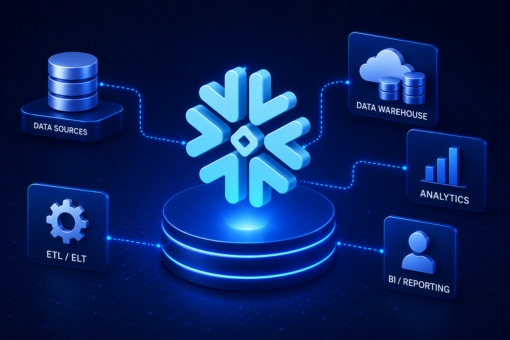
Snowflake Data Lake Vs. Data Warehouse: Comparing Data Storage Platforms

Snowflake data lake vs. Data warehouse is a common question that business owners come across during data management. In the highly competitive business world, businesses are looking for ways to cost-effectively and quickly gather insights from the petabytes of data stored. 

The two widely used big data storage solutions include data lakes and data warehouses. The two terms data lake and data warehouse are often used interchangeably; however, they are slightly different. In this comparison guide, we’ll reveal the main differences between the two data storage solutions that allow you to store and compute data. 

What Is Snowflake Data Lake?

Snowflake’s cloud-built architecture supports your data lake strategy to meet specific business needs. The in-built Role-Based Access Control (RBAC) and Data Access Control (DAC) provide quick data access, query performance, and complex transformation. As the data is transformed through native SQL, governing and monitoring the access security becomes easy. 

Another unique feature of Snowflake is the Massively Parallel Processing (MPP) that allows you to securely and cost-effectively store data. The robust architecture can handle data workloads of diverse formats in a single SQL query. Furthermore, a data lake easily transforms structured, semi-structured, and unstructured data from storage on a single architecture. 

There are two ways you can utilize Snowflake:

  • Either deploy Snowflake as your central data repository to supercharge performance, security, querying, and performance. 
  • Or you can store the data in Google Cloud Storage, AWS S3, or Azure Data Lake to speed up data analytics and transformation. 

What Is Data Warehouse?

In simple words, a data warehouse is a system used for data analytics and reporting. It acts as a central repository to store large amounts of data gathered from different data sources. In a data warehouse, you can find highly transformed, structured data pre-processed and designed to serve a specific purpose. 

However, before choosing a data warehouse, it’s vital to understand its architecture

  • Source Layer: The warehouse collects structured, unstructured, and semi-structured data relevant to the business needs. 
  • Staging Area: In the next layer, the warehouse extracts and cleanses data to structure it in a specific format. 
  • Data Warehouse Layer: It consists of a relational database management system that stores the clean data and the metadata. 
  • Data Marts: All the information related to specific functions of an enterprise is stored in the data mart. 
  • Analysis Layer: It supports access to integrated data to meet business needs. The entire data undergoes analysts to find hidden patterns or issues. 

No matter which data management solution you choose, it’s important to understand the right storage, management, and data analysis criteria. If you want to understand which is better for you: data lake or data warehouse, contact the data experts of Inferenz. 

Head-to-Head Comparison Between Data Lake & Warehouse

According to a GlobeNewswire report, the data warehouse market size will cross USD 9.13 billion by 2030. On the other hand, the data lake market is all set to cross USD 21.82 billion by the end of 2030. That said, it is clear that data lakes are becoming more common to store data compared to warehouses. 

But before you choose, let us compare the two data storage solutions — data lake and data warehouse — based on different factors. 

Storage 

A data lake stores raw data in its native format and is only transformed when it has to be used. On the other hand, a data warehouse stores data after its extraction from transactional systems. All the data in the warehouse is clean and transformed as per business needs. 

Data Capturing 

Data lakes collect and store real-time data in raw and unprocessed data formats. They capture all forms of data, irrespective of their formats or sources. Conversely, data warehouses capture only structured information and store them in specific schemas. 

Data Timeline 

Cloud data lake consists of raw data, which has no current use. In the future, data analysts can access and analyze the data to gather insights. Conversely, a data warehouse contains processed data. Hence, the source is particularly captured, analyzed, and used to serve the specific purpose in real-time. 

Users 

Data lake generally suits users with knowledge of advanced analytical tools. Data scientists, data engineers, and analytical data engineers use their big data tools to work on varied large datasets. However, a data warehouse is suitable for operational users as it can answer business-specific questions quickly. 

Tasks 

As a data lake contains information from disparate sources, it is suitable for data analytics. Users can access large volumes of data and seek in-depth data insights. On the other hand, data warehouse primarily focuses on some predefined business questions. In short, a data lake can help users with multiple tasks, while a data warehouse generates specific reports. 

Schema Positioning 

Data lake follows a schema-on-read strategy, while data warehouse follows a schema-on-write strategy. The “Schema-on-Read” structure means schema is defined after data storage in a data lake. Conversely, the “Schema-on-Write” structure means schema is typically defined before data storage in a data warehouse. 

Which Is Better: Snowflake Data Lake Vs. Data Warehouse?

The right choice between a data lake and a cloud data warehouse will depend entirely on business needs. For instance, if you’re an eCommerce company with multiple departments, data warehouses can be a good option to get all important data at a single location. 

On the other hand, if you’re a social media company where the data is usually unstructured, a data lake can be a good choice. Often, many businesses use both storage options to build data pipelines. 

A data lake and a data warehouse combination will help you collect, store, transform, and analyze business data under a single platform. If you’re still confused between Snowflake data lake vs. Data warehouse, get in touch with the experts of Inferenz. 

FAQs About Data Lake Vs. Warehouse 

How is Snowflake different from other data warehouses? 

Snowflake enables faster, more flexible, and easier-to-use data storage, processing, and analytic solutions than other data warehouses. 

Is Snowflake a database or ETL?

Snowflake supports ELT and ETL, and it works effectively with various data integration tools, including Talend, Tableau, Informatica, etc.

What are the benefits of a data lake over a data warehouse? 

Data lake helps in real-time decision analytics as it utilizes large quantities of coherent data and deep learning algorithms. 

Data Warehouse Architecture: Types & Best Practices Explained

Data warehouse architecture is a complex information system that contains commutative and historical data from different sources. In other words, it is the structural representation of the concrete functional arrangement on which the enterprise data warehouse is constructed.

Enterprise data warehouses and their architecture vary depending on the elements of the organization’s situation. The three most common architectures include the basic, staging area, and the combination of the staging area and data marts.

In this guide, we’ll help enterprises understand the complete architecture, types, and best practices related to cloud data warehouses in detail.

Characteristics Of Data Warehouse

Data virtualization and warehouse are often used interchangeably; however, they are different from each other. The process of data warehousing involves the extraction and electronic storage of data for ad-hoc reporting and queries. On the contrary, data virtualization means accessing, managing, and retrieving critical business data. Another aspect of data virtualization is that it does not collect or duplicate the data in a physical repository.

Before we explain the three main types of data warehouse architecture, here are the key data warehousing characteristics.

Subject-Oriented

A data warehouse is subject-oriented as its purpose is to render information regarding the theme rather than the company’s ongoing business operations.

The subjects, in this case, can be anything from sales and marketing to distribution. One of the main purposes of a data warehouse is to focus on data modeling and analysis to make informed decisions.

Integrated

All the similar data from the different databases are integrated into a standard unit of measure. The data stored in the warehouse is collected from disparate sources like relational databases, flat files, mainframes, etc.

Time-Variant

The data warehouse has an extensive time horizon than operational systems. This is because all the data stored in the warehouse is recognized within a particular period. Another unique aspect of a data warehouse is that once the information is inserted, it can’t be changed or updated.

Non-Volatile

The non-volatile nature of data warehouses means that previous data is not erased, whereas only new information is inserted into it. The historical data is analyzed to help you understand what and when the changes happened.

Types Of Data Warehouse Architecture

The global data warehouse market is expected to cross $51.18 billion by 2028, implying companies prefer storing their data in a single source of truth. But before you choose any data warehouse, it’s vital to understand its architecture. It generally consists of three tiers:

Single Tier Architecture

A single-tier data warehouse architecture aims to minimize the amount of information stored. Its objective is to remove data redundancy. However, it is not frequently used.

Two-Tier Architecture

Two-layer architecture aims to separate physically available sources and data warehouses. However, this is not expandable and has connectivity problems due to network limitations.

Three-Tier Architecture

One of the widely used modern data warehouse architectures is a three-layer structure.

  • Top Tier: Top tier comprises the client-side front-end of architecture. This tier uses all the transformed and logically applied information for different business processes.
  • Middle Tier: The OLAP (Online Analytical Processing) server is implemented using either MOLAP (Multidimensional Online Analytical Processing) or ROLAP (Relational Online Analytical Processing) model. The layer acts as the mediator between the database and the end user.
  • Bottom Tier: In this layer, the data is cleansed, transformed, and loaded using the back-end tools.

A modern data warehouse can store both structured and unstructured volumes of data. If you want to integrate a data storing solution or migrate data from a traditional database to the cloud, contact the experts of Inferenz today.

Data Warehouse Architecture Best Practices

Below are some best practices you’ll need to follow to design the data warehouse architecture.

  • Follow the top-down and bottom-up approaches to design a data warehouse.
  • Ensure that the data is processed accurately and quickly when consolidated into a single version of the truth.
  • Thoroughly develop the complete data acquisition and cleansing process for the data warehouse.
  • Design metadata architecture that eases metadata sharing between different data warehouse components.
  • Consider the 3NF data model to ensure that the data model is integrated and not only consolidated.

Manage Your Data Better With Inferenz Experts

Different types of data warehouses store, centralize, and query large volumes of data from multiple sources. In the data warehouse structure, the metadata plays a crucial role. It determines the source, values, features, and use of data. Only a well-designed data warehouse is the foundation of a successful BI or analytics program. It will help you improve data quality, speed up data retrieval and analysis, and enhance overall decision-making.

Many companies are increasingly choosing modern data warehouses and cloud data warehouses. If you want to integrate the modern data warehouse solution into your business, contact the Inferenz data experts today. The professionals will help you improve decision-making and bottom-line performance by understanding the data warehouse architecture.

FAQs

What is OLAP in data warehousing? 

In simple terms, OLAP is software that performs multidimensional analysis at high speeds from a data mart, warehouse, or other centralized data storage.

What are the 4 components of a data warehouse? 

The components of a data warehouse system are a central database, metadata, access tools, and ETL (extract, transform, load) tools.

What is the main purpose of a data warehouse? 

The data warehouse resembles a central data repository that can be analyzed to make more informed business decisions. Data flows from relational databases, transactional systems, and other sources to the data warehouse to help analysts use the right information for internal business operations.

Data Science Vs. Cloud Computing: Key Differences & Examples

Data science vs. cloud computing is a long-running debate gaining immense popularity in the business world. Even though both technologies are interrelated and work with data, they are slightly different. With the help of data science, you can gather essential analysis from vast amounts of data. On the other hand, cloud computing allows you to analyze the collected data and store it in the cloud infrastructure.

With technology becoming important in the business world, organizations are utilizing the power of tech to store and process data. Instead of choosing one technology, organizations employ services of both sectors to use the data stored in the cloud.

What Is Data Science And Cloud Computing?

Before exploring the differences between cloud computing and data science, here is some basic information.

Cloud Computing

Cloud computing, in simple words, determines the method of hosting remote server networks on the Internet. The main aim of these servers is data storage, management, and processing. Some popular cloud computing platforms with high revenue include Amazon Web Services (AWS), Microsoft Azure, Google Cloud, IBM, SAP, Oracle, etc.

There are multiple benefits that the cloud provides to organizations, including:

  • Makes business tasks agile
  • Cost-effective and flexible
  • High scalable and reliable
  • Improves operation efficiency

Cloud services mainly include deployment and service models. The deployment type models include:

  • Private cloud: It is a privately outsourced data center infrastructure with high security.
  • Public cloud: It refers to a cost-effective model generally available on the Internet.
  • Hybrid cloud: It blends both private and public cloud types. However, the risk of a security breach is high in this case.

Meanwhile, the different cloud servers include:

  • Infrastructure as a Service (IaaS)
  • Platform as a Service (PaaS)
  • Software as a Service (IaaS)

Data Science

Data science is another important technology that helps enterprises better centralize and utilize their data stored in the cloud database. It involves transforming, inspecting, cleaning, and modeling data available to extract vital information. Once the big data is gathered and stored by cloud computing, the role of data scientists and data analytics starts. All the helpful information is extracted after removing irrelevant forms of data and stored in the cloud to make business decisions.

Below are a few ways why organizations should pay more attention to the field of data science.

  • Reduces unnecessary costs by removing duplicated information.
  • Makes smart and quick business decisions with the information gathered.
  • Analyzes customer preferences to avail of customized services or products.

Verdict: Data science depends on cloud computing, and organizations looking to improve their business operations must focus on incorporating both technologies with Inferenz experts. We have a team of data analysts who can help you maximize the value derived from stored data.

Key Differences Between Data Science And Cloud Computing

Now that we have covered the basics of the two booming technologies, here are the differences between the two.

  • Data science is dependent on cloud computing, whereas cloud computing is independent of data analytics.
  • The aim of data science is to work on improving a particular organization, whereas cloud computing has solutions to data-intensive computing.
  • Data scientists inspect, clean, transform, and model data to make it useful; meanwhile, cloud computing focuses on data storage and retrieval.
  • Technologies involved in data science are Python, Apache Spark, etc., whereas IaaS, PaaS, and SaaS are involved in cloud computing.
  • Some examples of cloud service providers include Microsoft Azure data cloud, Amazon Web Services, IBM cloud, etc., whereas data science involves Apache, MapR, etc.

Which Is Better: Cloud Computing Or Data Science

Data science vs. cloud computing is a widespread debate for organizations. However, it is not simple to figure out which technology is better. With the growth of big data, every organization needs to focus on adopting both technologies to gain better insights from the data.

Whether you choose the best cloud computing platform or want to migrate data to the cloud, Inferenz experts can help you with the task. Our data analysts and data scientist experts work together to help you understand the differences between data science vs. cloud computing and get the maximum value of data stored in clouds.

FAQs On Cloud Computing Vs. Data Science

What should you choose: data science or cloud computing? 

Both data science and cloud computing have close relationships. Companies are increasingly storing large chunks of data in a traditional database. Data science is a technique that helps in aggregating, cleaning, preparing, and analyzing the involved data. Meanwhile, cloud computing provides continuous and dynamic IT services to structure data. With that in mind, data science and cloud computing are essential for business success.

Is cloud computing part of data science?

Cloud computing and data science go hand in hand. A data scientist analyzes different types of datasets stored in the cloud to make smart business decisions. Hence, it won’t be wrong to say that data science depends on cloud computing. The best cloud for data science you can choose for your organization is Amazon Web Services.

What are the benefits of data science?

Some of the major benefits of data science include the following:

  • Automating business tasks
  • Complex data interpretation
  • Business intelligence
  • Improved business prediction
  • Helps in marketing and sales

Cloud Market Share: Overview Of Cloud Ecosystem

Cloud market share has witnessed tremendous growth in the past years. The cloud computing market is booming exceptionally and covers a vast and complex ecosystem of technologies, services, and products. Given the rise of cloud computing adoption, many public and private cloud solutions compete to get the maximum market share. 

Understanding the complex global cloud market is increasingly difficult for consumers and enterprises. If you’re confused about the same, this guide is for you. In this cloud computing article, we will walk you through different types of cloud services, the global cloud infrastructure market leaders, and how the cloud market growth rates remain so far.

Understanding Three Main Types of Cloud Computing Services

Before we explore the leading public cloud solutions and service providers — Amazon AWS, Microsoft Azure, and Google Cloud Platform — you must know the three major types of cloud computing services. 

Infrastructure as a Service (IaaS) 

As the name suggests, the Infrastructure as a Service cloud type focuses on cloud infrastructure. IaaS gives you on-demand access to computing resources, including but not limited to servers, storage, and networking. The best part about IaaS is that it allows you to scale hardware resources depending on processing and storage needs. 

Software as a Service (SaaS) 

With the help of Web or API, you can access the provider’s cloud-based software. Unlike other service types, you don’t have to install, upgrade, or manage the software application on a local device. Instead, you can use the provider’s application to store and analyze your data, whereas the provider will handle the upkeep of the application. 

Platform as a Service (PaaS) 

In PaaS, the cloud computing service type helps access the cloud environment where you can develop, manage, and host applications. Additionally, the consumers can leverage the range of tools through the platform for development and testing. The provider is responsible for the cloud service type’s security, backups, operating system, and underlying infrastructure. 

If you’re planning to choose the best cloud services, feel free to contact Inferenz experts. Not only do our experts help enterprises choose the right cloud platform, but we also help them migrate data to the cloud safely.

Cloud Market Share in 2022

The public cloud market that comprises Software as a Service, Infrastructure as a Service, and Platform as a Service showed 29% positive growth in 2021. IDC (International Data Corporation) market research indicates that the three types of services generated $408.6 billion in revenue in the same year. The top 3 cloud computing platforms with the maximum cloud market share include AWS, Azure, and GCP.

AWS 

Statista report reveals that Amazon Web Services holds the maximum cloud market share with 34% of the world’s SaaS, IaaS, and PaaS cloud spending. In Q1 2022, the largest cloud, AWS cloud, generated $18.5 billion in revenue growth, making it the clear market leader. 

Microsoft Azure 

Azure is giving tough competition to Amazon Web Services in terms of cloud worldwide market share. The Statista report indicates that Microsoft Azure holds a 21% share in Q3 2022. Microsoft’s cloud service Azure offers Intelligent Cloud services with a tremendous growth rate of 26% to $20.9 billion. 

Google Cloud Platform 

As of Q3 2022, the GCP market share covers 11% of the worldwide cloud service market. Throughout the past years, the public cloud service platform’s revenue growth has consistently increased by 45%. That puts the platform third in the list of leading cloud service providers, after AWS and Azure. Another report by Canalys reveals that Google cloud services spending exceeds US$50 billion, indicating that GCP cloud is making its way to the top. 

These top three cloud providers (AWS, Azure, and GCP) hold 64% of the cloud market share, indicating that enterprises prefer them over other platforms.

Choose The Leading Cloud For Your Business

Cloud offerings have dramatically changed the whole IT market. With the leading cloud providers holding the maximum market share, consumers should have in-depth knowledge of every option available on the market. 

Considering the market share, the pricing models of top cloud providers, and the benefits of cloud computing platforms will help you choose the best cloud platform. 

If you’re still confused about which cloud service to choose, contact the Inferenz experts. The experienced team can help you understand which provider has the maximum public cloud market share and will expand in 2023 and beyond. 

FAQs 

What are the top five cloud platforms?

The market is dominated by five cloud platforms: Amazon Web Services, Azure, Google Cloud Platform, IBM, and Alibaba. 

What does the PaaS market look like?

According to the Gartner report 2019, the PaaS market is expected to generate $20 billion. The market will continue to grow with 550 cloud platforms and 360 vendors. However, compared to the IaaS and SaaS markets, PaaS grows less, with only 10 out of 360 vendors offering 10+ services. 

Which provider has the largest share of public cloud infrastructure?

The data from Gartner on the worldwide IaaS market shows annual revenues of $32.4 billion. The expected growth was 31.3% from $24.7 billion in 2018. According to the Gartner report, the market is dominated by Amazon Web Services, with a share of 47.8%.

Google Cloud Vs. AWS: Differences Between AWS And GCP

Google Cloud vs. AWS detailed comparative analysis will help you choose the best cloud computing platform. In the modern digital world, cloud computing is on the rise. Enterprises must leverage advanced technology by selecting the best cloud service provider. 

The top two cloud providers – AWS and Google Cloud Platform – stand neck to neck in the virtual public cloud world. This article on Google Cloud and AWS comparison highlights and elaborates on the major differences between the cloud providers to determine who is the market leader.

Differences Between Google Cloud Vs. AWS

AWS Vs. Google Cloud Market Share

When we compare the major cloud providers – Google Cloud Platform and AWS – based on market shares, Amazon Web Services is leading with around 34% of the public cloud market share. On the other hand, Google Cloud is making its name among thriving cloud communities and has a market share of 11%, as predicted by Statista. 

Even though GCP is tremendously progressing, it still lags behind AWS regarding cloud infrastructure market share. 

Verdict: Hence, we can conclude that AWS dominates the public cloud market and is one of the best cloud computing solutions. 

Google Cloud Vs. AWS Services

Google Cloud and AWS are the two top cloud giants that offer many services. AWS, the leading cloud provider, provides 200+ services, whereas GCP is catching up with over 60 services. All the services are categorized under computing, storage, database, and networking. 

Computing Services 

Services Google Cloud AWS
IaaSGoogle Compute EngineAmazon Elastic Compute Cloud
PaaS Google App EngineAWS Elastic Beanstalk
Serverless Functions Google Cloud FunctionsAWS Lambda
Containers Google Kubernetes EngineAmazon Elastic Compute Cloud Container Service

Database Services 

Services Google Cloud AWS
RDBMSGoogle Cloud SQLAmazon Relational Database Service
NoSQL: IndexedGoogle Cloud DatastoreAmazon SimpleDB
NoSQL: Key–ValueGoogle Cloud Datastore, Google Cloud BigtableAmazon DynamoDB

Networking Services 

Services Google Cloud AWS
Virtual NetworkVirtual Private CloudAmazon Virtual Private Cloud (VPC)
Elastic Load BalancerGoogle Cloud Load BalancingElastic Load Balancer
DNSGoogle Cloud DNSAmazon Route 53
PeeringGoogle Cloud InterconnectDirect Connect

Storage Services 

Services Google Cloud AWS
Object StorageGoogle Cloud StorageAmazon Simple Storage Service
Cold StorageGoogle Cloud Storage NearlineAmazon Glacier
Block StorageGoogle Compute Engine Persistent DisksAmazon Elastic Block Store
File StorageZFS/AvereAmazon Elastic File System

Verdict: Clearly, AWS provides more services and products compared to Google Cloud services. Hence, AWS global cloud is the winner here. 

Google Cloud Vs. AWS Pricing

Amazon Web Services and Google Cloud pricing models are based on the machine type they offer. Here is a simple comparison between AWS cloud and GCP. 

  • AWS Small Instances: The basic instance of AWS includes 8 GB of RAM and two virtual CPUs that will cost around US$69 per month. 
  • GCP Small Instances: Compared to AWS, GCP provides you with 8 GB of RAM, and two virtual CPUs, at US$25 per month. Hence, with an approximate 25%, GCP is much cheaper than AWS. 
  • AWS Largest Instance: It includes 128 virtual CPUs and 3.84 TB of RAM, costing you around US$3.97 per hour. 
  • GCP Largest Instance: Unlike small instances, the largest instance of Google storage services costs more. You’ll have to pay US$5.32 per hour for 160 virtual CPUs and 3.75 TB of RAM. 

Verdict: Google Cloud service provider comes out as the winner as GCP’s per-second model is much cheaper than AWS’ per-hour model billing. If you want to choose a basic instance, going ahead with the Google Cloud Platform is ideal.

Google Cloud Vs. AWS: Availability Zones

Every organization wants to choose a cloud provider that offers robust services with minimal outage possibility. Availability zones and regions directly impact the likeness of outages and robustness. 

Being the first of its kind, Amazon Web Services has had enough time to expand its service and network. It has already expanded its infrastructure to 21 geographic regions worldwide. All in all, AWS has 66 availability zones, while 12 are on the way. 

On the contrary, GCP has 61 zones worldwide and has been made available in 20 geographic regions. 

Verdict: Clearly, AWS is the winner here. 

AWS Vs. Google Cloud: Security 

Security is one of the most critical parameters organizations consider when choosing a cloud provider. Even though AWS and Google Cloud provide cutting-edge security features, the former takes a more simplistic approach. 

Customers of AWS are responsible for the cloud security of their own data, applications, user accounts, etc. On the contrary, GCP’s shared responsibility model is a little complex. Therefore, it is less preferable for beginners. 

Verdict: The right choice between the two depends on the user’s needs. 

Google Cloud Vs. AWS: Which Is Better

Google Cloud and AWS cloud computing platforms are the leading choices for enterprises migrating data to the cloud. However, the choice between Google Cloud and AWS will depend on your business requirements. 

When you compare the cloud platforms from Google and Amazon, it’s vital to understand their features. Let us compare them here.

Features/Pros Of Google Cloud 

  • Wide network access 
  • Rapid elasticity 
  • Resource pooling 
  • Better UI to improve user experience 
  • Constant addition of more languages and operating system 
  • Provides an on-demand self-service 

Cons Of Google Cloud 

  • Lacks features compared to using Amazon Web Services 
  • Complex to start 
  • No free tier option is available 

Features/Pros Of AWS

  • Provides hybrid capabilities 
  • Enables you to deploy applications in multiple regions worldwide 
  • The low total cost of ownership compared to private/dedicated servers 
  • Offers centralized management and billing 

Cons Of AWS 

  • Launching multiple app instances is complex 
  • Lengthy and complicated AWS deployment process 
  • Non-tech people find AWS a little challenging 

Verdict: Undoubtedly, both cloud storage and computing service providers are good. However, you should understand the different services your organization needs and compare prices before choosing one.

Choose The Best Cloud Computing Services For Business

If you intend to migrate data and use cloud services, the three top providers you’ll come across include Amazon Web Services (AWS), Microsoft Azure, and Google Cloud. Amongst all, GCP and AWS have dominated the cloud space. 

Compared to traditional on-premise deployment, the two cloud service providers are preferred as they offer an extensive range of products and services. At Inferenz, our data experts can help you seamlessly migrate data from on-premise to the cloud. 

If you are still confused about Google Cloud vs. AWS debate, contact our experts right away!