Future Of Data Analytics: Top Minds Share Their Secrets

The future of data analytics is more promising than ever, and businesses that leverage the tech to its full potential can reap the rewards. Reliance on BI (Business Intelligence) tools and Analytics now outweighs other strategies and helps companies with real-time analytics. 

Many businesses are increasingly adopting the latest technology solutions in their organization. They are focusing on integrating AI, ML, and natural language processing tools to find business insights hidden in disparate data. 

But with multiple sources of information available on the Internet, understanding the data analytics trends can be challenging. In this data analytics interview series, we will delve into the rapidly evolving data analysis landscape and learn about its future from industry experts. 

Experts Reveal The Future Of Big Data Analytics 

Gartner predicts that around 75% of organizations will focus on fully-operationalized big data strategies by 2024. With that in mind, every business needs to understand how the tech will shape the future of data analytics. 

To help our readers understand better, the Inferenz team conducted a quick interview with Ms. Aparna Varma. She is a Microsoft Certified Technology Specialist with experience in technologies including Business Analysis, Business Intelligence, and Artificial Intelligence. 

In our conversation, we tried to demystify the technology and learn about future trends. 

Internal Team: Hello, Ms. Aparna. Thank you for your valuable time. 

Ms. Aparna: It is my pleasure.

Internal Team: So, Ms. Aparna, before we dive deep into the future of technology, could you shed some light on the previous year? According to you, what was the biggest thing in the data analytics field that revolutionized the business world in 2022? 

Ms. Aparna: In 2022, the big thing in the field of data analysis that revolutionized the business world was the widespread adoption of artificial intelligence (AI) and machine learning (ML) technologies. These technologies allowed companies to automate their data analysis processes, making it possible to quickly and accurately analyze massive amounts of data in real time. This led to improvements in decision-making, cost savings, and increased efficiency across many industries. Additionally, the use of natural language processing (NLP) technology made it easier for non-technical employees to understand and interact with the data, further democratizing access to insights.

Internal Team: We agree with you. Many businesses have adopted the latest technologies to stay ahead in 2022. However, there are a few organizations that are still reluctant to embrace tech and automate business operations. So, what is your take on it? Will data be the game changer for businesses in 2023 and beyond?

Ms. Aparna: It is likely that data will continue to play an essential role in shaping business strategies and decision-making in 2023 and beyond. As technology advances and the amount of data available to businesses increases, organizations will be able to gain deeper insights into their customers, operations, and markets. This will enable them to improve efficiency, make more informed business decisions, and gain a competitive advantage. Additionally, data-driven approaches such as machine learning and artificial intelligence will become increasingly prevalent, allowing businesses to automate processes and make predictions with greater accuracy. Overall, data will be a key enabler for enterprises to stay ahead of the curve and thrive in the digital age.

Internal Team: With so much data available, businesses often get confused about how to use the information to the fullest. Would you please tell us your prescriptive on what companies should focus on to better utilize their data in 2023? 

Ms. Aparna: Sure. Here are a few ways businesses can better utilize their data. 

  • Data Governance: Establishing a clear framework for managing and protecting data, including policies, procedures, and technologies.
  • Data Quality: Ensuring that the data they collect is accurate, complete, and reliable.
  • Data Integration: Combining data from various sources, such as CRM, ERP, and IoT systems, to create a more comprehensive view of their operations.
  • Advanced Analytics: Using machine learning and other advanced analytics techniques to extract insights from data and make more informed decisions.
  • Cloud-Based Infrastructure: Move the data into the cloud for better scalability, security, and cost-effectiveness.
  • Data Privacy and Security: Protecting sensitive data and implementing data privacy regulations like GDPR, CCPA, and others.

Internal Team: That’s an excellent strategy for efficiently using the data. So, what do you think about the biggest challenges in data analytics? And how can data analyst experts solve them? 

Ms. Aparna: Data Quality and Cleanliness: One of the biggest challenges in data analytics is dealing with dirty and inconsistent data. Data quality issues can arise from a variety of sources, including data entry errors, missing values, and duplicate records. Experts can solve this challenge by implementing data cleaning and validation techniques to ensure data quality and consistency.

Data Integration and Management: Another challenge is integrating and managing large and complex datasets from multiple sources. Experts can solve this challenge by using data integration and management tools that automate the process of data integration and management.

Data Security and Privacy: With the massive amount of data being generated and stored, data security and privacy have become major concerns. Experts can solve this challenge by implementing data encryption and security measures to protect sensitive data from unauthorized access.

Data Visualization: Data visualization is an important aspect of data analytics, but it can be challenging to present large and complex data sets in a way that is easy to understand. Experts can solve this challenge by using data visualization tools and techniques that allow them to create interactive and engaging visualizations that help users understand the data better.

Machine Learning and Predictive Analytics: Machine learning (ML) and predictive analytics are becoming increasingly important in data analytics, but they can be challenging to implement. Experts can solve this challenge by using machine learning and predictive analytics tools and techniques to make predictions and automate decision-making processes.

Internal Team: Thank you so much, Ms. Aparna, for giving our readers in-depth insights about data analytics. 

Data Analytics Demystified: Improve Your Business With Experts

As you can see, Ms. Aparna has clearly indicated the importance of leveraging the power of technology. Only businesses that use data analytics tools can enhance customer experience, automate manual tasks, reduce costs, and generate better revenue. 

Whether you’re an SME, startup, or a large organization, it’s vital to invest in future technologies. If you’re perplexed about how to prepare your business for the future of data analytics, contact Inferenz experts today. 

Quick Recap: Future Of Data Analytics Beyond 2023

Data analysis tools are capable of identifying trends to drive real-time insights from large data sets. Here’s a quick recap. 

  • With technologies becoming even more important, many businesses will invest in tools to analyze data. Technologies like AI and machine learning algorithms will become more prevalent. 
  • Businesses should focus on data governance, quality, advanced analytics, privacy and security, and integration to uncover insights from the data. 
  • As data is the next big thing, businesses must focus on overcoming the challenges associated with data analytics. Outsourcing to experts will help enterprises improve their business operations. 
  • Predictive analysis tools will be widely used by businesses to help teams predict future trends and make smart decisions. 

We hope insights from this interview will help business owners to stay at the forefront of the competition. If you’re still unsure about how to use volumes of data reserved in the data warehouse, contact Inferenz experts. 

Data Lake Architecture: Components & Best Practices To Build Data Lake

Summary

A data lake is a centralized, scalable repository that stores structured, semi-structured, and unstructured data in its native format. Unlike a data warehouse, a data lake supports flexible schema design and accommodates diverse data types from multiple sources. Organizations adopt data lake architecture to accelerate analytics, reduce storage costs, and power AI and machine learning workloads. However, without proper governance, security, and architecture design, data lakes can become unmanageable. This guide covers every critical dimension of data lake architecture, from core components and types to best practices and emerging trends.

Introduction

Most organizations today generate data at a scale and variety that traditional storage systems cannot handle efficiently. Relational databases and warehouses impose rigid schemas that slow data ingestion, limit flexibility, and inflate costs. Meanwhile, data scientists, analysts, and AI teams need fast, unrestricted access to raw data across formats and sources.

This gap is where data lake architecture delivers decisive value. However, many implementations fail not because the technology is flawed, but because organizations lack a clear architecture strategy, proper governance frameworks, and the right data engineering foundations.

This guide provides a structured, decision-ready overview of data lake architecture, covering what it is, how it compares to warehouses, what components and technologies power it, and how to implement it effectively.

What is Data Lake Architecture?

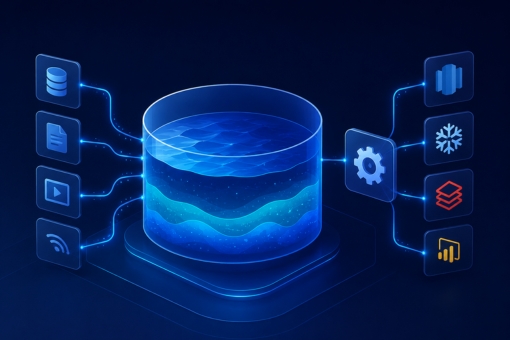
A data lake is a centralized storage repository that holds large volumes of raw data in its native format until the data is needed for analysis or processing. The architecture is flat rather than hierarchical, meaning each data element carries a unique identifier and metadata tags rather than residing in predefined folders or schemas.

Data enters a data lake from multiple sources simultaneously, including IoT devices, transaction systems, log files, social media, and application events. This multi-source ingestion model makes the data lake a single source of truth for both operational and analytical workloads.

How Data Lake Architecture Works

At its core, data lake architecture organizes data across distinct layers, each serving a specific processing function. Raw data arrives at the ingestion layer without transformation. It then moves through distillation, processing, and insights layers before reaching end users or analytical tools.

Furthermore, a unified operations layer monitors and manages workflows, auditing, and performance across all layers. Each layer adds progressively more structure and context to the data, transforming raw inputs into actionable intelligence.

Key Characteristics of a Data Lake

  • Stores all data types: structured, semi-structured, and unstructured
  • Schema-on-read model (schema defined at query time, not at ingestion)
  • Supports batch, real-time, and interactive processing
  • Built for scale, handling petabytes of data cost-effectively
  • Compatible with AI, ML, and advanced analytics tools

Data Lake vs Data Warehouse

The comparison between data lakes and data warehouses remains one of the most common decision points in enterprise data strategy. Both serve different purposes, and understanding the distinction is essential before committing to an architecture investment.

DimensionData LakeData Warehouse
Data TypeAll types (raw, unstructured, structured)Structured, processed data only
SchemaSchema-on-readSchema-on-write
CostLower storage costHigher storage and licensing cost
FlexibilityHigh, reconfigurableLow, fixed schemas
Use CaseData science, ML, raw analyticsBusiness intelligence, reporting
Data QualityVariable (raw ingestion)High (curated, governed)
Security ControlRequires deliberate governanceBuilt-in controls typically stronger

When to Choose a Data Lake

Choose a data lake when your organization needs to store diverse data at scale, run exploratory analytics, train machine learning models, or consolidate data from varied sources without defining schemas upfront.

However, if your primary use case is structured reporting, dashboards, or regulated financial analysis, a data warehouse or a hybrid lakehouse architecture may serve better.

Core Components of Data Lake Architecture

A well-designed data lake consists of five critical components. Each plays a distinct role in ensuring data is secure, accessible, and useful.

1. Ingestion Layer

The ingestion layer collects raw data from source systems and loads it into the data lake without applying transformations. It supports both batch ingestion, where the system processes data at scheduled intervals, and real-time ingestion via streaming pipelines.

Tools such as Apache Kafka, AWS Kinesis, and Azure Event Hubs power high-throughput ingestion pipelines. The ingestion layer organizes incoming data into logical folder structures based on source, date, or data type to simplify downstream retrieval.

2. Distillation Layer

The distillation layer transforms raw data into structured formats suitable for analysis. This layer performs data cleansing, normalization, deduplication, and schema alignment. As a result, downstream teams receive consistent, reliable datasets rather than raw, inconsistent inputs.

Additionally, this layer handles derived data generation, where new datasets are created by combining or enriching existing data from the ingestion layer.

3. Processing Layer

The processing layer, sometimes called the gold or production-ready layer, applies user queries and advanced analytical operations to the structured data. Teams can run workloads in batch mode, real-time streaming, or interactive query sessions using tools like Apache Spark, Databricks, or AWS EMR.

This layer also supports machine learning model training and feature engineering workflows, making it a core enabler for AI-driven analytics.

4. Insights Layer

The insights layer serves as the query and output interface for the data lake. It connects end users, BI tools, and dashboards to the processed datasets. SQL and NoSQL query engines, such as Amazon Athena, Presto, or Google BigQuery, power fast retrieval at this layer.

Consequently, business analysts and data teams access curated, ready-to-use data without needing to interact with the raw ingestion or processing layers directly.

5. Unified Operations Layer

The unified operations layer manages the entire data lake infrastructure. It covers performance monitoring, workflow orchestration, auditing, access control, and capacity management. For instance, Apache Airflow or AWS Glue Workflows manage pipeline scheduling and execution at this layer.

Moreover, this layer enforces data governance policies, tracks lineage, and maintains audit trails that support regulatory compliance requirements.

Types of Data Lakes

Organizations implement data lakes in several deployment models, each with distinct trade-offs in cost, control, and scalability.

Cloud-Native Data Lakes

Cloud platforms such as AWS (S3 + Glue + Athena), Azure (ADLS Gen2 + Synapse), and Google Cloud (GCS + BigQuery) offer fully managed data lake services. These deployments scale automatically, reduce operational overhead, and integrate natively with cloud analytics and AI services.

For organizations prioritizing speed and scalability, cloud-native data lakes are the dominant choice in 2026.

On-Premises Data Lakes

On-premises deployments use Hadoop Distributed File System (HDFS) or similar infrastructure managed within the organization’s own data centers. These setups offer greater control over data residency and security but require significant capital investment and operational expertise.

Hybrid Data Lakes

Hybrid architectures combine on-premises storage with cloud processing layers. Organizations with strict data sovereignty requirements or legacy infrastructure investments often adopt this model. Data Strategy Consulting Services frequently recommend hybrid architectures as a transitional path toward full cloud adoption.

Lakehouse Architecture

The lakehouse is an emerging model that combines the scalability of a data lake with the data management and governance features of a warehouse. Platforms like Databricks Delta Lake and Apache Iceberg enable ACID transactions, schema enforcement, and versioning on top of raw data lake storage.

Benefits of Implementing Data Lake Architecture

When properly designed and governed, data lake architecture delivers substantial organizational and operational advantages.

Unified Data Repository

A data lake consolidates data from all organizational sources into a single repository. Therefore, teams eliminate data silos, reduce duplication, and gain a consistent view of organizational data assets.

Cost-Efficient Scalability

Object storage platforms that underpin data lakes, such as Amazon S3 or Azure ADLS, cost a fraction of traditional warehouse storage per terabyte. Organizations scale storage independently of compute, which reduces overall infrastructure spend.

Accelerated AI and Machine Learning Development

Data scientists access raw, unprocessed data directly from the data lake. This access accelerates feature engineering, model training, and experimentation. Furthermore, the data lake supports the large-scale datasets that deep learning and large language model fine-tuning require.

Flexibility for Diverse Workloads

Unlike data warehouses, data lakes accommodate ad hoc analytics, real-time streaming, batch processing, and predictive modeling simultaneously. This workload flexibility makes them suitable for organizations running multiple data-intensive programs in parallel.

Support for Regulatory Data Retention

Organizations in healthcare, finance, and government often must retain raw data for compliance and audit purposes. A data lake provides cost-effective long-term raw data storage while maintaining retrieval capabilities for regulatory review.

Key Technologies of Data Lake Architecture

Selecting the right technology stack is critical to building a reliable, high-performance data lake. Below are the foundational technology categories and leading tools within each.

Storage Layer Technologies

  • Amazon S3: Industry-standard object storage with high durability, lifecycle policies, and native integration with AWS analytics services
  • Azure Data Lake Storage Gen2 (ADLS Gen2): Hierarchical namespace object storage optimized for big data analytics on Azure
  • Google Cloud Storage (GCS): Scalable object storage with tight integration into BigQuery and Vertex AI

Data Processing Engines

Apache Spark remains the de facto standard for large-scale data transformation, offering distributed in-memory processing for both batch and streaming workloads. Databricks builds on Spark with a managed platform that adds collaboration, governance, and ML lifecycle features in a unified environment. For organizations on AWS, Glue provides a serverless ETL service that automates schema discovery, data cataloging, and transformation without managing infrastructure.

Data Cataloging and Governance

Data Engineering And Integration Solutions require robust cataloging tools to maintain discoverability and lineage. Tools like Apache Atlas, AWS Glue Data Catalog, and Microsoft Purview enable metadata management, data lineage tracking, and access governance at scale.

Query Engines

  • Amazon Athena: Serverless SQL query engine directly on S3
  • Presto/Trino: Open-source distributed SQL query engine for federated queries across storage systems
  • Google BigQuery: Serverless analytics warehouse with native data lake integration

Data Ingestion Tools

  • Apache Kafka: High-throughput distributed streaming platform for real-time data ingestion
  • AWS Kinesis: Managed real-time data streaming service for ingesting event and log data
  • Apache NiFi: Visual data flow automation tool for building complex ingestion pipelines

Best Practices for Effective Data Lake Management

Building a data lake is straightforward. Managing it effectively over time requires deliberate practice and disciplined governance. The following practices distinguish high-performing data lake implementations from those that degrade into “data swamps.”

Define Data Goals Before Collecting Data

Organizations should identify the specific analytical, operational, or AI outcomes they need the data lake to support before ingesting data. Without clear data goals, teams accumulate data that nobody uses, consuming storage and creating governance overhead.

Implement Robust Data Governance from Day One

Data Governance Consulting Services consistently emphasize that governance is the most neglected dimension in data lake implementations. Establish data ownership, access policies, quality standards, and retention rules before the first dataset enters the lake.

Additionally, adopt a metadata management framework that captures data provenance, lineage, and usage history. This metadata infrastructure is the foundation of trust in any data lake environment.

Automate Ingestion and Transformation Pipelines

Manual data pipelines introduce latency, inconsistency, and errors. Instead, automate data acquisition, schema detection, data quality checks, and transformation workflows using orchestration tools like Apache Airflow or cloud-native equivalents.

Automation also accelerates onboarding of new data sources, which is particularly valuable in organizations undergoing rapid data expansion.

Apply a Layered Architecture with Clear Zone Definitions

Organize the data lake into clearly defined zones, typically raw, curated, and consumption zones. Each zone serves a distinct function and applies appropriate data quality and access controls. This zoned model prevents raw, unvalidated data from reaching analytical tools prematurely.

Enforce Column- and Row-Level Security

Access control in data lakes must operate at a granular level. Implement column-level security for sensitive fields (for example, PII or financial data) and row-level security to restrict access based on user roles or regions. Tools like Apache Ranger and AWS Lake Formation provide these controls natively.

Monitor Data Quality Continuously

Data quality degrades over time as source systems change, pipelines fail, or new data types are introduced. Implement automated data quality monitoring tools, such as Great Expectations or Soda Core, to detect and alert on quality anomalies before they reach downstream consumers.

Version Data and Enable Time Travel

Modern data lake formats like Apache Iceberg and Delta Lake support data versioning and time travel, which allow users to query historical states of a dataset. This capability is essential for model reproducibility, audit trails, and debugging data pipeline issues.

Challenges of Data Lake Architecture

Despite their advantages, data lakes introduce several well-documented challenges that organizations must proactively address.

The Data Swamp Problem

Without governance, data lakes accumulate poorly documented, low-quality, and duplicate datasets. The resulting “data swamp” makes data discovery difficult and erodes trust in the platform. Consequently, data scientists spend more time finding and cleaning data than analyzing it.

Security and Access Control Complexity

Data lakes store sensitive data across multiple formats and ingestion streams. Applying consistent security policies across all datasets requires deliberate architecture. Organizations often underestimate the complexity of securing a multi-source, multi-format storage environment.

Schema Drift and Data Quality Issues

Source systems change over time, altering data schemas without notice. Data lakes operating on schema-on-read models are particularly vulnerable to schema drift, where downstream pipelines break because the source data structure changed unexpectedly.

Performance at Scale

Query performance on a data lake depends heavily on data organization, file formats, and partitioning strategies. Poorly organized data lakes with small files or inefficient formats (for example, CSV instead of Parquet) deliver significantly worse query performance as data volumes grow.

Skill Requirements

Effective data lake management requires expertise across distributed systems, cloud infrastructure, data engineering, security, and governance. For many organizations, assembling and retaining this skill set is a significant operational challenge.

Future Trends in Data Lake Architecture

Data lake architecture continues to evolve rapidly. Several converging trends will shape enterprise data lake strategies through 2026 and beyond.

Rise of the Lakehouse Architecture

The lakehouse model, combining the flexibility of a data lake with the governance and performance of a warehouse, is becoming the default enterprise architecture for unified analytics. Platforms like Databricks, Apache Iceberg, and Delta Lake are accelerating this transition.

AI-Native Data Lakes

Organizations are redesigning data lakes to serve AI workloads as a primary use case rather than an afterthought. This shift includes optimizing storage for vector embeddings, fine-tuning datasets, and model artifacts alongside traditional analytical data.

Real-Time Data Lakes

Batch-oriented architectures are giving way to streaming-first designs. Furthermore, tools like Apache Flink, Kafka Streams, and Delta Live Tables make real-time ingestion and processing at the data lake layer increasingly accessible to mid-market organizations.

Data Mesh Integration

The data mesh paradigm, which distributes data ownership to domain teams rather than centralizing it in a single platform team, is influencing how organizations design and operate data lakes. In a data mesh model, the data lake becomes a federated fabric of domain-owned data products rather than a monolithic repository.

Automated Data Quality and Observability

AI-driven data quality and observability platforms are maturing rapidly. These tools automatically detect anomalies, trace lineage, and surface quality issues across complex data lake environments, reducing the manual effort required to maintain data trust.

Boosting Data Lake Optimization with Inferenz

Building a data lake is a strategic investment, not a one-time infrastructure project. Organizations that optimize their data lakes continuously, applying modern governance frameworks, robust security controls, and efficient processing architectures, extract significantly more value from their data assets than those that treat it as a static platform.

Inferenz brings specialized expertise in end-to-end data lake design, implementation, and optimization. From architecture assessment and cloud migration to real-time pipeline engineering and governance framework deployment, Inferenz helps organizations build data lakes that deliver measurable outcomes.

Whether your organization is starting from scratch, migrating from a legacy warehouse, or optimizing an existing data lake environment, Inferenz provides the technical depth and strategic perspective to move quickly and build with confidence.

Contact Inferenz today to discuss your data lake requirements and explore how our data engineering and cloud teams can accelerate your data maturity journey.

FAQs About Data Lake Architecture

What is a data lake in simple terms?

A data lake is a centralized storage repository that holds raw data in its original format until it is needed for analysis. Unlike a data warehouse, it does not require data to conform to a predefined schema at the time of ingestion. Organizations use data lakes to store all data types, including text, logs, images, video, and transaction records, at a low cost and high scale.

What is the difference between a data lake and a data warehouse?

A data lake stores raw, unprocessed data in its native format and applies structure at query time (schema-on-read). A data warehouse stores curated, processed, and structured data with a fixed schema defined at load time (schema-on-write). Data lakes suit exploratory analytics and AI workloads. Data warehouses suit structured reporting and business intelligence. Many enterprise architectures combine both in a lakehouse model.

What are the main components of data lake architecture?

The five core components of data lake architecture are: (1) the ingestion layer, which collects raw data from source systems; (2) the distillation layer, which cleanses and structures data; (3) the processing layer, which runs analytical and ML workloads; (4) the insights layer, which serves data to end users and BI tools; and (5) the unified operations layer, which manages governance, security, monitoring, and workflow orchestration.

How do you prevent a data lake from becoming a data swamp?

Preventing a data swamp requires three foundational practices: robust data governance (clear ownership, quality standards, and retention policies), comprehensive metadata management (tagging, lineage tracking, and cataloging), and automated data quality monitoring. Organizations that invest in governance from the start avoid the discovery failures and trust erosion that define poorly managed data lakes.

What are the best cloud platforms for building a data lake?

The three leading cloud platforms for data lake implementation are AWS (Amazon S3 with Glue, Athena, and Lake Formation), Microsoft Azure (ADLS Gen2 with Synapse Analytics and Purview), and Google Cloud (GCS with BigQuery and Dataplex). The right platform depends on existing cloud commitments, compliance requirements, and the specific analytics tools the organization uses.

What technologies are commonly used in data lake architecture?

Common data lake technologies include Apache Spark and Databricks for data processing, Apache Kafka and AWS Kinesis for real-time ingestion, Apache Iceberg and Delta Lake for open table formats with versioning and ACID transactions, AWS Glue and Apache Atlas for data cataloging, and Amazon Athena or Presto for serverless SQL querying directly on object storage.

How should organizations secure a data lake?

Data lake security requires a multi-layered approach. Organizations should implement network-level controls (firewalls, VPC policies), identity and access management with least-privilege principles, column- and row-level security for sensitive data, encryption at rest and in transit, and continuous audit logging. Tools like AWS Lake Formation, Apache Ranger, and Microsoft Purview provide centralized policy enforcement across multi-format environments.

Azure Data Factory Vs. Databricks: Comparing Top Two Integration Tools

Summary

Azure Data Factory and Databricks serve different but sometimes overlapping roles in the modern data stack. Azure Data Factory (ADF) excels at orchestrating large-scale ETL and ELT workflows with minimal coding. Databricks, in contrast, provides a unified analytics platform for complex data engineering, machine learning, and real-time streaming. Choosing between them requires a clear understanding of your team’s technical maturity, workload type, and long-term data strategy. This guide breaks down the core differences, use cases, and selection criteria so your organization can make a confident, informed decision.

Introduction

Data teams today face a common dilemma: too many capable tools, too little clarity on which one solves the right problem.

Azure Data Factory and Databricks both appear on shortlists for data integration, ETL orchestration, and pipeline management. Both run on the Azure cloud ecosystem. Both handle large-scale data movement. Yet organizations that choose the wrong tool for the wrong use case often find themselves rebuilding pipelines six months later.

The real question is not which tool is better. It is which tool fits your specific data architecture, team capability, and business objective.

This comparison provides a structured, decision-ready breakdown of both platforms, examining their architecture, strengths, limitations, and ideal use cases.

What Is Azure Data Factory?

Azure Data Factory is a cloud-native, fully managed data integration service built on the Microsoft Azure platform. It functions as a Platform as a Service (PaaS) tool, which means Microsoft manages the underlying infrastructure so data teams can focus entirely on pipeline logic.

ADF specializes in Extract, Transform, Load (ETL) and Extract, Load, Transform (ELT) workflows. It connects to more than 90 built-in data sources, spanning on-premises databases, cloud storage, SaaS applications, and third-party services.

Core Strengths of Azure Data Factory

Fully Managed Infrastructure Microsoft manages provisioning, scaling, and maintenance through Azure Integration Runtime. Teams do not need to configure or maintain servers. This significantly reduces operational overhead for data engineering teams.

Low-Code Development Environment ADF provides a visual, drag-and-drop interface for building data pipelines. Non-developers and analysts can create complex data movement workflows without writing a single line of code. Consequently, business teams gain more autonomy over data operations.

Graphical Pipeline Designer The graphical user interface (GUI) allows developers to visually map data flows, configure transformations, and monitor pipeline execution. Furthermore, the visual approach reduces configuration errors that often occur with code-heavy tools.

Broad Connector Library ADF supports native connectors for Azure Blob Storage, Azure SQL Database, Amazon S3, Google BigQuery, Salesforce, SAP, and many more. This breadth of connectivity makes it particularly valuable for hybrid and multi-cloud environments.

Limitations of Azure Data Factory

  • Limited coding flexibility: developers cannot modify backend pipeline logic directly
  • No native support for real-time, live data streaming
  • Advanced transformations require integration with external compute services like Azure Databricks or Azure HDInsight
  • Less suited for machine learning workflows or exploratory data science

What Is Azure Databricks?

Azure Databricks is a Software as a Service (SaaS) analytics platform built on Apache Spark. Originally developed by the creators of Apache Spark, Databricks provides a collaborative environment for data engineers, data scientists, and ML engineers to work together within a single unified workspace.

Unlike ADF, Databricks is not primarily an orchestration tool. Instead, it provides a distributed compute engine capable of processing massive data volumes at high speed, running machine learning models, and supporting real-time data streaming.

Core Strengths of Databricks

Unified Analytics Platform Databricks brings ETL, data exploration, machine learning, and real-time analytics under one platform. As a result, data teams avoid switching between multiple tools and can build end-to-end pipelines within a single environment.

Multi-Language Support Data engineers and scientists can work in Python, Scala, R, SQL, or Java within Databricks notebooks. This flexibility allows teams to use the language best suited to each specific task. Moreover, the collaborative notebook environment supports simultaneous multi-user editing, which accelerates development cycles.

Real-Time and Batch Processing Databricks natively supports both batch processing and live data streaming through Spark Streaming and Delta Lake. Organizations dealing with IoT data, event streams, or financial transaction monitoring particularly benefit from this capability.

Machine Learning Integration Databricks includes MLflow for experiment tracking, model versioning, and deployment. Additionally, it integrates with Azure Machine Learning, Power BI, and other BI tools, making it a strong choice for organizations building production ML pipelines.

Multi-Cloud Portability Unlike ADF, which is Azure-native, Databricks runs across AWS, Azure, and Google Cloud Platform. This portability gives enterprises flexibility if their cloud strategy evolves over time.

Limitations of Databricks

  • Steeper learning curve, especially for non-technical users
  • Higher operational cost for small or infrequent workloads
  • Requires more hands-on configuration and cluster management
  • Not a standalone orchestration tool; typically used alongside workflow schedulers

Key Differences: Azure Data Factory vs. Databricks

Ease of Use

ADF provides a low-code, GUI-driven experience that enables business analysts and non-developers to build and manage data pipelines independently. In contrast, Databricks requires familiarity with distributed computing concepts and at least one programming language.

Verdict: ADF offers a significantly lower barrier to entry. Databricks suits technically proficient teams comfortable with code-first development.

Primary Purpose and Use Case

ADF focuses on data orchestration, movement, and transformation across systems. It works best as a pipeline coordinator, scheduling and managing data flows between sources and destinations.

Databricks, on the other hand, functions as an analytics and compute engine. Teams use it for complex transformations, exploratory analysis, machine learning model training, and streaming data processing. Therefore, the two tools frequently complement each other rather than compete directly.

Verdict: The right choice depends on the primary workload. For pure data movement and orchestration, ADF leads. For compute-heavy analytics and ML, Databricks is the stronger option.

Data Processing Capabilities

Both platforms support batch processing. However, Databricks adds native support for real-time data streaming, which ADF lacks. For organizations processing event-driven data, live sensor feeds, or clickstream analytics, this difference becomes critical.

Verdict: Databricks holds a clear advantage for real-time streaming use cases. ADF covers batch and scheduled data movement effectively.

Coding Flexibility

ADF limits developers to its GUI and mapping data flows. Backend code modification is not possible, which can constrain advanced users. Databricks, in contrast, provides full programmatic control. Developers can write, optimize, and fine-tune code at every layer of the pipeline.

Verdict: Databricks offers substantially greater coding flexibility. ADF prioritizes speed and simplicity over customization depth.

Cost Structure

ADF charges based on pipeline activity runs, data integration units, and the number of orchestration activities. Databricks pricing depends on Databricks Units (DBUs) consumed by cluster compute. For light, infrequent workloads, ADF tends to be more cost-effective. For sustained, large-scale processing, Databricks cost scales significantly.

Verdict: Evaluate both tools based on your actual workload volume and frequency before making a cost-based decision.

Integration with Azure Ecosystem

Both tools integrate well within the Azure ecosystem. However, ADF offers deeper native integration with Azure-specific services like Azure Synapse Analytics, Azure Blob Storage, and Azure SQL. Databricks complements this with stronger ML tooling and multi-cloud support.

When to Choose Azure Data Factory

ADF is the right choice when your organization needs:

  • Automated ETL and ELT pipelines without heavy coding
  • Scheduled data movement between on-premises and cloud systems
  • A fully managed service with minimal infrastructure overhead
  • Integration with a broad range of data sources through pre-built connectors
  • A cost-effective solution for structured data orchestration at scale

Typical ADF use cases include: migrating on-premises databases to Azure, consolidating data from multiple SaaS platforms into a central data warehouse, and automating nightly data refresh pipelines for BI dashboards.

When to Choose Databricks

Databricks is the right choice when your organization needs:

  • High-performance processing of large, complex datasets
  • Real-time or near-real-time data streaming capabilities
  • A unified platform for data engineering and machine learning
  • Collaborative development across data engineers and data scientists
  • Multi-cloud flexibility beyond Azure

Typical Databricks use cases include: building recommendation engines for e-commerce platforms, processing IoT sensor data from manufacturing equipment, training and deploying fraud detection models, and performing large-scale data transformation with fine-tuned Spark jobs.

Using ADF and Databricks Together

Many enterprise data architectures use both tools in combination. ADF handles orchestration and scheduling, while Databricks provides the compute engine for complex transformations and ML workloads. In this setup, ADF triggers Databricks notebooks or jobs as part of a larger pipeline, coordinating the overall workflow without duplicating compute responsibilities.

This integration pattern is common in organizations building data lakehouses on Azure, where raw data ingestion, transformation, and analytics all need to work in sequence at scale.

Conclusion

Azure Data Factory and Databricks address different layers of the enterprise data stack. ADF brings order and automation to data movement and orchestration. Databricks brings depth, flexibility, and compute power to analytics and machine learning.

Organizations that treat the two as competitors often end up constraining their architecture. Those that view them as complementary tools build more scalable, resilient, and capable data platforms.

Before selecting either tool, assess your team’s technical maturity, the nature of your data workloads, your real-time processing requirements, and your long-term ML ambitions. The right architecture rarely depends on one tool. Instead, it depends on knowing which tool plays which role.

Frequently Asked Questions

1. What is the primary difference between Azure Data Factory and Databricks?

ADF is a managed data orchestration and ETL service focused on moving and transforming data between systems. Databricks is a unified analytics platform built on Apache Spark, designed for large-scale data processing, machine learning, and real-time streaming. The two tools serve different purposes and frequently work together within the same data architecture.

2. Can Azure Data Factory and Databricks be used together?

Yes. Many enterprise data teams use ADF to orchestrate pipeline scheduling and Databricks as the compute engine for complex transformations. ADF can trigger Databricks notebooks and jobs directly, allowing both tools to operate as part of a unified data workflow.

3. Which tool is better for real-time data streaming?

Databricks supports real-time data streaming natively through Spark Streaming and Delta Lake. ADF does not offer live streaming capabilities. Therefore, for event-driven or time-sensitive data use cases, Databricks is the more capable choice.

4. Is Databricks suitable for organizations without strong engineering teams?

Databricks requires more technical proficiency than ADF. Teams working with Databricks generally need experience with distributed computing and at least one programming language such as Python, Scala, or SQL. For organizations with limited engineering resources, ADF offers a more accessible entry point.

5. Is Azure Data Factory an ETL tool?

Yes. ADF supports both ETL (Extract, Transform, Load) and ELT (Extract, Load, Transform) workflows. It provides a visual interface for designing and managing data pipelines, with more than 90 built-in connectors for cloud and on-premises data sources.

6. Which tool is more cost-effective for smaller workloads?

ADF generally offers lower cost for smaller, infrequent, or scheduled data movement workloads. Databricks cluster compute costs scale with usage, making it less economical for light or intermittent workloads. For sustained, large-scale processing, however, Databricks delivers higher performance per cost unit.

7. Does Databricks work outside of Azure?

Yes. Databricks runs on AWS, Azure, and Google Cloud Platform. This multi-cloud portability makes it a strong option for enterprises operating across more than one cloud provider. ADF, in contrast, is a Microsoft Azure-native service.

Snowflake Data Lake Vs. Data Warehouse: Comparing Data Storage Platforms

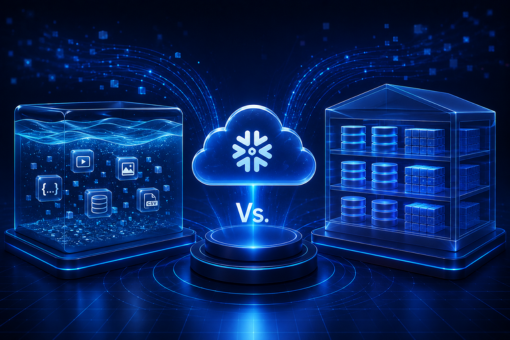
Snowflake data lake vs. Data warehouse is a common question that business owners come across during data management. In the highly competitive business world, businesses are looking for ways to cost-effectively and quickly gather insights from the petabytes of data stored. 

The two widely used big data storage solutions include data lakes and data warehouses. The two terms data lake and data warehouse are often used interchangeably; however, they are slightly different. In this comparison guide, we’ll reveal the main differences between the two data storage solutions that allow you to store and compute data. 

What Is Snowflake Data Lake?

Snowflake’s cloud-built architecture supports your data lake strategy to meet specific business needs. The in-built Role-Based Access Control (RBAC) and Data Access Control (DAC) provide quick data access, query performance, and complex transformation. As the data is transformed through native SQL, governing and monitoring the access security becomes easy. 

Another unique feature of Snowflake is the Massively Parallel Processing (MPP) that allows you to securely and cost-effectively store data. The robust architecture can handle data workloads of diverse formats in a single SQL query. Furthermore, a data lake easily transforms structured, semi-structured, and unstructured data from storage on a single architecture. 

There are two ways you can utilize Snowflake:

  • Either deploy Snowflake as your central data repository to supercharge performance, security, querying, and performance. 
  • Or you can store the data in Google Cloud Storage, AWS S3, or Azure Data Lake to speed up data analytics and transformation. 

What Is Data Warehouse?

In simple words, a data warehouse is a system used for data analytics and reporting. It acts as a central repository to store large amounts of data gathered from different data sources. In a data warehouse, you can find highly transformed, structured data pre-processed and designed to serve a specific purpose. 

However, before choosing a data warehouse, it’s vital to understand its architecture

  • Source Layer: The warehouse collects structured, unstructured, and semi-structured data relevant to the business needs. 
  • Staging Area: In the next layer, the warehouse extracts and cleanses data to structure it in a specific format. 
  • Data Warehouse Layer: It consists of a relational database management system that stores the clean data and the metadata. 
  • Data Marts: All the information related to specific functions of an enterprise is stored in the data mart. 
  • Analysis Layer: It supports access to integrated data to meet business needs. The entire data undergoes analysts to find hidden patterns or issues. 

No matter which data management solution you choose, it’s important to understand the right storage, management, and data analysis criteria. If you want to understand which is better for you: data lake or data warehouse, contact the data experts of Inferenz. 

Head-to-Head Comparison Between Data Lake & Warehouse

According to a GlobeNewswire report, the data warehouse market size will cross USD 9.13 billion by 2030. On the other hand, the data lake market is all set to cross USD 21.82 billion by the end of 2030. That said, it is clear that data lakes are becoming more common to store data compared to warehouses. 

But before you choose, let us compare the two data storage solutions — data lake and data warehouse — based on different factors. 

Storage 

A data lake stores raw data in its native format and is only transformed when it has to be used. On the other hand, a data warehouse stores data after its extraction from transactional systems. All the data in the warehouse is clean and transformed as per business needs. 

Data Capturing 

Data lakes collect and store real-time data in raw and unprocessed data formats. They capture all forms of data, irrespective of their formats or sources. Conversely, data warehouses capture only structured information and store them in specific schemas. 

Data Timeline 

Cloud data lake consists of raw data, which has no current use. In the future, data analysts can access and analyze the data to gather insights. Conversely, a data warehouse contains processed data. Hence, the source is particularly captured, analyzed, and used to serve the specific purpose in real-time. 

Users 

Data lake generally suits users with knowledge of advanced analytical tools. Data scientists, data engineers, and analytical data engineers use their big data tools to work on varied large datasets. However, a data warehouse is suitable for operational users as it can answer business-specific questions quickly. 

Tasks 

As a data lake contains information from disparate sources, it is suitable for data analytics. Users can access large volumes of data and seek in-depth data insights. On the other hand, data warehouse primarily focuses on some predefined business questions. In short, a data lake can help users with multiple tasks, while a data warehouse generates specific reports. 

Schema Positioning 

Data lake follows a schema-on-read strategy, while data warehouse follows a schema-on-write strategy. The “Schema-on-Read” structure means schema is defined after data storage in a data lake. Conversely, the “Schema-on-Write” structure means schema is typically defined before data storage in a data warehouse. 

Which Is Better: Snowflake Data Lake Vs. Data Warehouse?

The right choice between a data lake and a cloud data warehouse will depend entirely on business needs. For instance, if you’re an eCommerce company with multiple departments, data warehouses can be a good option to get all important data at a single location. 

On the other hand, if you’re a social media company where the data is usually unstructured, a data lake can be a good choice. Often, many businesses use both storage options to build data pipelines. 

A data lake and a data warehouse combination will help you collect, store, transform, and analyze business data under a single platform. If you’re still confused between Snowflake data lake vs. Data warehouse, get in touch with the experts of Inferenz. 

FAQs About Data Lake Vs. Warehouse 

How is Snowflake different from other data warehouses? 

Snowflake enables faster, more flexible, and easier-to-use data storage, processing, and analytic solutions than other data warehouses. 

Is Snowflake a database or ETL?

Snowflake supports ELT and ETL, and it works effectively with various data integration tools, including Talend, Tableau, Informatica, etc.

What are the benefits of a data lake over a data warehouse? 

Data lake helps in real-time decision analytics as it utilizes large quantities of coherent data and deep learning algorithms. 

Business Intelligence Vs. Data Science: 8 Differences

Business Intelligence vs. Data Science is a hotly debated topic in the world of data analytics. Many forward-thinking organizations collect and store data to extract value and future-proof their businesses. However, the increasing complexity in volume, velocity, and variety of data makes it hard for data experts to leverage its full value. 

The leading technologies that help professionals to harness the power of data include Data Science and Business Intelligence. This article will provide a deep head-to-head comparison of the two technologies and how to use them for specific business tasks.

What Is Business Intelligence (BI) And Data Science?

Let us start with the basic information about Business Intelligence and Data Science. 

Data Science is a common term that incorporates different technologies, including advanced programming abilities, machine learning, and statistics. The primary goal is to extract value from a company’s data and use it to address complicated problems. 

Conversely, Business Intelligence provides users with a comprehensive picture of current and historical data. Since its inception, the tool has grown into a complex data analysis method that allows business users to use data and answer specific questions. 

With more organizations adopting BI, the global business intelligence market size is predicted to grow with a CAGR of 8.7% over the 2021-2028 period. It will cross an estimated value of $43.03 billion by the end of 2028. 

Data Science Vs. Business Intelligence: Use Cases 

Now that you know the basics of data tools, here is the comparison between their use cases. 

Data Science Use Cases

  • Healthcare: In the healthcare industry, medical professionals use data science in multiple ways. Reliable data solutions help diagnose diseases faster, practice preventative medicine, and explore new opportunities. 
  • Cybersecurity: Many cybersecurity organizations use data science and machine learning tools daily to detect new malware samples. Additionally, the tech helps users understand new ways of cybercrime in real time. 
  • Banks: Banks provide money on credit to clients. However, the risk of loss is high in every case. Models powered by predictive analytics help organizations predict whether future payments will be on time. 

Business Intelligence Use Cases

  • Cloud Analytics: As cloud technologies are widely adopted, there is a high need for BI and analytics technologies. Organizations are looking for tools that support hybrid and multi-cloud deployment technologies. 
  • Self-Service Analytics: The technique allows non-technical users to analyze and visualize various data sets in data sources. Data governance is a crucial component of self-service analysts that maintains accuracy and quality control about the information exchanged. 
  • Embedded Analytics: Several self-service BI platforms allow users to embed the analytic dashboard into regularly used apps. Incorporating analytics into existing workflows help business users obtain access to the required capabilities without leaving the operation settings.

Deciding between the two technologies depends on specific business needs and requirements. If you’re confused about how to better manage the stored business information and data, contact Inferenz experts. 

Understanding Data Science and Business Intelligence Comparison

Data Types 

Business Intelligence uses structured data stored in data warehouses or silos. Conversely, Data Science is charged with semi-structured, structured, and unstructured data. Therefore, Data Science requires more time to clean and improve data quality. 

Business Processes

The initial step in Business Intelligence is descriptive analytics. With the help of visualizations, non-technical business users can grasp and interpret data. 

On the other hand, Data Science uses an experimental method. Rather than answering business questions about performance, the tool focuses on studying data through its properties, hypothesis testing, and exploring common trends. 

Deliverables 

Business Intelligence deliverables include building dashboards and conducting ad-hoc requests. Conversely, Data Science deliverables focus on long-term and forward-looking projects. 

Perspective 

Data Science is inclined toward the future and forecasting, whereas Business Intelligence is concerned with the present. 

In BI, users work on historical data to determine a responsive course of action. On the other hand, Data Science produces predictive models to anticipate future opportunities. 

Complexity

The scope of BI is limited to the business domain and is concerned with dashboard creation. It focuses on the creation of business insights and the organization of data, making it easy for users to extract information. 

Data Science includes advanced statistical techniques and prediction models. Thus, it is far more complex than BI. 

Flexibility 

Business Intelligence is a little less flexible compared to data science. Business managers must estimate data sources ahead of time in the case of BI. 

Conversely, data science is highly flexible. Data scientists can add data sources as and when required. 

Skills

Some essential skills required for Business Intelligence include the ability to solve problems, sound commercial acumen, creative thinking, and more. 

On the other hand, the abilities necessary for data science include proficiency in Python, R, SAS, etc. Knowledge of data visualization and big data analytics tools is vital to gain insights from the stored business data. 

Responsibilities 

Understanding the responsibilities of BI and Data Science is vital to solving business problems. BI entails various duties, including engagement in business connectivity, data validation, source system identification, etc. 

Data processing and transformation, predictive model development, fine-tuning ML models, etc., are all duties of a data scientist. 

Handle Your Real-Time Data Like A Pro With Expert Solution

Even though both Data Science and Business Intelligence can work independently, combining them allows you to get quick insights to drive strategic decisions. Organizations can utilize Data Science and Machine Learning to construct hypotheses to forecast the likelihood of future projects. 

Remember, handling the data in the best possible way is essential for organizations. The right tools help in managing large volumes of data efficiently. If you want to choose the best data management method between Business Intelligence vs. Data Science, contact Inferenz experts today! 

FAQs 

Which is better, Data Science or Business Intelligence?

Both Data Science and Business Intelligence are data-focused processes, but they have some main differences. For example, while Data Science aims to predict future events, Business Intelligence focuses on past data analysis. 

Will Data Science replace Business Intelligence?

Data Science and Business Intelligence are two different disciplines. While Data Science deals with predictive and prescriptive analysis, BI deals with descriptive analysis. Hence, one cannot replace another in any aspect. 

Is data analytics the same as business intelligence?

In short, data analytics is one of the most critical tools for BI. However, they are not the same. In fact, BI uses a wide range of strategies and tools, of which data analytics is fundamental.

Best AWS Competitors And Alternatives

AWS competitors are unlimited, but choosing a cloud computing platform with excellent features and a cost-effective pricing model for your business can be complex.

Amazon Web Services (or AWS) is one of the world’s leading cloud computing service platforms that offers fast, flexible, and reliable business solutions.

In this guide, we’ll reveal the best AWS alternatives and competitors that businesses can choose to grow in the competitive market.

List Of Top AWS Competitors

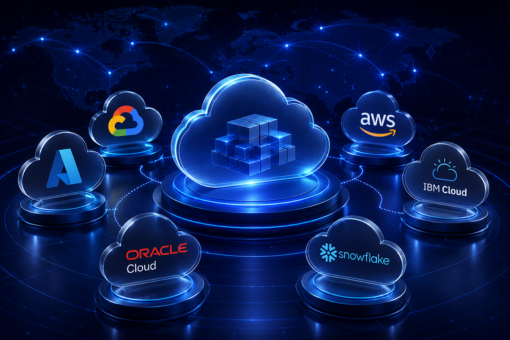
As of the first quarter of 2022, AWS has the highest market share and controls 33% of the entire market. Microsoft Azure holds the second position with a 21% share, followed by Google Cloud Platform with 8% of the market share. Below is the list of top alternatives of AWS cloud providers.

Microsoft Azure

Introduced by Microsoft in 2010, Azure is a flexible, open-source cloud platform. It is one of the top alternatives to AWS that enables you to develop, store data, manage services, and host cloud solutions with one platform.

  • The azure pricing model also follows the same approach as AWS cloud services.
  • The platform offers high scalability, flexibility, and cost-effectiveness to businesses.
  • Different open-source tools, OS, and languages can be used on Azure.
  • AWS Windows Server and SQL Server are five times more expensive compared to Azure.

Google Cloud Platform

GCP (or Google Cloud Platform) is one of the enormously and fastest-growing cloud computing platforms in the market. The variety of solutions and technologies makes it one of the top alternatives to AWS. However, there are still certain areas where GCP lags behind AWS, like the number of services.

  • GCP provides fully managed, simplified, and serverless services.
  • It offers multi-cloud facilities.
  • The robust security of the platform reduces the risk involved.
  • It can be fully integrated with leading open-source software.

IBM Cloud

IBM Cloud offers you a wide range of services that improves data value using artificial intelligence and new insights. It is a robust set of data tools and advanced AI and spans public, private, and hybrid environments.

  • IBM Cloud enables you to transfer files quickly between their global data centers without cost.
  • Cloud servers are highly secured, eliminating the risk of local copies.
  • Low cost-per-seat for finishing, animation, and editing.

Oracle Cloud

The Generation 2 cloud enterprise offers robust networking and multiple integrated cloud services. With its unique capabilities, Oracle Cloud offers unmatched performance, security, and cost savings to enterprises.

  • High-level security features protect sensitive customer data for years.
  • The open-source cloud lets you run Oracle software, third-party apps, and open-source options without trade-offs.
  • The platform supports multi-cloud and hybrid strategies.

VMware Cloud

VMware Cloud is one of the best cloud management platforms that can manage the entire application portfolio over public and hybrid clouds. With the managed cloud VPS, users can manage their entire workload from a single environment.

  • The cloud platform allows you to deploy any application to and from any cloud.
  • Single security and operational models across private and public cloud platforms reduce complexity, improve ROI, and minimize risks.
  • A flexible cloud computing platform helps you gain insights, deploy applications, and manage resources efficiently.

Which Is The Best Cloud Service Provider

In the fiercely competitive and fast-paced world, businesses increasingly rely on cloud services. By 2026, Gartner predicts that public cloud spending will touch 45% of all IT spending.

Amazon Web Services (AWS) cloud computing service is the top cloud provider in the market. The user-friendly platform is flexible, secure, scalable, and cost-effective, which makes it easy to develop and deploy applications on AWS.

Microsoft Azure and Google Cloud Platform are second and third, respectively, in the list of feature-rich cloud platforms. Both are close competitors of AWS cloud computing services and offer robust data security to safely store information in the cloud infrastructure.

Understanding the differences between AWS, Azure, and GCP – the three leading cloud technologies – will enable you to choose the right one for your enterprise. If you are confused about which cloud service you should choose, consider contacting Inferenz experts.

Choose The Best AWS Alternative For Your Business

Each cloud provider has its own advantages and disadvantages. Developers should choose the cloud service provider depending on their requirements, convenience, and security.

We’ve covered the top five alternatives to AWS that ensure high-end security, privacy, and confidentiality for data stored in the cloud. To know more about the best AWS competitors and alternatives in 2023, contact Inferenz experts today!

FAQs On AWS Alternatives

What is better than AWS?

Microsoft Azure and GCP are similar to AWS’s innovative cloud services. The three platforms have the maximum market share, indicating they are the top cloud computing platforms in the market.

Which is better: AWS or Microsoft Azure?

Azure is one of the best AWS alternatives but more costly compared to AWS services. However, it is the best alternative to AWS hosting provider only if the enterprise needs a robust Platform-as-a-Service with windows integration. On the contrary, AWS is ideal if a business needs Infrastructure-as-a-Service.

Is AWS better than GCP?

GCP beats Amazon Web Services on flexibility and price, while AWS provides a variety of cloud services, has a global reach, and is one of the most highly scalable cloud service providers available in the market.

Data Lake Vs. Data Warehouse: Differences Between Big Data Storage

The data lake vs. data warehouse debate is warming up, making it hard for enterprises to choose the best data storage solution. As the technologies are evolving fast, it’s clear that the debate between the two types of data storage isn’t going to fade anywhere soon.

The market has become increasingly competitive with the release of Amazon Redshift, Snowflake, Google BigQuery, Databricks, and others. Though data warehouses and data lakes are extensively used for data storage, they differ in certain aspects like cost, purpose, agility, etc.

If you’re confused about which is better between data lake and data warehouse, this guide is for you. Here we’ll help you decide which big data storage solution is the best for you.

What Is Data Lake?

Generally, a data lake is a large, highly scalable data storage solution that helps you store vast amounts of raw data in its original format. With a larger storage capacity than data warehouses, a data lake can store structured and unstructured data without a specific purpose or fixed limitations.

As the data in a data lake comes from disparate sources, it can be unstructured, structured, or semi-structured. Enterprises wanting a solution where they can collect and store large amounts of data without needing to process or analyze it immediately can choose a data lake.

What Is Data Warehouse?

On the contrary, a data warehouse is a large repository of business data accumulated from operational and external sources. A data warehouse allows users to access filtered, structured, and processed data for a specific purpose.

Enterprises have been drawn to data warehouses as they help the in-house team to share data and content between different departments. The most popular big data solution is Snowflake, and many enterprises are shifting from SQL to Snowflake to improve the storage of high-quality and refined data.

Key Differences Between Data Lake Vs. Data Warehouse

Data lakes vs. data warehouses differ considerably based on purpose, data structure, security, cost, etc. To help you understand better, here are the core differences between the data lake and warehouse in detail.

Purpose

The choice between the data lake or warehouse depends on your business purpose.

  • Data within the warehouse is structured and refined, so data scientists can use the data for a specific purpose.
  • A data lake stores raw data with no particular purpose for an enterprise.

Many enterprises start with a data lake and eventually migrate their stored data to the warehouse for extraction, filtering, and refining.

Cost

Data lakes are less expensive than data warehouse solutions.

  • All forms of data can be seamlessly transferred to the data lake, making it highly flexible and scalable.
  • On the other hand, you’ve to change data to a fixed schema to transfer it into the data warehouse.

When you can transfer all the data into one place (data lake) without adhering to a fixed schema, it reduces the overall expenses. In the case of a data warehouse, you’ve to filter the data before transferring it to the new data sources, making it an expensive solution.

However, with a data warehouse, you can quickly and easily analyze data to extract information. As a result, data warehouses become a profitable solution in the long run.

Data Structure

Data lake technologies use a schema-on-read method, whereas data warehouse uses a schema-on-write approach to store structured data.

  • The data warehouse is home to structured and processed data.
  • Unlike a warehouse, the lake stores different types of unfiltered and unprocessed data.

Accessibility & Agility

Another major key difference between a data lake and a data warehouse solution is accessibility.

  • Data lakes are agile and flexible, allowing data to be stored and added quickly.
  • On the contrary, data warehouses are specific in structure and hard to alter. The ‘read only’ format allows data analysts to scan and gather insights from clean, historical data.

What Should You Choose: Data Lake Or Data Warehouse?

Azure data lake and data warehouse are widely used for big data storage, with over 70% of enterprises moving to Microsoft Azure cloud services. However, they both have pros and cons, with warehouses regarded as easy to use and secure but less agile and costly. On the other hand, data lakes are less expensive and flexible solutions, but they lack some security and require expert interpretation.

Depending on your enterprise needs, you can choose which is right: data lakes or data warehouses. If you want to know more about data lake vs. data warehouse or migrate data from one repository to another, seek expert help from the Inferenz team today.

FAQs

Can a data lake replace a data warehouse?

In short, a data lake cannot wholly replace a data warehouse as both serve different purposes. Most enterprises use both data lakes and warehouses for better data management.

What is the difference between data lakes and data swamps?

There are two major differences between data lake and data swamp.

  • Data lakes have metadata, whereas swamp lacks metadata.
  • A data swamp contains unusable and irrelevant information, whereas data lake stores relevant unstructured data and other data types.

Is Snowflake a data lake or warehouse?

Snowflake is a hybrid of a data lake and traditional data warehouse technologies. Many enterprises consider Snowflake as one of the best cloud data storage solutions.

Data Warehouse Architecture: Types & Best Practices Explained

Summary

A data warehouse is a centralized system that consolidates historical and current data from multiple sources to support analytical reporting and business decision-making. Its architecture defines how data flows from source systems into storage and ultimately into the hands of analysts. Organizations typically choose from three core architectural tiers: single-tier, two-tier, and three-tier models. Modern implementations increasingly favor cloud-native and hybrid designs that support both structured and unstructured data at scale. Understanding the right architecture is foundational to any effective data strategy.

Introduction: When the Wrong Architecture Costs More Than You Think

Most organizations recognize that data is a strategic asset. Fewer recognize that how that data is stored, organized, and accessed determines whether analytics delivers value or bottlenecks operations.

Poor architecture choices compound over time. Data silos emerge. Query performance degrades. Integration projects stall. And by the time leadership notices, rebuilding the foundation costs significantly more than designing it correctly from the start.

This guide breaks down data warehouse architecture in precise terms: what it means, how it works, which types suit which scenarios, and what best practices separate high-performing implementations from costly failures.

What Is Data Warehouse Architecture?

Data warehouse architecture refers to the structural design that governs how an enterprise collects, stores, transforms, and retrieves data for analytical purposes. It specifies the layers, components, and data flows that together form the analytical backbone of an organization.

Unlike transactional databases optimized for speed and write operations, a data warehouse architecture prioritizes read performance, historical depth, and cross-system data consistency. It brings together data from relational databases, flat files, cloud applications, and mainframe systems into a unified analytical environment.

Key Characteristics of a Data Warehouse

Before selecting an architecture, it helps to understand the four properties that define how data warehouses behave.

Subject-Oriented: A data warehouse organizes data around business subjects, such as sales, operations, or customer behavior, rather than around individual applications or systems. This orientation makes it easier for analysts to answer strategic questions.

Integrated: The warehouse consolidates data from varied sources into a consistent format. Different systems may define a “customer” or a “transaction” differently. The integration layer resolves these inconsistencies into a single, coherent dataset.

Time-Variant: Unlike operational systems that reflect current state, a data warehouse retains historical snapshots. This time-based layering enables trend analysis, period comparisons, and longitudinal reporting. Once data enters the warehouse, it remains fixed for historical accuracy.

Non-Volatile: The warehouse does not overwrite existing records. New data adds to the existing repository rather than replacing it. This approach preserves historical integrity and supports audit trails.

Types of Data Warehouse Architecture

Choosing the right architecture depends on organizational scale, data complexity, and analytical requirements. Each model carries specific trade-offs in terms of performance, cost, and flexibility. Understanding the types of data warehouse architecture helps decision-makers match design to business need.

Single-Tier Architecture

Single-tier architecture consolidates data sources and the analytical layer into one environment. The primary objective is reducing data redundancy by minimizing the volume of stored copies.

In practice, however, this model struggles to separate operational and analytical workloads. Because both processes compete for the same resources, performance suffers under production conditions. As a result, single-tier designs see limited adoption in enterprise environments today.

Two-Tier Architecture

Two-tier architecture introduces a physical separation between data sources and the warehouse itself. This separation reduces some of the performance conflicts that affect single-tier systems.

However, the model has a critical limitation: it does not scale well. Network constraints create connectivity bottlenecks as data volumes grow, and the architecture lacks the intermediate processing layer needed to handle complex transformation logic efficiently. Organizations that anticipate significant data growth typically bypass this model entirely.

Three-Tier Architecture

The three-tier model represents the most widely adopted modern data warehouse architecture for enterprise use. It separates the system into three distinct functional layers, each with a specific role.

Bottom Tier (Data Layer): This layer houses the back-end database where raw data lands after extraction from source systems. ETL (Extract, Transform, Load) tools cleanse, transform, and structure the data before it moves upstream. This tier determines the quality and consistency of everything that follows.

Middle Tier (Application Layer): An OLAP (Online Analytical Processing) server sits between the database and the end user. It supports two models: MOLAP (Multidimensional OLAP), which stores pre-aggregated data in multidimensional cubes for fast query response, and ROLAP (Relational OLAP), which runs queries dynamically against relational tables. This tier handles aggregation logic, business rules, and analytical computation.

Top Tier (Presentation Layer): Front-end tools, dashboards, and reporting interfaces sit at this layer. Business users, data analysts, and executives interact with the warehouse here, accessing processed, query-ready data without touching the underlying infrastructure.

Enterprise Data Warehouse Architecture

At the enterprise level, the architecture expands to accommodate greater complexity. An enterprise data warehouse architecture typically integrates multiple source systems across business units, applies governance frameworks across the data lifecycle, and supports concurrent access by large analyst populations.

Enterprise implementations often incorporate a staging area, where raw data lands before transformation, and data marts, which are subject-specific subsets of the warehouse optimized for departmental reporting. Furthermore, many enterprise architectures now integrate with data lakes to handle unstructured data at scale before selective promotion into the structured warehouse environment.

Traditional vs. Modern Data Warehouse Architecture

Traditional data warehouse architecture relies on on-premises infrastructure, batch ETL processing, and rigid schema design. It offers strong governance and predictable performance for structured data but struggles with the volume, velocity, and variety demands of contemporary data environments.

Modern data warehouse architecture, by contrast, operates predominantly in the cloud. It supports real-time and near-real-time data ingestion, elastic compute scaling, and schema-on-read flexibility. Platforms such as Snowflake, Google BigQuery, and Amazon Redshift exemplify this shift. Additionally, modern architectures support ELT (Extract, Load, Transform) workflows, which load raw data first and apply transformation logic inside the warehouse using scalable compute.

The distinction matters for organizations assessing migration paths. Consequently, many enterprises adopt a hybrid model that preserves existing on-premises investments while extending into cloud-native capabilities incrementally.

Core Components of a Data Warehouse

Regardless of tier model, every data warehouse architecture shares a common set of functional components.

Central Database

The central database stores consolidated, processed data in a format optimized for analytical queries. It serves as the single source of truth across the organization. Therefore, its design directly affects query performance, data consistency, and reporting reliability.

ETL Tools

ETL tools manage the extract, transform, load pipeline that brings data from source systems into the warehouse. Modern implementations increasingly use ELT, which moves transformation logic into the warehouse itself. Either approach requires careful design to ensure data quality and lineage traceability.

Metadata Layer

Metadata defines the structure, origin, and meaning of data within the warehouse. It acts as the catalog that tells users and systems what each dataset contains, where it came from, and how it should be used. Well-designed metadata architecture enables consistent data definitions across teams and reduces the risk of analytical errors.

Access and Reporting Tools

BI platforms, SQL clients, and self-service analytics tools form the access layer. These tools translate warehouse data into dashboards, reports, and ad-hoc queries. The quality of the access layer directly influences adoption and analytical productivity.

Data Warehouse Architecture Best Practices

Designing an effective architecture requires more than selecting a tier model. The following practices reflect approaches that consistently produce stable, scalable, and analytically capable systems.

Choose the Right Design Methodology

Two primary design approaches shape warehouse structure: top-down and bottom-up.

The top-down approach, associated with Bill Inmon, builds the enterprise warehouse first and derives data marts from it. This approach enforces consistency but requires longer initial build cycles. The bottom-up approach, associated with Ralph Kimball, constructs data marts first and integrates them incrementally. This method delivers faster time-to-value but demands careful governance to avoid fragmentation.

In practice, many organizations adopt a hybrid approach that combines elements of both methodologies based on business priority and data maturity.

Prioritize Data Quality at Ingestion

Data quality problems compound through the pipeline. Errors that enter at the source propagate into every downstream report and model. Therefore, invest in validation, cleansing, and standardization logic at the ingestion stage rather than attempting to correct issues after the fact.

Define data quality rules explicitly, automate anomaly detection, and establish clear ownership for data quality remediation.

Design for Scalability from the Start

An architecture that performs well at current data volumes may degrade significantly as volumes grow. Design compute and storage layers to scale independently. Cloud-native architectures handle this through elastic resource allocation, but on-premises systems require deliberate capacity planning.

Additionally, partition large tables by date or business key to improve query performance as datasets grow over time.

Implement Robust Metadata Architecture

Metadata architecture deserves the same design attention as physical schema. A well-structured metadata layer enables data lineage tracking, impact analysis, and self-service discovery. It also reduces the dependency on tribal knowledge that often builds up in poorly documented warehouse environments.

Apply the Right Data Model

The 3NF (Third Normal Form) data model suits environments that prioritize integration and consistency. Dimensional models (star and snowflake schemas) optimize for analytical query performance. Select the model based on primary use case: operational reporting tends to favor 3NF, while ad-hoc analytical querying benefits from dimensional design.

Govern Access and Security

Role-based access control, data masking, and audit logging are not optional in enterprise environments. Implement governance policies that control which users and applications can access specific datasets, particularly where regulatory compliance requirements apply.

Conclusion

Data warehouse architecture is not a technical afterthought. It is a strategic decision that shapes the reliability, scalability, and analytical power of an organization’s entire data environment.

As data volumes grow and analytical requirements become more sophisticated, the gap between well-designed and poorly designed architectures widens. Organizations that invest in the right foundation, whether a modern cloud-native three-tier model or a governed enterprise implementation, consistently outperform those managing fragmented, legacy data landscapes.

The most successful implementations share a common approach: they align architecture choices to business objectives, enforce data quality from the source, and build with scalability in mind from day one. For enterprises navigating this complexity, partnering with specialists who combine architectural depth with real-world implementation experience accelerates time-to-value while reducing risk.

Inferenz provides Data Strategy Consulting Services designed to help organizations assess, design, and implement data warehouse architectures that deliver measurable analytical performance. Whether you are modernizing a legacy system, migrating to the cloud, or designing a warehouse from scratch, the right guidance at the architecture stage prevents costly rework later.

FAQs

What is data warehouse architecture?

Data warehouse architecture is the structural design that defines how an organization collects, stores, transforms, and accesses data for analytical and reporting purposes. It specifies the layers, components, and data flows that together form the analytical foundation of the enterprise.

What are the three types of data warehouse architecture?

The three primary types are single-tier, two-tier, and three-tier architecture. The three-tier model is the most widely adopted for enterprise use because it separates data storage, processing, and presentation into distinct, independently managed layers.

What is the difference between traditional and modern data warehouse architecture?

Traditional data warehouse architecture relies on on-premises infrastructure, batch processing, and fixed schema design. Modern data warehouse architecture operates in the cloud, supports real-time data ingestion, and uses elastic compute scaling. Modern platforms such as Snowflake, BigQuery, and Redshift represent this shift.

What are the four key components of a data warehouse?

The four core components are: a central database that stores consolidated data, ETL or ELT tools that manage data movement and transformation, a metadata layer that defines data structure and origin, and access tools such as BI platforms and SQL clients that enable reporting and analysis.

What is OLAP in data warehousing?

OLAP stands for Online Analytical Processing. It refers to software that enables fast multidimensional analysis of large datasets stored in a data warehouse or data mart. OLAP supports complex queries across multiple data dimensions, making it essential for business intelligence and financial reporting workloads.

What is an enterprise data warehouse?

An enterprise data warehouse is a centralized, governed analytical environment that consolidates data from across an organization’s business units and systems. It supports large-scale reporting, cross-functional analytics, and strategic decision-making at the organizational level.

When should an organization consider data strategy and consulting services for warehouse architecture?

Organizations should consider data strategy and consulting services when planning a cloud migration, experiencing performance degradation in existing systems, integrating new data sources, or building an analytics capability from the ground up. Expert guidance at the architecture stage reduces implementation risk and accelerates business value.

PyTorch Vs. TensorFlow: Differences Between Deep Learning Frameworks

PyTorch vs. TensorFlow is a longstanding point of a contentious debate to determine which deep learning framework is superior. Both are the best frameworks for deep learning projects, and engineers are often confused when choosing PyTorch vs. TensorFlow.

PyTorch and TensorFlow models have developed so quickly over a short lifetime that the debate is ever-evolving. Where PyTorch has a reputation for being research-focused, TensorFlow has a reputation for being an industry-focused framework. 

So, which deep learning framework is superior? Should you use PyTorch, or TensorFlow works best for your deep learning project? This guide walks through the differences between PyTorch and TensorFlow and how you can pick the proper framework. 

PyTorch Vs. TensorFlow: Key Differences

TensorFlow and PyTorch are the most popular deep learning frameworks today. The open-source libraries are used by ML engineers, data scientists, developers, and researchers in various projects. Below are the main differences between the PyTorch deployment framework and the end-to-end TensorFlow extended platform. 

Performance Comparison 

Both PyTorch and TensorFlow are two popular deep learning models that offer fast performance; however, they have their own advantages and disadvantages. 

PyTorch has become the best platform with faster performance than Python, whereas TensorFlow offers excellent support for symbolic manipulation. TensorFlow is a good choice for users wanting to perform high-level operations. 

TensorFlow has the upper hand over PyTorch as the former has the ability to take advantage of GPU(s) connected to your system. Ideally, TensorFlow provides better performance in this case. 

Debugging 

PyTorch and TensorFlow are the two best artificial intelligence and deep learning architectures that differ in debugging. PyTorch uses a standard Python debugger, ensuring users do not have to learn other debuggers. 

The eager mode of PyTorch allows immediate execution, and you can use debugging tools like PyCharm, ipdb, and PDB debugger, making it easy to debug. 

On the contrary, there are two ways for TensorFlow debugging. The user must learn the TF debugger or request the variable from the sessions to execute the code before debugging it. 

Mechanism: Graph Definition 

TensorFlow works on a static graph concept that allows users to define computation graphs and run machine learning models. On the other hand, PyTorch is better at dynamic computational graph construction. It means the graphic is constructed during operation execution. 

In the case of graph construction, PyTorch stands above TensorFlow. Constructing graphs with PyTorch is less complex compared to the end-to-end TensorFlow extended platform. 

Verdict: Both frameworks have active communities, good documentation, and many learning resources. With that in mind, you won’t be wrong choosing either PyTorch or TensorFlow. If you want to dive deep into how to accomplish the project and use the framework with core deep learning features, contact Inferenz experts. 

What Should You Choose: PyTorch Or TensorFlow

Choosing between the two powerful and mature deep learning libraries can be complex for users. Here we’ve briefly listed the advantages and disadvantages of open-source deep learning frameworks. 

Advantages & Disadvantages of PyTorch 

Advantages 

  • Pythonic in Nature: All the PyTorch codes deployed are pythonic in nature, meaning they are similar to python elements. 
  • Flexibility and Ease of Use: The deep learning framework based on Python offers easy-to-use APIs and is simple. 
  • Easy to Learn: Compared to TensorFlow, PyTorch is easy to learn as its syntax resembles Python. Additionally, it allows quicker prototyping than TensorFlow. 
  • Model Availability: Many publications use PyTorch, implying that machine learning and deep learning model dominates the research landscape. 
  • Community Support: The active community and forums help developers to work, share, and develop PyTorch projects quickly. 

Disadvantages 

  • Less Extensive: Sometimes, you’ll need to convert PyTorch code/model into another model to develop an actual application. 
  • Visualization Techniques: The visualization option in PyTorch is not as great, and you’ll have to use existing data visualization tools or connect externally to TensorBoard. Also, PyTorch is not an end-to-end machine learning model. 

Advantages & Disadvantages of TensorFlow 

Advantages 

  • Compatibility: Unlike PyTorch, TensorFlow is compatible with many programming languages and provides third-party language binding packages for OCami, Crystal, C#, Scala, etc. 
  • Scalability: Thanks to the production-ready nature of TensorFlow, it can easily handle large datasets. That’s why the market share of TensorFlow has become 36.92%.
  • Data Visualization: TensorFlow is an end-to-end deep learning library with strong visualization capabilities. It renders users with TensorBoard, which helps them with graphical data visualization. 
  • Open Source: TensorFlow is an open-source deep learning framework that allows users to use it whenever and wherever required. It is free of cost, ensuring anyone can utilize or work with it. 

Disadvantages 

  • Frequent Updates: TensorFlow was developed by Google and is widely preferable; however, the frequent updates and time-to-time uninstallation and reinstallation have become a headache for users. 
  • Computation Speed: TensorFlow lags at providing high computation speed and usability compared to many deep learning frameworks on the market. 

Choose The Best Deep Learning Framework

The TensorFlow vs. PyTorch debate is longstanding. The choice between the two will depend on the specific use case. For instance, if you’re looking for a platform that supports dynamic computation graphs, go ahead with PyTorch. 

On the contrary, TensorFlow also is mature with multiple popular deep learning libraries. However, you’ll have to spend more time understanding and learning the basics of deep learning concepts. 

If you’re confused about which framework you should choose for your project and who wins the PyTorch vs. TensorFlow debate, get in touch with our machine learning and deep learning experts. 

FAQs About TensorFlow Or PyTorch

Which is faster: PyTorch vs. TensorFlow? 

For small and medium datasets, PyTorch and TensorFlow provide multiple similar features. However, PyTorch is very simple and much faster for prototyping. 

Is PyTorch good for deep learning? 

PyTorch runs on top of TensorFlow as it provides high speed and flexibility for deep neural network implementation, making it an ideal choice. 

Is PyTorch more popular than TensorFlow? 

PyTorch currently dominates the research landscape, indicating its popularity among users. Even though TensorFlow 2.0 makes it easy for researchers to utilize TensorFlow, PyTorch does give any reason to researchers to try other frameworks.