Summary
Agentic AI is spreading faster than the controls around it: Enterprises are expected to demote or decommission autonomous AI agents by 2027 because of governance gaps found only after production incidents. Agentic AI development services cover use case selection, agent design, enterprise integration, evaluation, governance, deployment and ongoing operations. This guide profiles ten firms with different strengths, from multi-agent frameworks to voice agents to regulated-industry delivery, and puts Inferenz first for healthcare, insurance and hi-tech buyers who want agentic AI built on a governed data foundation by one team.
Introduction
A procurement agent reads an invoice, matches it to a purchase order and approves payment. It works for six weeks. Then a supplier changes a PDF template, the agent misreads a quantity, and nobody finds out until the month-end close. The model was fine. What failed was everything around it: the checks, the permissions, the monitoring and the person who should have been alerted.
That gap between a clever demo and a dependable system is where an agentic AI development company earns its fee. These firms provide AI agent development services that plan, call tools, work with enterprise systems and act on a business’s behalf, then add the guardrails that let a risk team say yes. Interest is high. In KPMG’s Q2 2026 pulse survey of large US companies, 53% of organizations reported deploying AI agents, although only 18% were orchestrating several agents together.
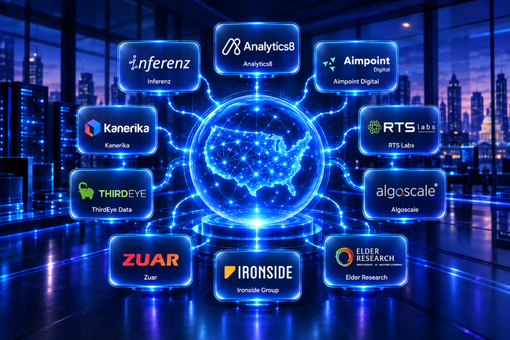
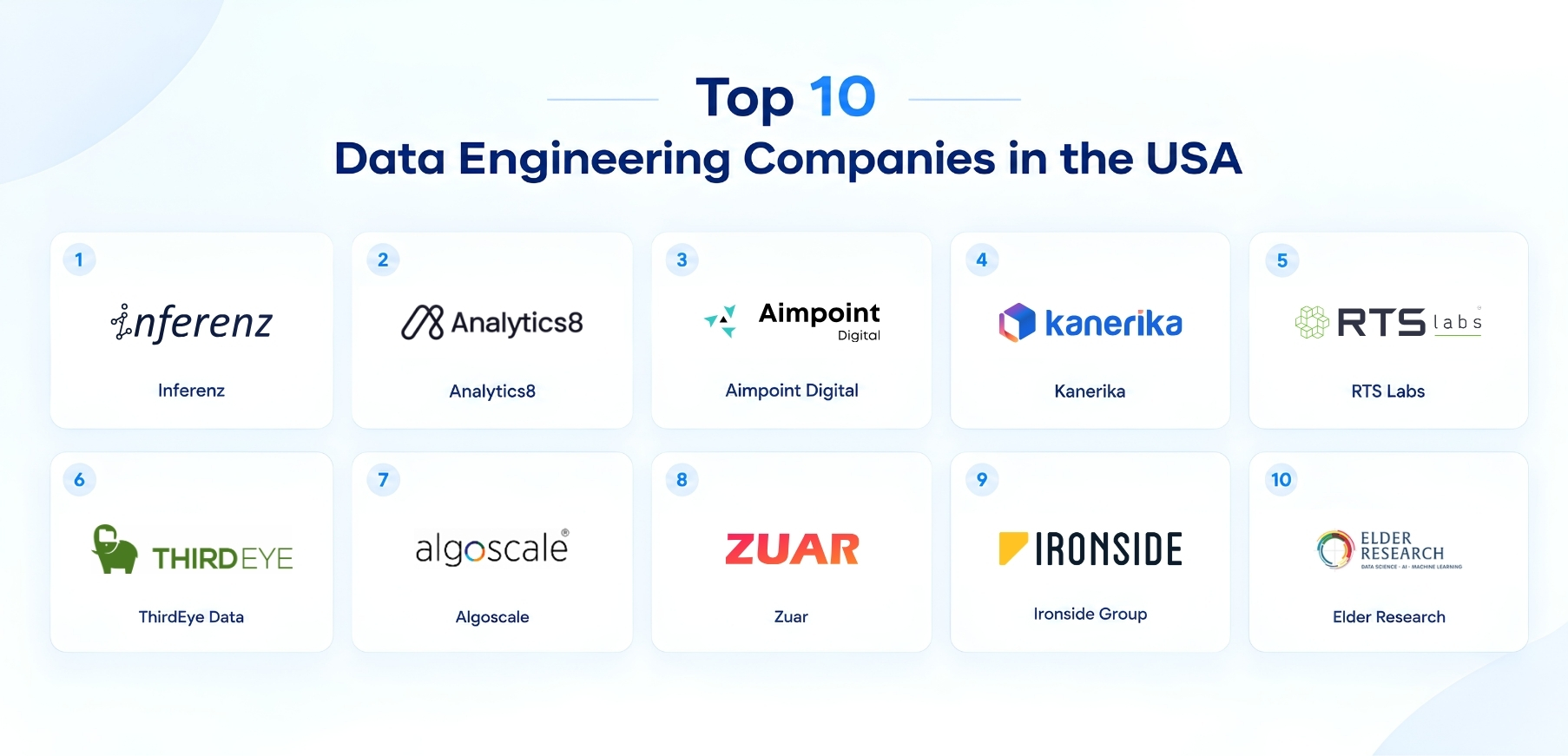
This guide profiles ten agentic AI development companies for enterprises in 2026: Inferenz, Kanerika, Aimpoint Digital, RTS Labs, ThirdEye Data, Algoscale, DevCom, LeewayHertz, Intuz and Intellectyx. All are specialist or mid-sized firms, so you tend to work with the engineers who build your agents. You’ll also find what agentic AI development services include, how to compare firms, which tools matter and the questions that separate a production partner from a prototype shop.
Key Benefits of Agentic AI Development Services for Your Business
A chatbot answers a question. An agent finishes a task. That difference is where the business value of enterprise agentic AI comes from, and it shows up in six places.
Whole Workflows Finish Without Hand-Offs
Agents can read a request, pull records from several systems, apply a policy and draft or execute the next step. Work that used to bounce between three teams and two inboxes moves in one pass, with a person approving only the exceptions.
Faster Cycle Times on Document-Heavy Work
Claims, onboarding packets, contracts, prior authorizations and supplier invoices all involve reading, checking and routing. Agents take the first pass, so staff spend their time on judgment calls and leave the data entry behind.
Better Use of Scarce Expert Time
Clinicians, underwriters, analysts and compliance officers are expensive and hard to hire. Agents that prepare a case, surface the relevant facts and propose an action return hours to the people whose judgment matters most.
Consistent Policy Application
A well-built agent applies the same rule on Friday evening that it applied on Monday morning, and it logs why. That consistency helps in audits and reduces the variation that creeps into manual processes.
Lower Cost per Transaction at Scale
Once an agent is reliable on a narrow task, extra volume costs little. The caveat is inference spend, which can climb quickly without cost controls, so good partners design for budget limits from the start.
A Base for Every Later AI Project
The connectors, evaluation harnesses and governance patterns built for the first agent are reusable. The second and third agents ship faster because the plumbing already exists.
What Do Agentic AI Development Companies Actually Do?
An agentic AI development company designs, builds and runs software agents that reason over goals, use tools and act inside business systems. The work usually breaks into six workstreams, and most projects touch at least four.
Use Case Discovery and AI Strategy
Agentic AI consulting at its best starts by ranking candidate workflows on value, risk and data availability. Teams choose one or two with a measurable outcome, define what the agent may do alone and what needs approval, and set a baseline to beat. This is the stage where an AI strategy pays off, because it keeps a program from chasing every idea at once.
Agent Design and Multi-Agent Orchestration
Engineers decide how many agents a workflow needs, what each one owns and how they hand work to each other. Multi-agent systems split a job among specialists, such as a retrieval agent, a policy-checking agent and an execution agent, coordinated by an orchestrator. Frameworks such as LangGraph, CrewAI and AutoGen are common building blocks.
Enterprise Integration and Tool Use
An agent is only as useful as the systems it can reach. Integration work connects it to ERP, CRM, EHR, ticketing and document stores through APIs and protocols such as the Model Context Protocol, with scoped credentials so each agent can touch only what its task requires.
Data Foundation and Retrieval
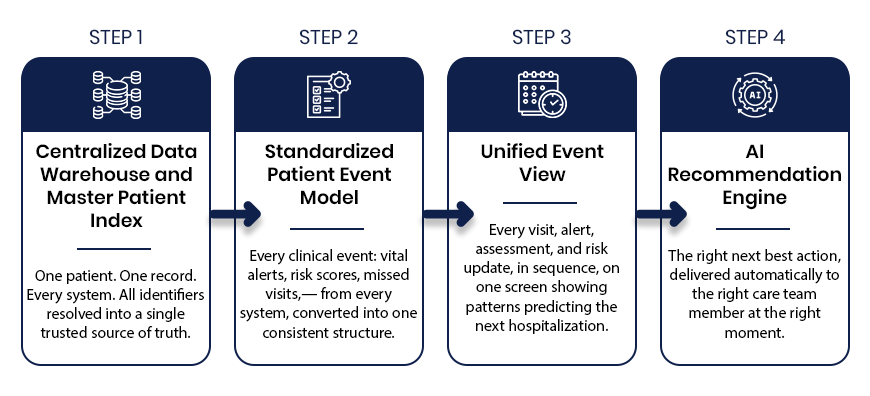
Agents act on whatever they can see. Unreliable source data produces confident, wrong actions, which is why retrieval pipelines, entity matching and data quality checks sit underneath most successful programs. Inferenz builds this layer through its data engineering and integration practice before agents go live.
Evaluation, Guardrails and Governance
Agentic AI governance begins with testing. Teams run agents on realistic scenarios before launch and keep testing afterward. That means task success rates, tool-call accuracy, hallucination checks, red-team tests, human approval steps and audit logs. Gartner recommends matching controls to autonomy, with four levels ranging from observe and advise to act with approval and act autonomously.
Deployment and Ongoing Operations
After launch, someone has to watch cost, latency, drift and failure patterns. Operations work covers monitoring, prompt and model updates, incident response and spend controls, often delivered through an LLMOps practice with agreed service levels.
How an Agentic AI Development Company Takes You From Pilot to Production
Most enterprises have at least one pilot that impressed a steering committee and then stalled. The table maps the common symptoms to the fix a capable partner applies and to a metric you can check afterward.
| Symptom | What the partner changes | Metric to watch |
| The demo works, production results are erratic | Builds an evaluation set from real cases and gates every release on it | Task success rate on the evaluation set |
| The agent acts on wrong or stale records | Fixes source data, entity matching and retrieval freshness | Share of actions traced to correct source records |
| Security will not approve write access | Scopes credentials per agent, adds approval steps and audit logs | Share of actions with a logged, reviewable trail |
| Inference bills surprise finance | Adds token budgets, caching and model routing by task difficulty | Cost per completed task |
| Nobody knows why an agent did something | Adds tracing of prompts, tool calls and decisions | Time to explain a given outcome |
| Each new agent starts from scratch | Builds reusable connectors, templates and a shared governance pattern | Weeks to ship the next agent |
The sequence tends to repeat. Pick one workflow, establish a baseline, build with a human in the loop, measure against real cases, then widen autonomy as results justify it. Ask any firm to describe where it would start in your environment and which metric it expects to move first.
How We Selected the Top Agentic AI Development Companies
Hundreds of vendors now describe themselves as agentic AI specialists, so we applied a consistent screen. Each company below is a specialist or mid-sized firm that met most of these criteria.
- Agentic delivery depth: published agent services, named agent products or case results that go beyond chat interfaces.
- Orchestration and framework fluency: working experience with multi-agent patterns and common frameworks.
- Governance and evaluation: testing, monitoring, access control and compliance practices for agents in production.
- Enterprise integration: evidence of connecting agents to ERP, CRM, EHR and similar systems.
- Industry experience: depth in sectors such as healthcare, financial services, insurance or manufacturing.
- Credibility signals: partnerships, certifications, awards and client references that can be checked against public sources.
- Right-sized scale and US presence: a team large enough to run an enterprise program and small enough to keep senior engineers close, with a US headquarters or significant US delivery.
Profiles draw on each company’s public website and third-party business listings as of October 2026. Team sizes and offices change, so confirm current details directly before you build a shortlist.
Top 10 Agentic AI Development Companies for Enterprises Worth Watching in 2026
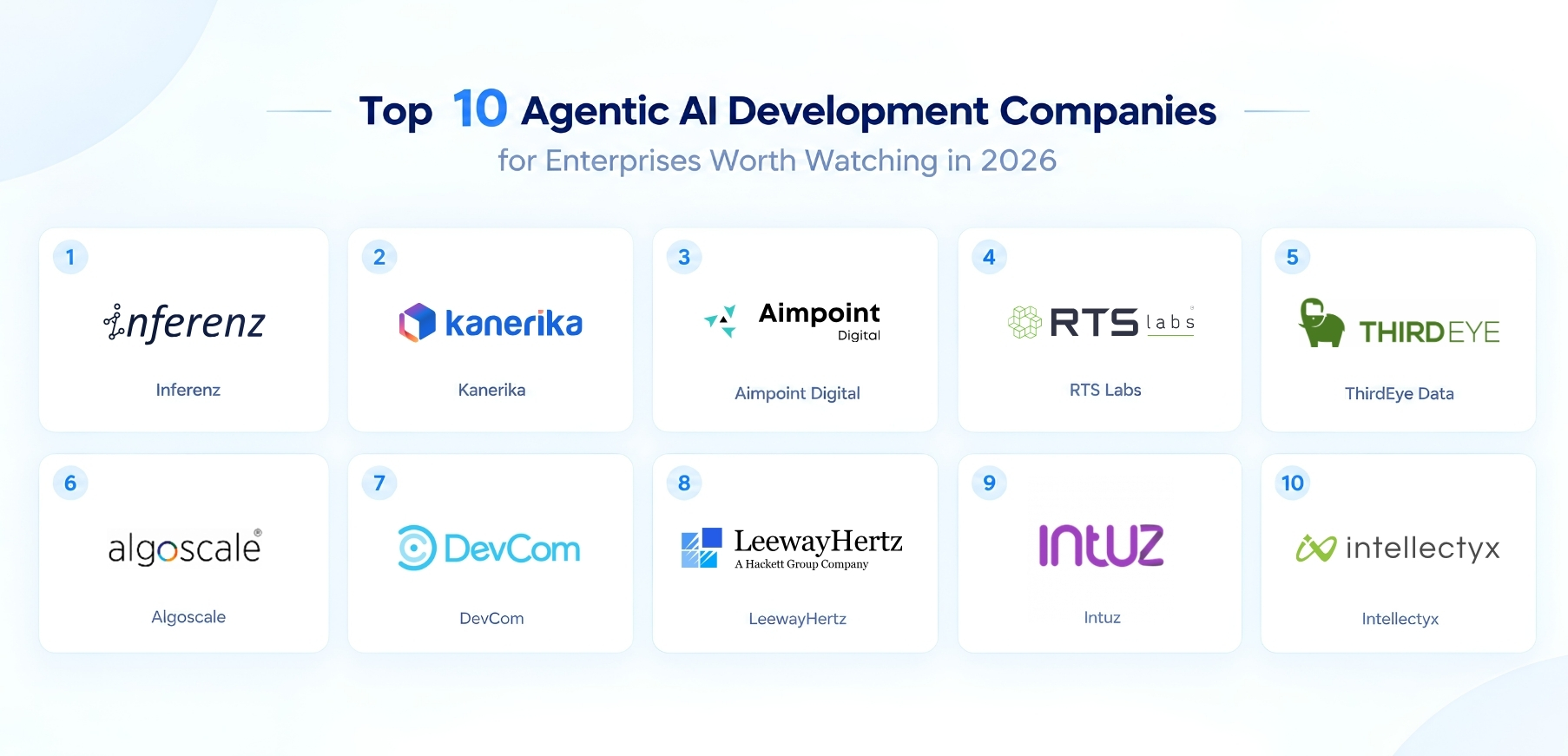
The ten AI agent development company below differ in size, specialty and industry depth. That variety helps, because the best agentic AI development company for you is the one whose strengths match your systems, your sector and your risk tolerance. Each profile ends with a question worth asking on a first call.
1. Inferenz
Company overview: Inferenz is a data and AI engineering company for healthcare, insurance and hi-tech enterprises, with a US office in Round Rock, Texas and delivery teams in Ahmedabad and Pune. Most client work sits in healthcare, including home care, home health and hospice operators. Its iDAR methodology moves clients from fragmented data to a governed foundation and then to AI, so agents operate on records the business already trusts.
Agentic AI services and accelerators
The practice spans AI strategy, AI application development, generative and agentic AI, RPA and intelligent automation, LLMOps and AIOps, backed by data engineering, data quality and governance work. Clients can start with a readiness assessment and a ranked list of use cases, then move to agent design, integration with source systems, evaluation and managed operations under one team.
Platforms and partnerships: Inferenz works across AWS and Azure and lists partnerships with AWS, Snowflake and Databricks, along with NVIDIA Inception, the Microsoft for Startups Founders Hub and NASSCOM AI Champions.
Where Inferenz has built agents
Its Caregence platform packages production-minded healthcare agents, including hospice eligibility, prior authorization, risk analysis and next-best-action, predictive matching and conversational AI. Each agent is designed around HIPAA obligations, human review points and the EHR and billing feeds healthcare operators actually run.
Why it stands out: many agentic vendors start with the model and bolt data on later. Inferenz starts with the data layer, so the engineers who unify source systems also build the agents that depend on them. Healthcare buyers also get a team that already understands clinical workflows and CMS reporting.
Best suited for: healthcare systems, post-acute and home care providers, insurers and hi-tech companies that want agentic AI and the data foundation under it from one partner.
2. Kanerika
Company overview: founded in 2015 and headquartered in Austin, Texas, Kanerika has offices across the US, India and Singapore. It serves banking, pharma, healthcare, insurance, manufacturing, automotive, retail and logistics clients.
Services and credentials: AI agent development and deployment, multi-agent orchestration, enterprise system integration with ERP and CRM, and governance and compliance architecture. It names a family of purpose-built agents, including ones for compliance clause deviations, PII redaction, legal summarization, voice calling and customer service. It is a Microsoft Fabric Featured Partner and works with Snowflake, Databricks, OpenAI and Anthropic, using frameworks such as LlamaIndex, LangGraph and CrewAI.
Why it stands out: a catalog of ready agents can shorten the path to a first deployment, and the company publishes case results such as 43% faster information retrieval for an investment bank and 30% faster inventory reconciliation for a manufacturer.
Best suited for: enterprises, particularly Microsoft-centric ones, that want pre-built agents for document, compliance and analytics work.
Worth asking: the case metrics are self-reported, so ask for references that confirm them and for details on how its pre-built agents adapt to your data.
3. Aimpoint Digital
Company overview: founded in 2017 and headquartered in Atlanta, Aimpoint Digital has more than 200 employees and offices in London, Boston and Medellín. It serves travel and hospitality, energy, financial services, biopharma, staffing, manufacturing, healthcare and logistics clients.
Services and credentials: AI strategy workshops, production-ready pilots using retrieval, text-to-SQL and single-agent designs, and sustained support including agent framework development and CI/CD. It offers a four-week GenAI strategy accelerator and an LLMOps accelerator covering monitoring, evaluation and cost controls. It has been named Databricks Digital Native Business Partner of the Year for 2024 through 2026, holds Snowflake Elite Services Partner status, is an Anthropic Select Tier partner and reports SOC 2 certification.
Why it stands out: its LLMOps accelerator addresses the monitoring and cost problems that stall many pilots, and it reports more than 30 AI engineering initiatives in production.
Best suited for: teams on a modern cloud data stack that want structured workshops, quick pilots and a path to supported production.
Worth asking: which of its production agents resemble your use case, and how the team is staffed for your sector.
4. RTS Labs
Company overview: founded in 2010 and based in the Richmond area of Virginia, with a Glen Allen address listed, RTS Labs is a founder-led applied AI and data engineering firm with more than 100 employees, all in the United States. It reports more than 500 delivered projects.
Services and credentials: AI consulting including agentic AI, a data and AI foundation practice, and software and platform engineering. It sells on fixed ship dates and a path from MVP to enterprise hardening. Listed industries are financial services, insurance, logistics, real estate and construction, and private equity. Case results include automated quote generation that cut turnaround from days to minutes and faster onboarding for a client team.
Why it stands out: a US-only team simplifies security and data residency reviews for regulated buyers, and fixed delivery dates give finance teams predictability.
Best suited for: mid-market financial services, insurance and logistics firms that want a lean team and a clear route from pilot to production.
Worth asking: its listed industries center on financial services and logistics, so healthcare buyers should request comparable references.
5. ThirdEye Data
Company overview: founded in 2010 and based in San Jose, California, ThirdEye Data is led by CEO Dj Das, and business listings estimate its team at under 100 people. It serves manufacturing, energy and utilities, adtech, telecommunications, healthcare, and banking, finance and insurance.
Services and credentials: generative and conversational AI, AI agents for workflow automation, computer vision, enterprise knowledge intelligence, predictive AI, data engineering and AI readiness programs. Its website lists clients such as Southern California Edison, Stryker, Amgen and BP, cites a Microsoft relationship of more than 15 years and says pre-built models can reach go-live in 120 to 180 days.
Why it stands out: the combination of data engineering and AI under one roof suits enterprises whose agents need clean, connected legacy data first.
Best suited for: manufacturing, energy and telecom organizations that want agents for knowledge retrieval and workflow automation on top of complex data estates.
Worth asking: its service menu spans several AI disciplines, so ask for references that isolate agent delivery.
6. Algoscale
Company overview: Algoscale lists a Newark, New Jersey headquarters with offices in Dubai and Noida. Founded in 2014, it has about 100 employees and reports more than 150 projects and 400 data and AI deployments across healthcare, banking, manufacturing, insurance and logistics.
Services and credentials: AI agent development, a voice AI agent that answers calls, qualifies leads and books meetings, a chat AI agent, and a delivery method it calls S.C.A.L.E. with orchestration built on its Arcastra framework. It holds ISO 27001 certification, is a Microsoft partner and an AWS Advanced Tier partner, and earned Clutch Global Leader recognition in fall 2025.
Why it stands out: packaged voice and chat agents give buyers concrete products to evaluate, which beats abstract capability claims.
Best suited for: enterprises with high-volume inbound calls, lead qualification or customer support that want agents deployed on proven patterns.
Worth asking: its delivery metrics are self-reported, so ask for client references and call-quality results.
7. DevCom
Company overview: established in 2000 and based in Port Orange, Florida, DevCom reports more than 200 engineers, 200 clients and 500 projects. It serves healthcare, home healthcare, logistics, construction, energy, fintech, automotive, media and retail clients and holds Clutch Premier Verified status.
Services and credentials: AI readiness assessments, LLM development and AI agent development, including consulting and strategy, custom builds with multi-agent systems, integration and deployment, and performance monitoring.
Why it stands out: more than two decades of software engineering mean agents are built by a team used to maintaining production systems, and its home healthcare experience is uncommon among peers.
Best suited for: mid-sized enterprises that want custom agents built and integrated by a general software engineering firm with a large bench.
Worth asking: how much of its work is agent-specific versus broader software delivery, and who leads the AI team.
8. LeewayHertz
Company overview: established in 2007 and headquartered in San Francisco, LeewayHertz is led by founder and CEO Akash Takyar. Business listings put its team at about 113 employees, and it reports more than 30 Fortune 500 clients, including Siemens, 3M and Procter & Gamble.
Services and credentials: agent strategy, custom agent development, multi-agent coordination, governance, evaluation, deployment and operations, using LangGraph, CrewAI, AutoGen and the Model Context Protocol with models from OpenAI, Anthropic, Google and Meta. It runs the ZBrain AI platform and lists HIPAA, GDPR, ISO/IEC 27001, ISO/IEC 42001 and SOC 2 Type II compliance.
Why it stands out: the ISO/IEC 42001 AI management certification and a proprietary platform suit risk teams that want documented controls around agents.
Best suited for: large enterprises in banking, retail, healthcare and manufacturing that want a framework-flexible builder with formal compliance credentials.
Worth asking: how much of a project runs on ZBrain versus custom code, and what migration looks like if you later move off the platform.
9. Intuz
Company overview: founded in 2008 and based in San Francisco, Intuz is a technology services firm that business listings size at 51 to 200 employees. It reports more than 1,700 delivered projects across AI, IoT, mobile, web and cloud, with e-commerce, healthcare and automotive among its verticals.
Services and credentials: AI development alongside cloud and application engineering. Third-party roundups credit it with multimodal agents that handle voice, text and images for support, sales, HR and supply chain work.
Why it stands out: an engineering team that already builds mobile, web and IoT products can ship agents as part of a finished customer experience.
Best suited for: product-led companies that want agents embedded in apps and connected devices.
Worth asking: public detail on its agentic offering is thinner than for peers, so request production references and a technical walkthrough of a recent agent build.
10. Intellectyx
Company overview: Intellectyx lists a Pasadena, California headquarters with an additional Denver office, and third-party profiles date the company to 2008 with about 200 employees. It reports more than 500 clients and 600 projects and serves manufacturing, financial services, healthcare and life sciences, retail, logistics and energy.
Services and credentials: agentic AI development, AgentOps, decision intelligence agents and industry-specific agent packs, with use cases including dealer credit validation, inventory optimization, liquidity management, KYC and AML checks, loan origination and fraud detection. It reports SOC 2 compliance and works across models.
Why it stands out: an AgentOps offering shows attention to what happens after launch, and its financial services use cases are named and concrete.
Best suited for: banks, lenders and manufacturers that want agents for risk, credit and operations decisions.
Worth asking: headquarters details differ between its website and third-party listings, so confirm where the delivery team sits and ask for a financial services reference.
Agentic AI Development Companies: Comparison Table
Use this table to compare agentic AI development services at a glance, then read the profiles for the details behind each row.
| Company | Headquarters | Agentic strengths | Industries | Partners and stack | Team size |
| Inferenz | Round Rock, TX | Healthcare agents, data foundation, LLMOps | Healthcare, insurance, hi-tech | AWS, Azure, Snowflake, Databricks | Under 200 |
| Kanerika | Austin, TX | Pre-built agents, multi-agent orchestration | Banking, pharma, manufacturing, insurance | Microsoft Fabric, LangGraph, CrewAI | Under 450 |
| Aimpoint Digital | Atlanta, GA | GenAI accelerators, LLMOps, production agents | Energy, financial services, healthcare, logistics | Databricks, Snowflake, Anthropic | 200+ |
| RTS Labs | Richmond area, VA | Fixed-date delivery, pilot to production | Financial services, insurance, logistics | Not published | 100+ |
| ThirdEye Data | San Jose, CA | Workflow agents, knowledge intelligence | Manufacturing, energy, telecom, healthcare | Microsoft, AWS, Google Cloud | Under 100 (est.) |
| Algoscale | Newark, NJ | Voice and chat agents, orchestration | Healthcare, banking, manufacturing | Microsoft, AWS | About 100 |
| DevCom | Port Orange, FL | Custom agents, multi-agent builds | Healthcare, logistics, energy, fintech | Not published | 200+ engineers |
| LeewayHertz | San Francisco, CA | Multi-agent systems, governance, ZBrain platform | Banking, retail, healthcare, manufacturing | LangGraph, CrewAI, AutoGen, MCP | About 113 |
| Intuz | San Francisco, CA | Multimodal agents in apps and devices | E-commerce, healthcare, automotive | Not published | 51 to 200 |
| Intellectyx | Pasadena, CA | AgentOps, decision agents, finance use cases | Financial services, manufacturing, healthcare | Model-agnostic | About 200 |
 Which Agentic AI Development Companies Suit Large-Scale Enterprise Projects?
Scale can mean many agents, many systems, strict compliance or heavy change management. This table matches common scenarios to the firms most likely to fit, based on the public evidence in the profiles above.
| Project scenario | Evaluate first | Why |
| Regulated healthcare workflows with EHR and payer data | Inferenz, DevCom | Inferenz offers HIPAA-minded healthcare agents; DevCom lists healthcare and home healthcare clients. |
| Enterprise program needing formal AI governance credentials | LeewayHertz, Aimpoint Digital | LeewayHertz lists ISO/IEC 42001 and SOC 2 Type II; Aimpoint reports SOC 2 and an LLMOps accelerator. |
| Microsoft-centric document and compliance automation | Kanerika | Microsoft Fabric Featured Partner with a catalog of named agents. |
| High-volume voice and chat automation | Algoscale, Intuz | Algoscale sells voice and chat agents; Intuz is credited with multimodal agents. |
| Credit, KYC and fraud decisions | Intellectyx, RTS Labs | Intellectyx lists KYC, AML and loan origination agents; RTS Labs serves financial services and insurance. |
| Legacy data estates in manufacturing, energy or telecom | ThirdEye Data | Named utility and manufacturing clients plus data engineering depth. |
Programs that span dozens of countries or thousands of engineers can outgrow any firm on this list, and Gartner’s warning about vendor-built agents applies with extra force there. Decide early who owns the agents after launch, and write the exit plan into the contract.
Essential Tools for Enterprise Agentic AI Development
Tool choice matters less than whether a team can explain why each tool earns its place. Most enterprise agent stacks cover six layers.
| Layer | What it does | Common tools | Question to ask a partner |
| Models | Provides reasoning and language ability | Models from OpenAI, Anthropic, Google, Meta | How do you route tasks across models and handle outages? |
| Agent frameworks | Structures planning, memory and multi-agent coordination | LangGraph, CrewAI, AutoGen, LlamaIndex | Why this framework for my workflow? |
| Tool and system connectivity | Lets agents call APIs and enterprise systems | Model Context Protocol, REST APIs, OAuth | How are credentials scoped per agent? |
| Retrieval and data | Supplies trusted context from documents and records | Vector stores, warehouses, lakehouses | How do you keep retrieved data fresh and correct? |
| Evaluation and observability | Tests behavior and traces decisions in production | Evaluation harnesses, tracing and monitoring tools | What is your release gate for a new agent version? |
| Governance and cost control | Sets approvals, audit logs and spend limits | Policy engines, approval workflows, budget alerts | Who can switch an agent off, and how fast? |
What to Consider When Choosing an Agentic AI Development Company
Choosing among agentic AI development companies comes down to fit and evidence. A confident pitch deck proves little, while a working agent in a production system proves a great deal.
Define the Workflow and the Autonomy Level
Write down the task, the systems it touches, the cost of a mistake and how much freedom the agent should have. A statement such as “triage inbound referrals, draft the eligibility summary and route exceptions to a nurse reviewer” lets a firm scope honestly and lets you compare proposals.
Test Governance Before You Sign
Ask how the firm assigns controls to each autonomy level, how it logs agent actions and who can pause an agent. Gartner argues that a single uniform rulebook fails because agents differ in risk, so look for proportional controls and approval steps that match each agent’s authority. Our guide to building trusted agentic AI beyond HIPAA compliance shows what that looks like in a regulated setting.
Check Integration and Data Readiness
Request a plan for how the agent will read and write to your systems, what happens when a source is wrong and how data quality gets monitored. Firms that skip this conversation tend to deliver agents that shine in a sandbox and stumble on real records.
Skills Every Agentic AI Team Should Show
A strong team combines several skills in one group. Look for these:
- Agent and workflow design: decomposing a process into tasks, tools and approval points.
- LLM engineering: prompt design, retrieval, structured outputs and model selection.
- Systems integration: APIs, identity, permissions and event-driven design.
- Evaluation engineering: building test sets and automated scoring from real cases.
- Security and privacy: least-privilege access, data handling and red-teaming.
- MLOps and cost management: monitoring, versioning and spend controls.
- Change management: training users and redesigning the human side of the workflow.
Ask for Production References and Metrics
Request examples of agents running today. Ask for task success rate, escalation rate, cost per task, time saved and incident history. A firm with shipped work can tell you what broke, what it changed and how the agent performs now.
Understand the Engagement Model and What Drives Cost
Pricing for agentic AI development varies widely, and any single figure online is a guess without your scope behind it. These factors move a quote the most:
- Number and complexity of integrations: two clean APIs cost far less than a dozen legacy systems.
- Autonomy and risk: agents that take irreversible actions need more testing, controls and review.
- Compliance load: HIPAA, SOC 2 and similar requirements add documentation and review time.
- Data condition: duplicate records and undocumented fields can consume more effort than the agent itself.
- Inference volume: model usage scales with traffic, so budgets and caching matter.
- Delivery model: a fixed project, a staffed team and a managed service price differently.
A short, paid discovery phase produces a scoped estimate grounded in your real systems and exposes surprises while they are cheap to fix. Our view on buying versus building your AI capability covers the trade-offs in more depth.
Plan Ownership and Exit from Day One
Gartner predicts that 70% of enterprises will abandon agentic AI built through vendor forward-deployed engineering by 2028, and it points to scope, incentives, governance, ownership and exit as the places engagements go wrong. Insist on named internal owners, documented architecture, handover training and rights to the evaluation sets and prompts.
Watch for Red Flags
- A fixed quote with no discovery phase.
- Demos built on clean sample data only.
- No evaluation plan or release gate.
- Agents with broad write access and no approval step.
- Senior engineers in the pitch and junior staff on the project.
- Reluctance to share references or to discuss failures.
Agentic AI Trends to Watch in 2026
Five shifts are shaping the enterprise agentic AI market this year, and each one changes what buyers should ask for.
From Single Agents to Coordinated Teams of Agents
Adoption is broad, but coordination is early. KPMG reported that organizations orchestrating multiple agents doubled from 9% to 18% in a quarter, so expect more demand for multi-agent design, shared memory and clear hand-off rules.
Governance Scales With Autonomy
Buyers are moving away from one-size-fits-all policies toward controls tied to what each agent may do. That means tiered approvals, scoped credentials and monitoring that matches the risk of the action.
Cost Visibility Becomes a Board Topic
With only 26% of surveyed organizations reporting full real-time visibility into AI operating cost, finance leaders are asking for per-agent budgets and unit economics. Partners that can show cost per completed task have an edge.
Industry-Specific Agents Replace Generic Assistants
Healthcare, financial services and manufacturing buyers want agents that already understand their forms, rules and systems. Healthcare leaders planning that move can start with our guide on how CIOs can plan agentic AI implementation across departments.
Final Thoughts
Every enterprise agent eventually meets the same test: will the business let it act on its own? The ten firms above approach that test in different ways, from catalogs of pre-built agents to voice products to formal governance credentials. Match the firm to your systems, your industry and your risk appetite, and press hard on how it evaluates, monitors and hands over what it builds.
If healthcare, insurance or hi-tech is your world, Inferenz is a good place to start the conversation. Bring your messiest workflow to the first call. That is where an agentic AI development company shows what it can do.
Frequently Asked Questions