











Summary
Microsoft Azure is a comprehensive public cloud computing platform developed by Microsoft, offering over 200 services across compute, storage, networking, databases, AI, and security. Organizations use Azure to build, deploy, and scale applications without managing physical infrastructure. Azure follows a pay-as-you-go pricing model, making enterprise-grade cloud capabilities accessible to businesses of all sizes. As the second-largest cloud provider globally, Azure competes directly with AWS and Google Cloud Platform (GCP). This guide explains how Azure works, what services it provides, how its pricing models function, and how it compares to competing platforms.
Introduction: The Real Cost of Choosing the Wrong Cloud Platform
Choosing a cloud platform is not a commodity decision. It is a multi-year infrastructure commitment that shapes how an organization builds products, manages data, and controls costs.
Many teams rush into cloud adoption without fully understanding what they are buying. They evaluate surface-level pricing, pick the most familiar brand, and later face unexpected egress costs, compliance gaps, or scaling bottlenecks. These mistakes are preventable.
Microsoft Azure is one of the three dominant cloud platforms used by enterprises worldwide. However, understanding what Azure actually offers, how it structures its services, and where it genuinely excels requires more than a feature list. This guide delivers a clear, structured breakdown of Azure’s capabilities, use cases, pricing mechanics, and competitive position, so decision-makers can evaluate it with confidence.
What Is Microsoft Azure Cloud Platform?
Microsoft Azure is a public cloud computing platform built and operated by Microsoft. It provides on-demand access to computing power, storage, databases, networking, AI tools, and developer services through a globally distributed network of data centers.
Microsoft announced Azure in 2008 and launched it commercially in 2010 under the name Windows Azure. In 2014, Microsoft rebranded it as Microsoft Azure to reflect its cross-platform, open-source capabilities beyond the Windows ecosystem.
Today, Azure operates across more than 60 regions worldwide, making it one of the most geographically distributed cloud platforms available.
How Does Azure Work?
Azure works by virtualizing physical hardware across Microsoft’s global data centers. Instead of purchasing and maintaining servers, organizations rent computing resources on demand and pay only for what they use.
Specifically, Azure abstracts physical infrastructure into virtualized services: virtual machines (VMs), virtual networks, managed databases, and container environments. These services connect through Microsoft’s private fiber network, enabling low-latency communication between regions and services.
Furthermore, Azure integrates tightly with Microsoft’s enterprise product ecosystem, including Microsoft 365, Teams, Active Directory, and Dynamics 365. This integration gives Azure a distinct advantage for organizations already running Microsoft software at scale.
Azure’s Market Position in 2026
Azure holds the second-largest share of the global cloud market. As of recent industry reporting, Azure commands roughly 23–24% of the cloud infrastructure market, while AWS leads at approximately 31% and Google Cloud follows at around 12%.
However, Azure’s growth rate has consistently outpaced market averages, particularly in regulated industries such as healthcare, financial services, and government, where Microsoft’s compliance infrastructure and enterprise trust carry significant weight.
For organizations evaluating the top competitors and alternatives to Azure, AWS and Google Cloud remain the primary options. However, the right platform depends on workload type, existing infrastructure, compliance requirements, and long-term cost modeling.
Core Advantages of Microsoft Azure
Enterprise-Grade Security Architecture
Security is one of Azure’s most credible strengths. Microsoft invests over $1 billion annually in cybersecurity research and development, and Azure inherits that investment across its platform.
Azure’s security infrastructure includes Azure Firewall, Microsoft Defender for Cloud, Azure Sentinel (a cloud-native SIEM and SOAR solution), and role-based access control (RBAC). Additionally, Azure supports over 100 compliance certifications, including HIPAA, FedRAMP, ISO 27001, and SOC 2, making it a strong fit for regulated industries.
For small and medium-sized businesses (SMBs), Microsoft offers Azure Firewall Basic, a lighter-weight firewall SKU designed for cost-sensitive environments. It delivers Layer 3 through Layer 7 traffic filtering using Microsoft’s threat intelligence data, providing enterprise-grade protection at a smaller scale.
Built-In Disaster Recovery and Business Continuity
Azure does not store data in a single location. Instead, it replicates data across geographically separated regions by default. This architecture means that if one data center experiences an outage, workloads and data fail over to an alternate region without manual intervention.
Azure Site Recovery and Azure Backup extend this capability further, enabling organizations to define recovery point objectives (RPOs) and recovery time objectives (RTOs) with precision. For businesses with strict uptime requirements, this built-in redundancy removes a significant operational burden.
Hybrid Cloud and On-Premise Integration
Many enterprises cannot move entirely to the public cloud overnight. Azure addresses this reality through Azure Arc and Azure Stack, two products that extend Azure management and services to on-premise infrastructure, edge environments, and third-party clouds.
As a result, organizations can manage cloud and on-premise workloads from a single control plane. This hybrid capability is a key differentiator compared to some competitors, which prioritize full cloud migration over gradual transition.
Cost Efficiency Through Flexible Pricing
Azure’s pay-as-you-go model removes upfront capital expenditure from infrastructure planning. Organizations pay for compute, storage, and networking resources by the hour or by consumption, depending on the service.
Moreover, Azure Reserved Instances allow organizations to commit to one or three-year terms in exchange for discounts of up to 72% compared to on-demand pricing. For predictable, long-running workloads, reserved pricing significantly reduces total cloud spend.
Microsoft Azure Services: A Structured Overview
Azure organizes its 200-plus services into functional categories. Below is a structured breakdown of the most widely used service areas.
Compute Services
Azure’s compute services provide the processing power to run applications and workloads.
- Azure Virtual Machines (VMs): Create and manage Windows or Linux virtual machines in minutes. Azure offers hundreds of VM sizes optimized for compute, memory, storage, or GPU-intensive workloads.
- Azure Kubernetes Service (AKS): A managed container orchestration service that simplifies deploying, scaling, and operating containerized applications using Kubernetes.
- Azure Functions: A serverless compute service that runs event-driven code without provisioning or managing servers. It supports multiple programming languages including Python, JavaScript, C#, and Java.
- Azure App Service: A fully managed platform for building and hosting web apps, REST APIs, and mobile backends.
- Azure Service Fabric: Simplifies developing and managing microservices applications at scale.
Networking Services
Azure’s networking layer connects cloud resources securely and efficiently.
- Azure Virtual Network (VNet): Creates isolated, private networks within Azure where resources communicate securely.
- Azure ExpressRoute: Establishes dedicated private connections between on-premise infrastructure and Azure data centers, bypassing the public internet.
- Azure CDN (Content Delivery Network): Distributes content to end users from geographically proximate edge nodes, reducing latency.
- Azure DNS: Hosts DNS domains within Azure, providing high-availability name resolution backed by Microsoft’s global infrastructure.
- Azure Load Balancer: Distributes inbound traffic across multiple backend resources to maximize availability and throughput.
Storage Services
Azure provides multiple storage options designed for different data types and access patterns.
- Azure Blob Storage: Stores massive volumes of unstructured data, including documents, images, videos, and binary files. Blob Storage supports tiered access (hot, cool, and archive) to optimize cost.
- Azure Disk Storage: Provides persistent, high-performance block storage for Azure VMs. Organizations choose between SSD-backed premium disks for low-latency workloads and HDD-backed standard disks for cost-sensitive scenarios.
- Azure File Storage: Delivers fully managed file shares accessible via the industry-standard SMB (Server Message Block) protocol, enabling lift-and-shift migrations of file-based applications.
- Azure Queue Storage: Provides reliable message queuing for decoupled, asynchronous communication between application components.
Database Services
Azure offers managed database services across relational, NoSQL, and in-memory categories.
- Azure SQL Database: A fully managed relational database built on Microsoft SQL Server, offering built-in high availability, automated backups, and intelligent performance tuning.
- Azure Cosmos DB: A globally distributed, multi-model NoSQL database designed for applications requiring low latency and high throughput at planetary scale. It supports multiple APIs, including MongoDB, Cassandra, and Gremlin.
- Azure Cache for Redis: Provides an in-memory data store based on Redis, enabling sub-millisecond response times for caching, session management, and real-time analytics.
- Azure Database for PostgreSQL and MySQL: Fully managed open-source relational database services with built-in security, automated patching, and flexible scaling.
AI and Machine Learning Services
Azure has invested heavily in AI infrastructure, positioning itself as a leading platform for enterprise AI adoption.
- Azure OpenAI Service: Provides access to OpenAI’s GPT-4, DALL-E, and Codex models through a managed API, with enterprise-grade security and compliance controls.
- Azure Machine Learning: A cloud-based platform for building, training, deploying, and monitoring machine learning models at scale.
- Azure Cognitive Services: Pre-built AI APIs for vision, speech, language, and decision-making that developers embed directly into applications.
Analytics and Data Services
For organizations pursuing data and cloud modernization services and solutions, Azure provides a mature ecosystem of analytics tools.
- Azure Synapse Analytics: An integrated analytics platform that combines data warehousing, big data processing, and data integration into a single service.
- Azure Data Factory: A cloud-based ETL (Extract, Transform, Load) and data integration service that moves and transforms data across cloud and on-premise sources.
- Azure Databricks: A collaborative Apache Spark-based analytics platform optimized for large-scale data engineering and machine learning workflows.
- Microsoft Fabric: Microsoft’s newest unified data platform, combining data engineering, data science, real-time analytics, and business intelligence in a single SaaS environment.
Microsoft Azure Pricing Models Explained
Azure offers three primary pricing structures, each suited to different usage patterns.
Pay-As-You-Go
The pay-as-you-go model charges organizations based on actual resource consumption. There are no upfront commitments. For example, if a team runs a VM with 8 CPU cores and 64 GB of RAM for three hours, Azure charges only for those three hours.
This model works well for variable or unpredictable workloads, development and testing environments, and new deployments where usage patterns are still uncertain.
Azure Reserved Instances
Reserved Instances allow organizations to commit to a one-year or three-year term for specific Azure resources in exchange for discounts of up to 72% compared to pay-as-you-go rates.
This model suits stable, long-running production workloads where resource requirements are predictable. Because the commitment is made upfront, finance teams can plan cloud costs with greater accuracy.
Azure Spot Pricing
Azure Spot VMs use Microsoft’s excess data center capacity, which Microsoft offers at discounts of up to 90% off standard on-demand pricing. However, Azure can reclaim Spot VMs with short notice when demand for that capacity increases.
Therefore, Spot pricing works best for fault-tolerant, stateless workloads such as batch processing, rendering, simulation, and machine learning training jobs that can tolerate interruption.
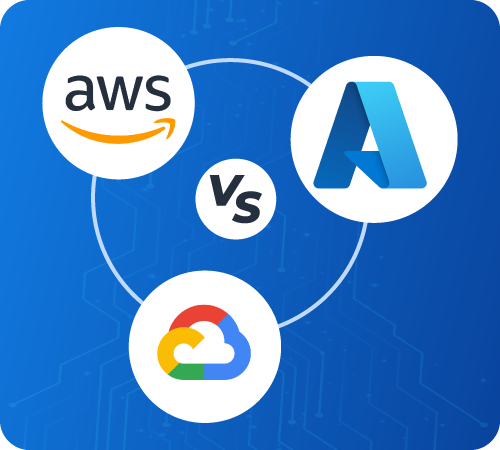
AWS vs Azure vs Google Cloud: How Do They Compare?
Evaluating AWS vs Azure vs Google Cloud as the best cloud platform requires examining each provider across multiple dimensions.
Market Leadership: AWS leads in market share and service breadth. Azure leads in enterprise adoption and hybrid cloud. Google Cloud leads in data analytics, Kubernetes, and AI research.
Enterprise Integration: Azure integrates natively with Microsoft’s enterprise software stack. For organizations running Windows Server, Active Directory, or Microsoft 365, Azure typically offers the fastest and most cost-effective path to cloud modernization.
Pricing: All three providers offer comparable base pricing, but total cost of ownership varies significantly based on workload type, data egress volumes, and support tiers. Azure’s hybrid benefit program allows organizations to apply existing Windows Server and SQL Server licenses to reduce cloud costs, a significant advantage for Microsoft-heavy environments.
Compliance and Regulated Industries: Azure and AWS both maintain broad compliance portfolios. However, Azure’s deep integration with government and healthcare regulatory frameworks gives it an edge in markets such as the US federal government and European enterprise sectors.
Developer Ecosystem: AWS offers the broadest catalog of managed services. Google Cloud attracts data engineering and AI-focused teams. Azure appeals to enterprise developers already embedded in the Microsoft ecosystem.
In short, no single platform is universally superior. The right choice depends on the specific workload profile, team expertise, compliance requirements, and existing vendor relationships.
Conclusion: Making an Informed Azure Decision
Microsoft Azure is a mature, enterprise-grade cloud platform with genuine strengths in security, hybrid infrastructure, compliance, and Microsoft ecosystem integration. For organizations already operating within the Microsoft software environment, Azure offers a coherent and cost-effective path to cloud adoption.
However, Azure is not automatically the right choice. Workloads with deep dependency on specific AWS services, teams with strong Google Cloud expertise, or organizations prioritizing cost above all else should conduct rigorous platform evaluations before committing.
The most effective cloud strategies rarely start with the question “Which platform is best?” Instead, they start with a clear inventory of workloads, a realistic assessment of team capabilities, and a total cost of ownership model that extends three to five years.
Inferenz works with enterprises at this decision point, providing structured cloud platform assessments, migration planning, and ongoing data and cloud modernization services. If your team is evaluating Azure, migrating from on-premise infrastructure, or rearchitecting existing cloud deployments, our specialists can help you move forward with clarity and confidence.