










Azure Data Factory Explained: Components, Architecture & Use Cases

Summary

Azure Data Factory (ADF) is Microsoft Azure’s fully managed, serverless data integration platform built to orchestrate complex data workflows at enterprise scale. It connects disparate data sources, moves data across on-premise and cloud environments, and enables transformation through integrated compute services. ADF operates on a pay-as-you-go model, making it cost-efficient for organizations at any stage of cloud adoption. This guide breaks down ADF’s architecture, core components, practical use cases, and how it compares to alternative tools in the modern data stack.

Introduction

Enterprise data teams face growing pressure to deliver clean, reliable, and timely data to decision-makers. The core challenge is not a shortage of data. Instead, it is a fragmented infrastructure. Data sits in ERP systems, on-premise databases, SaaS platforms, and cloud data warehouses, often with no reliable mechanism to connect, move, or transform it efficiently.

Legacy ETL tools demand heavy infrastructure management, custom scripting, and expensive licensing. Meanwhile, the volume and velocity of enterprise data continue to grow year over year.

Azure Data Factory addresses this problem directly. It provides a unified, cloud-native orchestration layer that eliminates the need for custom pipelines built from scratch. Additionally, it reduces infrastructure overhead and scales with organizational demand. For enterprises already invested in the Microsoft Azure ecosystem, ADF is often the fastest path to a functioning data integration architecture.

What Is Azure Data Factory?

Azure Data Factory is a cloud-based data integration service from Microsoft Azure. Organizations use it to create, schedule, and manage data pipelines that move and transform data across a wide range of sources and destinations.

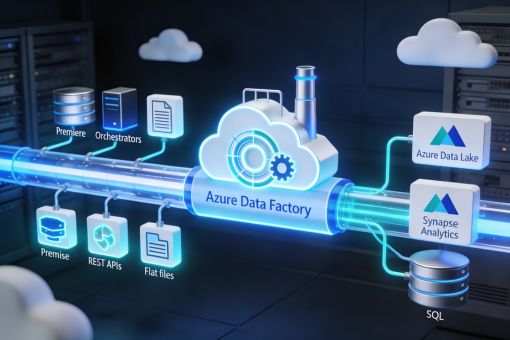
ADF does not store data. Its core function is orchestration: connecting data systems, coordinating movement, and triggering transformations. The underlying data lives in the connected sources and destinations, such as Azure Data Lake Storage, Azure Synapse Analytics, or on-premise SQL servers.

Furthermore, ADF supports hybrid environments natively. It connects to on-premise systems through a self-hosted integration runtime, making it suitable for organizations that have not yet fully migrated to the cloud.

Is Azure Data Factory an ETL or ELT Tool?

ADF supports both ETL (Extract, Transform, Load) and ELT (Extract, Load, Transform) patterns. Organizations can transform data before loading it into the destination. Alternatively, they can load raw data into a cloud data store and transform it in place using compute services like Azure Synapse or Databricks.

How Azure Data Factory Works: The Three-Stage Architecture

ADF processes data through a structured three-stage workflow that covers ingestion, transformation, and delivery. Each stage builds directly on the previous one.

Stage 1: Connect and Collect

ADF connects to over 90 built-in data source connectors. These include relational databases, file systems, SaaS platforms, REST APIs, and cloud storage services. The Copy Activity within a pipeline then moves data from these sources to a centralized destination such as Azure Data Lake Storage or Azure Blob Storage.

This stage handles both structured and unstructured data, across on-premise and cloud environments simultaneously.

Stage 2: Transform and Enrich

Once data reaches a centralized location, ADF invokes compute services to transform it. Supported transformation engines include:

  • Azure Databricks for large-scale Spark-based processing
  • Azure HDInsight for Hadoop and Hive workloads
  • Azure Synapse Analytics for SQL-based transformations at scale
  • Azure Machine Learning for applying ML models within the pipeline

In addition to external compute, ADF’s native Mapping Data Flows provide a code-free transformation interface. As a result, data engineers can apply joins, aggregations, and schema changes without writing custom code.

Stage 3: Publish and Deliver

After transformation, ADF routes the processed data to its target destination. This can be a cloud data warehouse, an on-premise reporting system, or a downstream application. The pipeline then logs execution details, which are available through Azure Monitor and the ADF monitoring dashboard.

Core Components of Azure Data Factory

Understanding ADF’s architecture requires familiarity with its five foundational components. Each plays a distinct role in how pipelines are built and executed.

Pipelines

A pipeline is a logical container for a group of activities that together accomplish a data task. Pipelines execute manually, on a schedule, or in response to an event. Moreover, multiple pipelines can run in parallel or link sequentially based on dependency logic.

For example, a pipeline may first copy raw sales data from an on-premise SQL server. It then triggers a transformation activity in Databricks and finally loads the results into Azure Synapse Analytics.

Activities

Activities represent individual processing steps within a pipeline. ADF supports three categories:

  • Data Movement Activities: Copy data from source to destination. The Copy Activity is the most widely used option.
  • Data Transformation Activities: Invoke compute engines such as Spark, Databricks, or Azure ML.
  • Control Activities: Manage pipeline logic, including conditional branching, loops, and wait functions.

Depending on workflow requirements, activities run sequentially or in parallel.

Datasets

Datasets define the structure and location of the data used in activities. Specifically, a dataset is a named reference to data within a linked service. It describes what data looks like – schema, format, file path – rather than how to connect to the source.

For instance, a dataset might represent a specific table in an Azure SQL Database or a folder of Parquet files in Azure Data Lake Storage.

Linked Services

Linked services are the connection definitions that allow ADF to communicate with external systems. They function as connection strings, storing the credentials and endpoint information needed to access a data source or compute environment.

Common linked services include connections to Azure SQL Database, Amazon S3, Salesforce, SAP, Oracle, and on-premise SQL Server via a self-hosted integration runtime.

Triggers

Triggers define when a pipeline executes. ADF supports three types:

  • Schedule Triggers: Execute pipelines on a fixed time-based schedule, for example daily at 2:00 AM.
  • Tumbling Window Triggers: Execute pipelines over fixed, non-overlapping time intervals with support for dependency and retry configurations.
  • Event-Based Triggers: Execute pipelines in response to events such as a new file arriving in Azure Blob Storage.

Integration Runtime: The Execution Engine

The Integration Runtime (IR) is the compute infrastructure that powers ADF’s data movement and transformation activities. It serves as the bridge between ADF and the connected data sources.

Three Types of Integration Runtime

ADF offers three runtime options, each suited to a different connectivity scenario:

  • Azure Integration Runtime: Handles cloud-to-cloud data movement and Mapping Data Flows.
  • Self-Hosted Integration Runtime: Installs on on-premise or virtual machines to connect private networks and on-premise data sources to ADF.
  • Azure-SSIS Integration Runtime: Lifts and shifts existing SSIS packages to run natively in the cloud.

Consequently, the choice of integration runtime directly affects latency, throughput, and connectivity options within a pipeline. Organizations with on-premise systems should evaluate the self-hosted option early in their architecture planning.

Key Use Cases for Azure Data Factory in 2026

ADF sees deployment across industries for a range of data integration scenarios. The following represent the most common and high-impact applications.

Cloud Data Migration

Organizations planning a structured cloud data migration to Azure Synapse or Azure SQL use ADF to orchestrate bulk data movement, schema mapping, and incremental load logic., which reduces migration timelines significantly.

Operational Reporting and Analytics Pipelines

ADF is a popular choice for building daily or near-real-time pipelines that feed business intelligence platforms such as Power BI. Data from CRM, ERP, and marketing platforms gets extracted, standardized, and loaded into a reporting-ready structure.

ERP and Enterprise System Integration

Organizations running SAP, Oracle, or Microsoft Dynamics use ADF to extract transactional data and load it into Azure Synapse for analytics. Because ADF includes native connectors for these systems, integration complexity drops considerably.

Data Lake Ingestion at Scale

For organizations building a centralized data lake strategy on Azure Data Lake Storage Gen2, ADF serves as the primary ingestion layer. It collects data from dozens of sources, applies initial schema enforcement, and then delivers partitioned data for downstream processing.

IoT and Event-Driven Pipelines

ADF integrates with Azure Event Hubs and Azure IoT Hub to ingest streaming data from connected devices. As a result, event-based triggers allow pipelines to respond in near-real-time to incoming sensor or machine data.

Azure Data Factory vs. Azure Databricks: Key Differences

A common point of confusion among organizations evaluating the Microsoft data platform is how ADF and Azure Databricks differ from each other.

DimensionAzure Data FactoryAzure Databricks
Primary FunctionPipeline orchestration and data movementUnified analytics and ML development platform
Transformation CapabilityMapping Data Flows, external computeNative Spark, Python, Scala, R
Code RequirementLow-code / no-code interface availableCode-first (notebooks)
Best ForETL/ELT orchestration, data movementComplex transformations, ML model training
IntegrationCan invoke Databricks as a compute targetCan be triggered and managed by ADF

In practice, ADF and Databricks work well together. ADF manages orchestration and scheduling, while Databricks performs advanced transformation and analytics. Together, this combination forms a standard pattern in enterprise Azure data architectures.

ADF Pricing Structure

ADF uses a consumption-based pricing model. Therefore, organizations pay only for what they use across three dimensions:

  • Pipeline Orchestration and Execution: Charged per activity run, trigger evaluation, and pipeline execution.
  • Data Flow Execution: Charged based on compute cluster size and runtime duration when using Mapping Data Flows.
  • Data Integration Units (DIUs): Govern the compute resources allocated to Copy Activity. Higher DIU counts increase throughput accordingly.

This structure makes ADF cost-effective for variable workloads. However, organizations with high-frequency pipelines should conduct usage modeling before deployment to avoid unexpected costs.

Strengths and Limitations of Azure Data Factory

Where ADF Excels

  • Native integration with the full Azure ecosystem, including Synapse, Databricks, and Power BI
  • Support for over 90 data connectors out of the box
  • No infrastructure provisioning needed for cloud-to-cloud workloads
  • Managed monitoring, alerting, and retry logic built directly into the service
  • Visual pipeline designer reduces dependency on custom scripting

Where ADF Has Limitations

  • Complex transformations require external compute (Databricks or Synapse), which adds architectural layers
  • The native Mapping Data Flows can introduce latency on large datasets compared to optimized Spark jobs
  • Organizations without Azure ecosystem investment may find competing platforms such as AWS Glue or Informatica more aligned to their environment
  • Real-time streaming pipelines are better handled by Azure Stream Analytics or Event Hubs, because ADF targets batch and micro-batch workloads

Conclusion

Azure Data Factory has matured into a reliable orchestration platform for enterprise data teams operating within the Microsoft Azure ecosystem. Its strength lies not in raw transformation power, but in its ability to connect, coordinate, and monitor data movement across a complex, multi-source environment.

For organizations building scalable data pipelines, migrating on-premise data warehouses to the cloud, or establishing a centralized data lake, ADF provides the control plane that holds the architecture together. Furthermore, when paired with Azure Databricks or Synapse Analytics for heavy computation, it forms the backbone of a modern, cloud-native data platform.

The decision to adopt ADF should be grounded in a clear assessment of existing infrastructure, team capabilities, and the long-term data strategy. For enterprises already operating within Azure, ADF is rarely the wrong choice. Instead, the key question is how to configure and extend it effectively.

FAQs

What is Azure Data Factory used for?

Azure Data Factory builds, schedules, and manages data pipelines that move and transform data across cloud and on-premise environments. Common uses include data migration, ETL/ELT pipeline development, enterprise system integration, and feeding analytics platforms such as Azure Synapse and Power BI.

Is Azure Data Factory a PaaS or SaaS solution?

ADF is a Platform-as-a-Service (PaaS) offering from Microsoft Azure. It requires no infrastructure provisioning and Microsoft fully manages it. However, it remains customizable and developer-configurable, which distinguishes it from SaaS data integration tools.

What is the difference between Azure Data Factory and Azure Databricks?

ADF is an orchestration and data movement service. Azure Databricks, on the other hand, is a collaborative analytics platform built on Apache Spark. ADF is best for building ETL workflows and scheduling data movement. Databricks is better suited for complex data transformations, machine learning, and large-scale analytics. Together, they are commonly used in enterprise architectures.

How does Azure Data Factory handle on-premise data sources?

ADF connects to on-premise systems through the Self-Hosted Integration Runtime, a lightweight agent installed within the on-premise network. Consequently, ADF can securely access databases, file servers, and applications behind corporate firewalls without exposing them to the public internet.

Does Azure Data Factory support real-time data processing?

ADF is optimized for batch and micro-batch processing. For event-driven or continuous streaming use cases, Microsoft recommends Azure Stream Analytics or Azure Event Hubs. However, ADF event-based triggers can respond to specific file or message events with low latency, bridging the gap for many operational scenarios.

What is a Mapping Data Flow in Azure Data Factory?

Mapping Data Flows is ADF’s visual, code-free data transformation feature. It allows data engineers to design transformations using a drag-and-drop interface, including joins, aggregations, conditional splits, and schema modifications. The flows then execute on Spark clusters managed by ADF, so users do not need to write Spark code directly.

How is Azure Data Factory priced?

ADF pricing is based on consumption across pipeline executions, trigger evaluations, data flow compute usage, and the number of Data Integration Units allocated to Copy Activity. There is no fixed monthly license fee; costs scale with usage. Additionally, Microsoft provides a pricing calculator to estimate costs based on expected pipeline volume and data flow complexity.

On-Premise to Cloud Migration: A Step-by-Step Guide

Summary

On-premise to cloud migration is the structured process of moving applications, data, and IT workloads from local data centers to cloud-based infrastructure. Organizations that execute a well-defined cloud migration strategy reduce operational costs, improve scalability, and accelerate digital transformation. The process involves six proven migration strategies, each suited to different business needs. Furthermore, successful migration depends on careful planning, phased execution, and continuous performance monitoring. This guide delivers a complete, decision-ready framework for enterprise cloud migration in 2026.

Introduction

Most enterprise IT environments carry significant technical debt. Legacy infrastructure demands constant maintenance, limits scalability, and creates costly operational overhead. As business demands grow more dynamic, on-premise systems struggle to keep pace.

The challenge is not simply moving data. Enterprises face real risks: downtime, security vulnerabilities, compliance exposure, and cost overruns. Without a clear cloud migration strategy, even well-resourced organizations stall.

This guide addresses those concerns directly. It outlines what on-premise to cloud migration involves, why it matters, and how to execute it with confidence. Whether you are evaluating options or ready to migrate, this resource provides the structured approach your team needs.

What Is On-Premise to Cloud Migration?

On-premise to cloud migration refers to the process of transferring an organization’s IT assets, including applications, databases, storage, and workloads, from physical, in-house data centers to cloud-based environments hosted by providers such as AWS, Microsoft Azure, or Google Cloud.

Unlike a simple data transfer, cloud infrastructure migration involves rethinking how systems interact, how data flows, and how teams access resources. Additionally, it requires aligning technology decisions with business objectives.

Why the Definition Matters for Planning

Understanding what migration truly involves prevents costly miscalculations. Many organizations underestimate the scope by treating it as a lift-and-shift exercise. In reality, a robust cloud migration process addresses architecture, security, governance, compliance, and workforce readiness simultaneously.

For enterprises managing complex, multi-system environments, Data and Cloud Modernization Services and Solutions provide the strategic foundation needed to approach this transition systematically.

Why Businesses Are Moving to the Cloud

The business case for cloud adoption has strengthened considerably. According to GlobalData, the global cloud computing market is projected to reach $1.3 trillion by 2026, driven by enterprise demand for agility, resilience, and cost efficiency.

Several factors are accelerating the decision to migrate from on-premise to cloud:

  • Cost structure shift: Cloud eliminates capital expenditure on hardware and reduces maintenance overhead through a pay-as-you-use model.
  • Remote workforce requirements: Cloud-native infrastructure supports distributed teams with secure, always-available access to applications and data.
  • Competitive pressure: Organizations that modernize infrastructure respond faster to market changes and deploy new capabilities more quickly.
  • Vendor support cycles: Many enterprise software vendors are deprecating on-premise versions, making migration a business continuity decision.

Moreover, regulatory requirements around data residency and disaster recovery are increasingly easier to manage in cloud environments, where providers offer built-in compliance certifications.

Key Benefits of Cloud Migration

A well-executed enterprise cloud migration delivers measurable, lasting advantages across operations, finance, and technology.

Operational Scalability

Cloud platforms scale on demand. Consequently, organizations avoid over-provisioning hardware and can handle traffic spikes without performance degradation.

Reduced Total Cost of Ownership

On-premise infrastructure requires ongoing investment in hardware refresh, facilities, and dedicated IT staff. In contrast, cloud environments shift those costs to a predictable, consumption-based model. As a result, finance teams gain greater visibility and control.

Enhanced Security and Compliance

Leading cloud providers invest heavily in security infrastructure, including encryption at rest and in transit, identity and access management, and compliance frameworks such as SOC 2, ISO 27001, and HIPAA. Therefore, organizations often achieve stronger security posture post-migration than before.

Business Continuity and Resilience

Cloud environments support automated backups, geographic redundancy, and rapid recovery. For instance, recovery time objectives that previously took days can reduce to hours or minutes.

Accelerated Innovation

With infrastructure concerns offloaded to the cloud provider, internal teams shift focus from maintenance to product development. Additionally, cloud-native services, including machine learning APIs, serverless computing, and managed databases, accelerate feature delivery.

Common Challenges in Cloud Migration

Understanding migration risks is as important as recognizing the benefits. Several challenges consistently affect enterprise cloud migration programs.

Legacy System Complexity

Many on-premise applications have deep interdependencies, custom integrations, or undocumented configurations. As a result, migrating them without proper discovery and mapping introduces significant risk.

Data Security During Transfer

Moving sensitive data across networks creates exposure windows. Therefore, organizations must enforce encryption, access controls, and monitoring throughout the migration period. Deploying a cloud firewall-as-a-service (FWaaS) solution reduces breach risk during transition.

Cost Management

Without careful governance, cloud costs can exceed projections. Idle resources, over-provisioned instances, and shadow IT consumption are common contributors. Consequently, cost modeling before migration prevents post-migration budget shock.

Skill Gaps

Cloud migration services require expertise in cloud architecture, DevOps practices, security configuration, and data engineering. Organizations without these capabilities in-house benefit from partnering with experienced migration specialists.

Change Management

Technology transitions affect workflows, team structures, and user habits. In addition to technical execution, successful migration programs invest in communication, training, and stakeholder alignment.

Types of Cloud Migration Strategies

The six Rs of cloud migration provide a structured decision framework. Each strategy suits different application profiles, risk tolerances, and business objectives.

Rehosting (Lift and Shift)

Rehosting transfers applications to the cloud without modifying architecture or code. It is the fastest and most straightforward approach. Organizations that prioritize speed and need to exit aging data centers quickly typically choose this strategy. However, it does not leverage cloud-native capabilities.

Replatforming (Lift, Tinker, and Shift)

Replatforming applies targeted optimizations without changing the application’s core architecture. For example, migrating a database to a managed cloud database service improves performance and reduces administration without a full refactor.

Refactoring (Re-architecting)

Refactoring involves rewriting or significantly restructuring applications to take full advantage of cloud-native features such as serverless functions, auto-scaling, and microservices. Although it demands the most effort and investment, it delivers the greatest long-term benefit for applications central to business operations.

Repurchasing

Repurchasing replaces existing on-premise applications with cloud-native SaaS alternatives. For instance, replacing a self-hosted CRM with Salesforce eliminates infrastructure management entirely. This strategy works best when commercial SaaS products meet business requirements and reduce the overhead of custom development.

Retiring

Some applications no longer deliver sufficient business value to justify migration. Retiring them reduces complexity and cuts ongoing licensing and maintenance costs. Before finalizing the migration scope, conducting a portfolio rationalization exercise identifies candidates for retirement.

Retaining (Revisiting)

Certain applications, especially those handling highly sensitive data or governing critical internal processes, may not be ready for cloud migration. Retaining them temporarily is a deliberate, risk-informed decision. Organizations can revisit these applications as cloud security maturity, risk tolerance, and planning capacity improve.

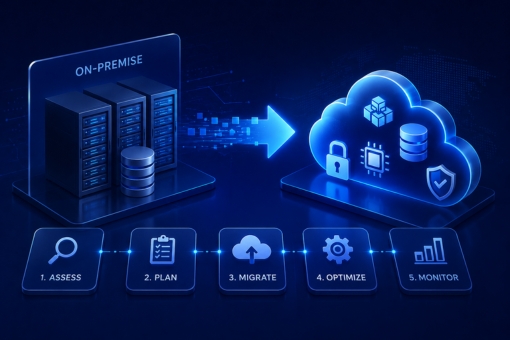
Step-by-Step On-Premise to Cloud Migration Process

No two migrations are identical. Nevertheless, a structured, phased approach consistently produces better outcomes than ad hoc execution.

Step 1: Discovery and Planning

Effective planning begins with a comprehensive inventory of all applications, data sources, dependencies, and infrastructure components. The planning phase should answer three core questions:

  • What assets require migration?
  • What business objectives does migration serve?
  • How complex is each workload to migrate?

Furthermore, define success metrics upfront, including performance benchmarks, cost targets, and service level agreements. A migration without defined outcomes is difficult to govern and nearly impossible to declare successful.

Step 2: Strategy Selection and Assessment

After completing discovery, assign a migration strategy (one of the six Rs) to each workload based on business criticality, technical complexity, and cost. Additionally, assess dependencies between systems to sequence migrations in an order that minimizes disruption.

Cloud migration services providers use automated assessment tools to accelerate this phase and reduce the risk of missing hidden dependencies.

Step 3: Cloud Environment Design and Optimization

Before migrating any workload, design the target cloud environment. This includes selecting the appropriate cloud provider and service model (IaaS, PaaS, or SaaS), configuring network architecture, defining identity and access management policies, and establishing cost governance guardrails.

Evaluate multiple vendors and model the total cost of ownership (TCO) for each option. Optimizing resource configurations before migration prevents overspending post-launch.

Step 4: Secure Migration Execution

Security cannot be an afterthought. Specifically, encrypt data in transit and at rest, enforce least-privilege access controls, and deploy monitoring to detect anomalies during migration. Establish a clear rollback plan before executing each migration wave.

Organizations handling regulated data, such as healthcare records or financial information, must also validate compliance requirements for the target cloud environment before migrating.

Step 5: Phased Migration and Testing

Migrate workloads incrementally rather than all at once. Start with lower-risk, less critical systems to build team confidence and surface unforeseen issues early. After each migration wave, conduct thorough functional testing, performance validation, and user acceptance testing.

Phased migration also limits business disruption. In contrast to a big-bang cutover, incremental migration preserves continuity and creates natural checkpoints for course correction.

Step 6: Measure, Monitor, and Optimize

Migration completion is not the endpoint. Post-migration, establish continuous monitoring across performance, cost, security, and availability. Use cloud-native observability tools to track application behavior and identify optimization opportunities.

Additionally, review cloud spending regularly. Many organizations discover opportunities to right-size instances, consolidate services, and eliminate unused resources in the months following migration. Ongoing cloud infrastructure migration optimization is a discipline, not a one-time activity.

On-Premise vs Cloud Comparison

DimensionOn-PremiseCloud
Capital ExpenditureHigh (hardware, facilities)Low (consumption-based)
ScalabilityLimited by physical capacityOn-demand, elastic
MaintenanceInternal IT responsibilityShared with cloud provider
Security ControlFull internal controlShared responsibility model
Disaster RecoveryComplex, costlyBuilt-in, automated options
Time to DeployWeeks to monthsHours to days
Innovation SpeedConstrained by infrastructureAccelerated via managed services
ComplianceFully internalProvider certifications available

This comparison illustrates why the shift from on-premise to cloud migration has become a strategic priority rather than a technical option for most enterprises.

Best Practices for Successful Cloud Migration

Organizations that execute cloud migration successfully share a set of disciplined practices that separate effective programs from costly ones.

Align Migration to Business Outcomes

Every migration decision should connect to a specific business objective, whether that is cost reduction, application performance, workforce mobility, or regulatory compliance. Without this alignment, migration teams optimize for technical metrics that may not reflect business value.

Invest in a Proof of Concept

Before committing to a full migration, run a controlled proof of concept with a representative workload. This approach surfaces real-world challenges and validates architecture decisions at low risk. Moreover, it builds team capability before the scale of execution increases.

Establish Cloud Governance Early

Define policies for cost management, access control, tagging standards, and compliance reporting before the first workload migrates. Retroactively applying governance after migration is significantly more difficult.

Train and Enable Internal Teams

Cloud operating models differ fundamentally from on-premise IT management. Therefore, invest in training for infrastructure, development, and operations teams concurrently with the migration program. Capability building accelerates post-migration optimization.

Partner with Experienced Cloud Migration Services

For organizations navigating complex environments, external cloud migration services provide architectural expertise, tooling, and delivery experience that accelerates timelines and reduces risk. In particular, this matters when internal teams are simultaneously managing day-to-day operations and a major transformation.

Future of Cloud Migration

The cloud migration landscape continues to evolve rapidly. Several trends are shaping how organizations approach migration in 2026 and beyond.

Multi-cloud and hybrid strategies are gaining traction. Rather than committing to a single provider, many enterprises distribute workloads across two or more clouds to optimize cost, performance, and resilience. Consequently, cloud infrastructure migration now increasingly involves designing cross-cloud connectivity and governance.

AI-assisted migration tooling is reducing manual effort. Automated discovery, dependency mapping, and code analysis tools now handle work that previously required weeks of manual assessment.

FinOps as a discipline is maturing. Organizations are embedding cloud financial management practices into their operating models, treating cost optimization as an ongoing function rather than a post-migration project.

Edge computing integration is expanding the migration scope. As workloads move closer to users and devices, cloud migration strategies must account for edge nodes alongside central cloud environments.

Finally, sustainability considerations are influencing provider selection. Cloud providers increasingly publish energy efficiency and carbon metrics, and organizations are incorporating these into procurement decisions as part of broader ESG commitments.

Conclusion

On-premise to cloud migration is one of the highest-leverage investments an enterprise can make in its technology foundation. The decision is no longer whether to migrate, but how to do so with precision, speed, and minimal disruption.

A structured cloud migration process, grounded in the six Rs framework and executed in disciplined phases, gives organizations the best probability of success. Furthermore, migration is not a destination. It is the beginning of a continuous improvement cycle that unlocks cloud-native capabilities, accelerates innovation, and positions the enterprise for long-term competitive advantage.

Organizations that treat cloud migration as a strategic program, not a technical project, consistently deliver better outcomes. With the right cloud migration strategy, the right partners, and a commitment to governance, the transition from legacy infrastructure to cloud is entirely achievable, regardless of complexity.

FAQs

What is on-premise to cloud migration?

On-premise to cloud migration is the process of moving an organization’s applications, data, and IT workloads from physical, in-house data centers to cloud-based infrastructure managed by providers such as AWS, Azure, or Google Cloud. The process includes workload assessment, strategy selection, secure data transfer, and post-migration optimization.

What are the six Rs of cloud migration?

The six Rs are Rehosting (lift and shift), Replatforming (lift, tinker, and shift), Refactoring (re-architecting), Repurchasing (replacing with SaaS), Retiring (decommissioning unused apps), and Retaining (keeping select workloads on-premise temporarily). Each strategy suits different workload profiles and business priorities.

How long does a cloud migration take?

Migration timelines vary based on the number of workloads, their complexity, data volumes, and the organization’s readiness. A focused migration of a single application may take weeks. A full enterprise cloud migration covering hundreds of applications typically spans 12 to 24 months. Phased execution and early planning reduce the overall timeline significantly.

What are the main risks of cloud migration?

Key risks include data security exposure during transfer, application downtime, cost overruns from poor cloud governance, skill gaps within internal teams, and compliance gaps for regulated workloads. Addressing each risk through structured planning, phased execution, and experienced cloud migration services reduces their probability and impact.

How do I choose the right cloud migration strategy?

The right strategy depends on three factors: the business criticality of the application, the technical complexity of its architecture, and the cost and time available for migration. Rehosting suits speed-driven migrations. Refactoring suits applications where long-term cloud-native performance is the priority. Assessment tools and migration specialists help match each workload to the appropriate strategy.

What is the difference between IaaS, PaaS, and SaaS in cloud migration?

IaaS (Infrastructure as a Service) provides virtualized compute, storage, and networking. PaaS (Platform as a Service) adds managed runtime environments and development tools. SaaS (Software as a Service) delivers fully managed applications over the internet. Choosing the right service model for each workload is a central decision in cloud migration planning.

How much does cloud migration cost?

Cloud migration costs depend on workload complexity, data volumes, chosen migration strategy, and whether the organization uses internal resources or external cloud migration services. Cost components include assessment and planning, migration tooling, infrastructure during transition, training, and post-migration optimization. Modeling the total cost of ownership (TCO) before migration prevents budget surprises.

Data Science in Healthcare: 8 Use Cases No One Will Tell You

New technologies like Machine Learning, Artificial Intelligence, Deep Learning, etc., are revolutionizing every industry, and data science in healthcare is a promising tech advancement helping doctors. With the help of new tech, health organizations can tap into precious insights, get valuable information, and optimize their in-house operations to improve patient care and reduce emergencies.

Data science solutions in the medical sector are essential in helping healthcare professionals harness data analytics to provide better diagnoses to patients. This article reveals the primary applications of data science in the healthcare sector that are transforming the medical industry.

ALSO READ: Alternatives To Twitter: 5 Social Media Platforms That Could Replace Twitter

Why Use Data Science In Healthcare?

Every human body generates around 2 terabytes of data per day with information related to daily activities. The data generated mainly includes various aspects such as brain activity, stress and sugar level, heart rate, and more. Data science is one of the latest technologies that help health experts handle large data amounts and monitor patients’ health using the information.

Integrating modern data science tools in the medical industry allows doctors to predict health symptoms at an early stage. As a result, they can offer immediate care to reduce the chances of negative consequences on patients’ health. Furthermore, the devices built with the data science algorithms store necessary information about patients’ health and help doctors understand their health conditions.

8 Data Science Healthcare Applications

Data science helps streamline healthcare facilities and processes while improving the accuracy of diagnosis. A recent report by Vantage Market Research indicates that the adoption of big data analytics in the healthcare market will reach USD 79.23 billion by 2028. The reason behind the growth of data science in healthcare is the vital use cases and applications of modern technology, like:

  • Medical Imaging 

One of the most vital use cases of data science in healthcare is medical imaging which helps professionals identify distinct medical conditions in patients. The latest techniques, like X-rays, mammography, CT scans, MRI scans, etc., are advanced tools assisting doctors in visualizing the inner human body parts and finding irregularities and deformities in the scanned images.

  • Genomics and Genetics 

Individuals have different genetic makeup, and data science is helping expert doctors to analyze gene sequences, detect diseases, and tailor-made patient care. The latest deep learning technologies in data science allows experts to integrate multiple data strands with genetic information. Using data science in healthcare helps caregivers identify the correlation between disease and generic parameters to provide better care at a lower rate.

  • Drug Discovery 

The primary role of healthcare professionals in the medical sector is to create effective drugs for patients and help them live healthier lives. Data science, deep learning, and Machine Learning algorithms are shaping the drug discovery process. The extensive insights obtained from patient metadata and mutation profiles help researchers develop models, design drugs, and boost the success rate of the drug.

  • Predictive Analytics 

The healthcare industry relies heavily on the predictive analytics model that uses historical data to find health patterns and forecast accurate medicine predictions. With predictive analytics models, healthcare professionals find correlations between habits and diseases to predict diagnosis with a high success rate.

  • Monitoring Patients Health 

IoT (Internet of Things) devices powered by data science are gaining immense popularity in improving healthcare facilities. The analytical tools that track temperature, blood pressure, heartbeat, and other medical parameters help doctors to take necessary steps and help patients avoid health risks.

  • Tracking & Preventing Diseases

Data science algorithms and predictive analytics tools detect chronic diseases early and provide medications before the ailment becomes fatal. Using data science algorithms enables patients to avoid emergencies and reduce the high cost of curing diseases.

  • Virtual Assistance 

The predictive modeling and virtual assistance applications are designed to help patients get insights about their medical condition. Patients can use this platform by entering the symptoms and getting complete information about the possible diseases. Two of the best examples of virtual assistance platforms in healthcare are Woebot (a chatbot developed by Stanford University for patients dealing with depression) and Ada (a Berlin startup that predicts diseases).

  • Optimize Clinical Performance

Data science in healthcare not only helps in improved patient care but also assists professionals in optimizing clinical performance. Data obtained from disparate sources can effectively be used to optimize clinical staff scheduling, manage supplies, reduce patient wait times, and build efficient healthcare programs.

Inferenz has a certified team of data scientists and analysts who help healthcare businesses integrate the latest tools and technologies. The team worked with a pharmaceutical company from Germany to help doctors implement advanced tools to predict diseases and save patients from emergency care.

Get Ready To Integrate Data Science in Healthcare

The modern world is driven by data, and the healthcare industry can no longer afford to neglect to implement the latest tools like data science. With the aid of data science in healthcare, experts can use scattered information to get a holistic view of a patient’s fitness and improve medical treatment plans.

In addition, the data science tools streamline the in-house operations and reduce caregiving costs that benefit patients and organizations alike. If you are a healthcare organization intending to use data science in healthcare, Inferenz experts can help you implement modern tools based on your specific needs.

Benefits Of Big Data Analytics In The Healthcare Industry

Summary

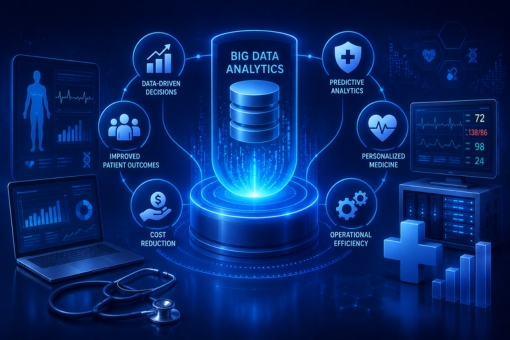
Big data analytics in healthcare is transforming how organizations deliver care, manage costs, and prevent disease at scale. From predictive diagnostics and revenue cycle optimization to population health management, healthcare leaders who treat data as a strategic asset gain measurable advantages in both clinical outcomes and operational performance. The global healthcare analytics market is projected to exceed $84 billion by 2027, signaling a structural shift rather than a passing trend. This blog examines the core benefits, real-world applications, key challenges, and emerging technologies that define where big data analytics in the healthcare industry is headed in 2026 and beyond.

Introduction

Healthcare organizations sit on one of the richest data reserves of any industry. Electronic health records, medical imaging archives, genomic sequences, insurance claims, and wearable device telemetry generate an estimated 2.5 exabytes of data every single day. However, for most organizations, that data remains fragmented across legacy systems, siloed clinical workflows, and disconnected administrative platforms.

The result is a costly paradox: organizations drowning in data yet starved for insight.

The consequences are real. Late-stage disease detection accounts for an estimated 40 percent of avoidable healthcare costs. Administrative waste consumes between 25 and 30 percent of total US healthcare expenditure. Medication errors contribute to over 250,000 preventable deaths annually in the US alone, according to Johns Hopkins research.

Furthermore, the organizations actively closing this data gap are gaining demonstrable advantages. They achieve faster diagnoses, lower readmission rates, leaner supply chains, and stronger financial performance. Those that delay are increasingly visible in outcome benchmarks and regulatory scrutiny.

This blog breaks down exactly what big data analytics in healthcare delivers, where it creates the most value, and how forward-looking health systems are building the infrastructure to capitalize on it.

What Is Big Data Analytics in Healthcare?

Big data analytics in healthcare refers to the process of collecting, processing, and interpreting large volumes of structured and unstructured data across clinical, operational, and financial domains to support evidence-based decisions.

Data sources include:

  • Electronic Health Records (EHRs): Patient histories, diagnoses, medications, lab results, and care plans
  • Medical Imaging: Radiology scans, pathology slides, and diagnostic images
  • Genomic Data: DNA sequencing outputs that support precision medicine programs
  • IoT and Wearables: Continuous biometric data from connected devices
  • Insurance Claims: Billing records, procedure codes, and reimbursement histories
  • Patient-Generated Data: Symptom logs, app-based check-ins, and remote monitoring feeds

The discipline spans four analytical modes that leading health systems use together:

  1. Descriptive Analytics: What happened? (e.g., monthly readmission rates)
  2. Diagnostic Analytics: Why did it happen? (e.g., root causes of claim denials)
  3. Predictive Analytics: What is likely to happen? (e.g., patient deterioration risk scores)
  4. Prescriptive Analytics: What action should be taken? (e.g., optimized staffing recommendations)

Together, these four modes form a complete decision intelligence framework for healthcare operations and clinical care.

Understanding the 4 Vs of Big Data Analytics in Healthcare

Healthcare data is not just large. It is complex in ways that standard data management tools cannot handle. The “4 Vs” framework captures the core dimensions of this complexity.

Volume

Healthcare systems generate enormous quantities of data continuously. A single hospital network can accumulate petabytes of imaging, genomic, and operational data annually. Consequently, storing, organizing, and retrieving this data requires scalable cloud and distributed storage infrastructure.

Velocity

Patient data streams in real time from ICU monitors, wearables, and emergency triage systems. For clinical decision support, velocity matters as much as volume. Moreover, batch-processing approaches are no longer sufficient for time-sensitive interventions.

Variety

Healthcare data is inherently multi-modal: structured fields in EHR databases, unstructured clinical notes in free text, image files, audio recordings from telehealth sessions, and genomic sequences. As a result, analytics platforms must handle diverse data types within a unified processing environment.

Veracity

Data quality in healthcare is inconsistent. Coding errors, incomplete records, duplicate entries, and interoperability gaps all reduce the trustworthiness of raw data. Therefore, data governance and cleansing pipelines form the non-negotiable foundation of any analytics investment.

Importance of Big Data Analytics in Healthcare

The importance of big data analytics in healthcare extends well beyond operational efficiency. It fundamentally changes what healthcare organizations can know, predict, and act on.

Shifting from Reactive to Proactive Care

Traditionally, clinical decisions relied on symptoms that were already present. Predictive models now allow clinicians to identify high-risk patients before acute episodes occur. For example, sepsis prediction algorithms trained on vital signs, lab values, and nursing notes can trigger early intervention protocols hours before a patient meets clinical sepsis criteria.

Enabling Precision Medicine

No two patients respond identically to the same treatment. Big data analytics in healthcare makes personalized medicine operationally viable by integrating genetic profiles, biomarker data, and treatment response histories at scale. This is particularly relevant in oncology, where multi-omics data analysis supports individualized therapy selection.

Supporting Public Health at Scale

Population-level analytics enables health systems and governments to detect disease clusters, identify at-risk demographic groups, and deploy targeted interventions before conditions reach epidemic thresholds. During recent COVID variant waves, organizations with mature population health analytics activated outreach campaigns weeks ahead of peers using conventional surveillance methods.

Role of Big Data Analytics in Healthcare

Beyond the clinical environment, big data analytics plays a foundational role across every layer of healthcare delivery.

Clinical Decision Support

Clinicians process an extraordinary volume of information during every patient encounter. Analytics platforms that surface relevant risk scores, drug interaction alerts, and evidence-based treatment recommendations directly within clinical workflows reduce cognitive load and improve decision quality.

Operational Performance Management

Hospital operations involve hundreds of interdependent variables: patient throughput, bed availability, surgical scheduling, and staff deployment. Analytics tools that model these interdependencies in real time allow operations teams to make adjustments before bottlenecks form rather than after delays occur.

Financial Performance and Revenue Integrity

Claims management, reimbursement optimization, and cost accounting all depend on accurate, timely data. Additionally, analytics platforms that monitor billing patterns, flag anomalies, and model payer behavior help finance teams protect revenue and reduce compliance exposure.

Research and Innovation

Health systems with robust data infrastructure contribute more effectively to clinical research. Specifically, de-identified patient cohorts, longitudinal outcome data, and real-world evidence repositories accelerate trial design, drug development, and protocol validation.

Benefits of Big Data Analytics in the Healthcare Industry

The measurable benefits of big data analytics in the healthcare industry span clinical, operational, and financial dimensions. Each benefit area below reflects outcomes documented across health systems, not theoretical projections.

Improved Patient Outcomes Through Predictive Diagnostics

Predictive analytics models trained on longitudinal patient records identify risk markers for sepsis, cardiac events, and chronic disease progression significantly earlier than traditional clinical assessments. Mayo Clinic and Mass General Brigham have published evidence showing machine learning-assisted early warning systems reduced ICU mortality rates by 10 to 20 percent in controlled deployments.

Earlier identification of high-risk patients allows clinicians to intervene before conditions deteriorate into costly emergency episodes. This single capability justifies significant analytics investment for most acute care organizations.

Reduction of Medical Errors and Adverse Events

A 2024 JAMA study found that AI-assisted prescription review flagged clinically significant drug interactions in 7 percent of discharge orders that had passed standard pharmacist checks. Billing analytics tools have similarly reduced claim rejection rates in large health systems by detecting coding anomalies before submission.

These are not marginal gains. Because medication errors alone contribute to over 250,000 preventable deaths annually in the US, data tools that reduce error rates even incrementally carry significant patient safety and liability implications.

Operational Cost Reduction

Administrative waste accounts for an estimated 25 to 30 percent of total US healthcare expenditure. Analytics platforms that optimize staff scheduling, patient throughput modeling, and claims processing workflows deliver consistent cost reductions in the 12 to 18 percent range for mid-size hospital systems.

The mechanism is not headcount reduction. Instead, it is eliminating unplanned overtime, discharge delays, and avoidable inventory stockouts through continuous monitoring rather than reactive management.

Precision Resource Allocation and Staffing

Workforce shortages remain acute across nursing and specialist disciplines globally. Analytics platforms that integrate historical admission data, seasonal disease patterns, and local demographic trends enable hospitals to forecast staffing requirements 30 to 60 days in advance with measurable accuracy improvements over manual planning.

As a result, organizations reduce reliance on agency staff, which typically costs 30 to 50 percent more per hour than employed staff, while maintaining care quality benchmarks.

Supply Chain Visibility and Waste Reduction

Medical supply chains became a critical vulnerability during the COVID-19 pandemic. Analytics tools that provide real-time inventory tracking, expiration monitoring, and demand forecasting have since become priority investments. For instance, the NHS and Kaiser Permanente both documented inventory waste reductions exceeding 20 percent following analytics integration.

Population Health and Disease Prevention

Aggregated and de-identified patient data, analyzed at scale, allows public health systems to identify disease clusters, at-risk demographic cohorts, and intervention gaps before conditions escalate. This capability represents one of the highest-ROI applications of data analytics in the healthcare industry at the systems level.

How Healthcare Organizations Use Big Data

Healthcare organizations apply big data across three primary operational layers: clinical, administrative, and strategic.

At the Clinical Layer

Clinicians use analytics for risk stratification, treatment protocol selection, early warning scoring, and medication safety review. Furthermore, radiology teams apply machine learning models to imaging pipelines, reducing interpretation time and flagging findings that warrant immediate attention.

At the Administrative Layer

Operations and finance teams use analytics for scheduling optimization, revenue cycle management, fraud detection, and compliance monitoring. In particular, claims analytics platforms reduce denial rates by identifying coding errors and missing documentation before submission.

At the Strategic Layer

Executive and population health teams use aggregated analytics for network planning, service line strategy, value-based contract modeling, and community health investment. These use cases depend on Data and Cloud Modernization Services and Solutions to consolidate data from disparate sources into unified analytical environments.

Applications of Big Data Analytics in Healthcare

The following represent the highest-value application areas across the sector in 2026.

Electronic Health Records Optimization

Centralized patient histories enable cross-team coordination, reduce duplicate testing, and feed predictive model training pipelines. EHR analytics tools also surface documentation gaps that affect coding accuracy and reimbursement rates.

Remote Patient Monitoring

IoT-connected devices and wearables transmit continuous biometric data, enabling real-time alerts for deviations in cardiac, respiratory, or metabolic markers. Remote monitoring programs have demonstrated 25 to 40 percent reductions in preventable hospital admissions for high-risk chronic disease populations.

Clinical Trial Optimization

Machine learning accelerates patient cohort matching for trials, cutting enrollment timelines by up to 30 percent in pharma applications. Additionally, real-world evidence generated from EHR and claims data increasingly supplements traditional trial endpoints.

Fraud Detection and Compliance

Anomaly detection across billing and claims data identifies fraudulent patterns that rule-based systems routinely miss. This protects both revenue integrity and regulatory standing, particularly as CMS enforcement activity has intensified in recent years.

Genomics and Precision Medicine

Multi-omics data analysis enables treatment protocols tailored to individual patient genetic profiles. This approach is most advanced in oncology, where genomic sequencing has shifted chemotherapy selection from population-level protocols to individual tumor profiles.

Mental Health and Behavioral Analytics

Natural language processing applied to patient communications and clinical notes flags deterioration in behavioral health conditions between appointments. Moreover, predictive models trained on social determinants of health data identify at-risk populations for proactive outreach.

Popular Examples and Real-World Use Cases of Big Data Analytics in Healthcare

Mayo Clinic: Predictive ICU Monitoring

Mayo Clinic deployed a machine learning-based early warning system that continuously analyzes vital signs, lab values, and nursing observations to generate patient deterioration risk scores. The system contributed to ICU mortality rate reductions of 10 to 20 percent in published evaluations.

Kaiser Permanente: Supply Chain Optimization

Kaiser Permanente integrated real-time inventory analytics across its hospital network, achieving over 20 percent reduction in medical supply waste and significantly improving readiness during supply disruptions.

NHS England: Population Health Management

NHS England’s population health analytics programs have enabled targeted outreach to high-risk patient cohorts, reducing emergency admissions among monitored populations and supporting earlier intervention in chronic disease management.

Mass General Brigham: AI-Assisted Diagnostics

Mass General Brigham implemented AI-powered imaging analysis tools for radiology workflows. The system now assists radiologists in flagging findings with a level of consistency that reduces both interpretation time and inter-reader variability.

Large US Health System: Fraud Detection

A large US health system deployed anomaly detection models across its claims data, identifying over $30 million in fraudulent billing patterns within the first 12 months of deployment. Traditional rule-based systems had missed the majority of flagged cases.

Big Data Analytics in Healthcare Revenue Cycle Management

Revenue cycle management (RCM) is one of the most financially significant applications of big data analytics in the healthcare industry. Every year, US hospitals lose billions of dollars to claim denials, coding errors, underpayments, and missed charge capture.

How Analytics Transforms RCM

Analytics platforms embedded in RCM workflows deliver value across the full revenue cycle:

  • Pre-Authorization Verification: Automated checks confirm coverage eligibility before services are delivered, reducing denial rates at the source.
  • Coding Accuracy: Natural language processing tools analyze clinical documentation and suggest accurate procedure and diagnosis codes, reducing human coding errors.
  • Denial Pattern Analysis: Analytics models identify the specific claim types, payers, and clinical departments that generate the highest denial rates, enabling targeted process improvement.
  • Underpayment Detection: Systematic comparison of expected versus actual reimbursement rates flags underpayments across payer contracts for recovery and renegotiation.
  • Fraud and Abuse Monitoring: Anomaly detection across billing data identifies patterns inconsistent with legitimate care delivery, protecting organizations from regulatory penalties.

Measured Impact

Mid-to-large health systems that implement analytics-driven RCM programs consistently report denial rate reductions of 15 to 25 percent and net revenue improvements of 2 to 5 percent of total collections. For a health system processing $1 billion in annual claims, a 3 percent improvement represents $30 million in recovered revenue.

Technologies Powering Big Data Analytics in Healthcare

The analytics capabilities described throughout this blog rely on a converging set of technologies. Understanding these layers is essential for healthcare leaders evaluating infrastructure investments.

Cloud Data Platforms

Modern cloud data platforms such as Snowflake, Databricks, and Google BigQuery provide the scalable storage, compute separation, and governed access control that healthcare analytics requires. These platforms enable Data and Cloud Modernization Services and Solutions that consolidate previously siloed data environments into unified analytical foundations.

Machine Learning and AI Frameworks

Machine learning frameworks, including TensorFlow, PyTorch, and Azure ML, power the predictive and prescriptive models that underpin clinical decision support, imaging analysis, and operational forecasting. Furthermore, large language models (LLMs) are increasingly applied to unstructured clinical note analysis and patient communication processing.

Interoperability Standards

HL7 FHIR (Fast Healthcare Interoperability Resources) has become the dominant standard for healthcare data exchange. FHIR-compliant APIs enable EHR systems, payer platforms, and analytics tools to share data in a structured, standardized format, which significantly reduces integration complexity.

Federated Learning

Federated learning enables multiple healthcare organizations to collaboratively train AI models without sharing raw patient data. Each organization trains a local model on its own data, and only model parameters are shared and aggregated. This approach resolves a major compliance bottleneck and is increasingly used for multi-site clinical research.

Real-Time Data Streaming

Platforms such as Apache Kafka and Azure Event Hubs enable real-time event-driven data pipelines that replace traditional batch processing. For clinical applications, real-time streaming means analytics systems can support same-encounter decision making rather than retrospective review.

Synthetic Data Generation

Synthetic data tools generate statistically representative patient datasets without using real patient records. Consequently, development and testing environments for clinical AI models no longer require access to sensitive patient data, reducing both compliance risk and development cycle time.

Challenges of Big Data in Healthcare

Despite its clear benefits, big data analytics in healthcare presents a set of structural and operational challenges that organizations must address directly rather than minimize.

Data Fragmentation and Interoperability

Most healthcare organizations operate across multiple EHR systems, billing platforms, and departmental applications that do not communicate natively. Integrating these sources into a unified analytical environment requires sustained investment in data engineering and interoperability infrastructure.

Regulatory Compliance Complexity

Healthcare analytics operates in a uniquely constrained regulatory environment. In the US, HIPAA sets strict boundaries around patient data use and sharing. In Europe, GDPR and the EU AI Act, which took effect in 2024, impose additional requirements, including transparency obligations for high-risk AI systems in clinical settings. Compliance quality varies significantly across organizations and geographies.

Algorithmic Bias and Model Fairness

AI models trained on historically biased datasets have demonstrated differential performance across racial and socioeconomic patient groups in peer-reviewed studies. Organizations deploying clinical AI need model validation frameworks that account for sub-population performance, not just aggregate accuracy metrics.

Talent Scarcity

The intersection of healthcare domain expertise and data science capability remains rare. Most health systems lack sufficient internal talent to govern, build, and maintain advanced analytics programs. As a result, strategic partnerships with specialized data and analytics service providers have become a common approach to bridging the gap.

Change Management and Clinical Adoption

Even well-designed analytics tools fail when clinicians do not trust or use them. Change management, clinical co-design, and workflow integration are as important to successful outcomes as the underlying technology. Tools that augment rather than replace clinical judgment consistently achieve higher adoption rates.

Data Quality and Governance

Analytics outputs are only as reliable as the data feeding them. Coding inconsistencies, duplicate records, missing values, and outdated patient information all degrade model performance. Therefore, a clean, governed data layer is not optional infrastructure. It is the foundation on which every downstream analytics investment depends.

Future of Big Data Analytics in Healthcare

The trajectory of big data analytics in healthcare points toward greater integration, automation, and personalization. Several developments are reshaping the landscape in 2026 and beyond.

Real-Time Clinical Intelligence

The shift from batch processing to real-time, event-driven data pipelines is accelerating. Health systems that complete this transition will support same-encounter clinical decision support that aligns with care delivery in real time, not hours or days after the fact.

Ambient AI and Voice Analytics

Ambient clinical intelligence tools that passively capture and structure patient-provider conversations are entering mainstream deployment. These tools reduce documentation burden for clinicians, improve note accuracy, and generate richer data for downstream analytics.

Integration of Social Determinants of Health (SDOH)

Leading organizations increasingly integrate SDOH data, including housing, employment, food security, and transportation status, into risk stratification models. This moves analytics beyond purely clinical predictors toward whole-person risk assessment, which improves both prediction accuracy and intervention targeting.

AI Governance and Responsible Deployment

Regulatory scrutiny of clinical AI is increasing globally. Health systems are building formal AI governance frameworks that include pre-deployment validation, ongoing performance monitoring, bias auditing, and clinician feedback loops. This governance infrastructure is becoming a competitive differentiator, not just a compliance requirement.

Interoperability at the Ecosystem Level

Beyond individual organizations, the next frontier is ecosystem-level data sharing: health information exchanges, payer-provider data collaboratives, and cross-border research networks. Federated learning and privacy-preserving analytics are making this technically feasible in ways that were not viable three years ago.

Personalized Medicine at Scale

The convergence of genomics, proteomics, and longitudinal clinical data is making true precision medicine operationally scalable. In oncology specifically, AI models that integrate tumor genomics with treatment response databases are already influencing therapy selection for individual patients at leading cancer centers.

Conclusion

The case for big data analytics in healthcare is no longer speculative. Measurable outcomes across reduced readmissions, lower medication error rates, optimized supply chains, and earlier disease detection are documented at scale across health systems globally.

The strategic question for healthcare leaders is not whether to invest in analytics. It is where to invest first, with what governance structures, and against which clinical and operational priorities.

Organizations that lead in this space share a common characteristic: they treat data quality, clinical validation, and responsible AI deployment with the same rigor they apply to patient safety protocols. In that context, analytics is not a technology initiative. It is a clinical and operational strategy with measurable, auditable outcomes.

Furthermore, partnerships with providers of Data and Cloud Modernization Services and Solutions are increasingly central to this strategy, particularly for organizations that lack the internal infrastructure to consolidate fragmented data environments at the pace the market demands.

The organizations that invest now in governance, infrastructure, and talent will define the performance benchmarks that others will spend the following decade trying to match.

Frequently Asked Questions

What is big data analytics in healthcare and why does it matter?

Big data analytics in healthcare refers to applying advanced data processing and statistical methods to large, complex datasets generated across clinical, operational, and patient touchpoints. It matters because it enables healthcare organizations to shift from reactive, experience-based decisions to proactive, evidence-based ones, improving both patient outcomes and financial performance. Additionally, it is now a prerequisite for value-based care competitiveness.

How does predictive analytics reduce healthcare costs?

Predictive analytics reduces costs primarily by identifying high-risk patients before costly acute episodes occur, optimizing staff and resource scheduling to eliminate waste, and flagging billing anomalies that result in claim rejections or fraud. Studies consistently document 10 to 30 percent cost reductions in targeted operational areas following analytics integration.

What are the biggest challenges in implementing healthcare data analytics?

The primary barriers are data fragmentation across incompatible systems, regulatory compliance requirements under HIPAA, GDPR, and the EU AI Act, algorithmic bias in models trained on non-representative datasets, a shortage of healthcare-specialized data science talent, and change management resistance among clinical staff. Governance and interoperability challenges consistently outweigh technical ones in practice.

Is patient data safe when used in healthcare analytics?

When organizations govern it responsibly, yes. Responsible analytics deployments use de-identification, encryption, role-based access controls, and consent management frameworks. Federated learning approaches enable model training without exposing raw patient records. Regulatory frameworks such as HIPAA and GDPR provide enforceable standards, though compliance quality varies significantly across organizations.

How does big data analytics support revenue cycle management in healthcare?

Analytics tools embedded in revenue cycle workflows reduce claim denial rates through pre-authorization verification, coding accuracy support, and denial pattern analysis. They also detect underpayments against payer contracts and flag fraudulent billing patterns. Mid-to-large health systems consistently report net revenue improvements of 2 to 5 percent of total collections after implementing analytics-driven RCM programs.

What technologies power big data analytics in healthcare?

Core technologies include cloud data platforms such as Snowflake and Databricks, machine learning frameworks, HL7 FHIR for interoperability, real-time streaming platforms such as Apache Kafka, federated learning architectures, and synthetic data generation tools. Together, these form the technical foundation for scalable, compliant healthcare analytics programs.

Which healthcare roles benefit most from data analytics?

Clinical leaders gain decision support and patient risk stratification tools. Operations teams gain staffing forecasts and capacity planning capabilities. Finance and compliance teams benefit from billing accuracy and fraud detection. Supply chain managers gain inventory visibility and demand forecasting. At the executive level, analytics provides system-wide performance visibility that was previously only available with significant reporting delays.

Snowflake Migration: Ultimate Guide To Migrate Data To Snowflake

Demand for cloud and cloud computing is booming worldwide, and many organizations are considering Snowflake migration. As business data is increasingly important to make strategic and data-driven decisions, data experts integrate cloud-based storage solutions to maintain data security, integrity, and relevancy. 

Snowflake, a cloud-based data warehouse solution, is a scalable and flexible data storage solution for companies that intend to analyze, manage, and store big data. This ultimate Snowflake migration tutorial will reveal why companies should choose Snowflake and the steps to move data securely from on-premise to the cloud. 

ALSO READ: Data Migration Process: Ultimate Guide To Migrate Data To Cloud

Why Should Businesses Choose Snowflake Migration?

Snowflake is built for the cloud, and businesses that intend to leverage the benefits of modernized data storage solutions should focus on Snowflake migration. Here are a few ways Snowflake can benefit modern and data-driven organizations.

  • Experts can migrate structured and semi-structured data into the cloud without transforming or converting it into a fixed relation schema. 
  • Snowflake’s cloud data warehouse is extremely easy to set up and manage. 
  • The best part is that there is no need to keep software up-to-date or worry about provisioning hardware with the modern data warehouse. 
  • Unlike several other platforms and tools, Snowflake offers flexibility to businesses. They can scale the software up and down without complexities or downtime.

For a successful Snowflake migration, business owners should focus on following a well-structured cloud data migration process. Inferenz’s data migration experts specialize in Snowflake cloud services and can help SMEs and large enterprises move loads of data safely. Read the case study to learn how Inferenz experts helped a US-based healthcare organization with its services.

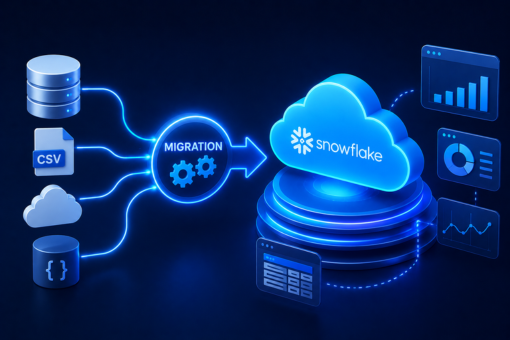
Process To Migrate Data To Snowflake 

Migrating data from on-premise to the cloud can help companies reduce costs and gain a competitive edge in the industry. The increased reliability, security, and agility of cloud data migration allow companies to manage and leverage the data for the company’s profit. However, according to the Gartner report, 83% of companies fail to migrate data to Snowflake. Below are the steps organizations can follow to safely move their business data from on-premise data solutions to cloud data migration.

  • Step 1 – Analyze The Data

Before starting data migration, experts should focus on the documentation of data and information that needs to be moved. For instance, if the company plans to move its data from Oracle to Snowflake, it should prepare one list of databases, objects, and schemas that need not be touched and another of datasets that need to be moved. The initial step will help companies prioritize essential data sets that require quick migration and can benefit the company.

  • Step 2 – Select & Split Data

Moving data from on-premise to the cloud can be straightforward if data experts follow a structured approach, incorporate advanced tools, and utilize valuable resources. Enterprises should start their process by selecting and splitting data using a file splitter such as ETL tools or GSplit. The modern tools and technologies during data migration will enable data experts to break down big files into small chunks and make the process faster.

  • Step 3 – Stage The Data

The third step is to migrate all the selected data to the Snowflake staging area. Open the SnowSQL command line client (CLI) – a CL environment that data experts can download from the Snowflake platform. Migration experts can use the PUT command with Snowflake syntax to stage all the local files. In the command line utility, experts can set any level of parallelization between 1 and 100. However, one critical point is that the lower the number, the less power is required to execute the command.

  • Step 4 – Auto-Compress Files

While staging the local files to the Snowflake database, it is crucial to auto-compress them to maintain high data migration speed. Experts must identify whether or not they have manually zipped the files beforehand. If the files are manually zipped, they can set the auto-compress feature to a “Boolean value of false.”

  • Step 5 – Verify Cloud Migration 

Once all the local CSV files are successfully transferred to Snowflake’s internal stages, data migration experts can see the list of all the migrated files in the directory. Snowflake directory contains all the newly and previously migrated files. In addition, professionals can create tables and query data in their Snowflake dashboard using the stage data available.

With these five steps, organizations can complete Snowflake migration and move their on-premises to the cloud. However, large enterprises should integrate the latest data migration cloud tools and resources to make the data migration faster and more secure.

ALSO READ: Data Warehousing vs. Data Virtualization – How to Store Data Effectively?

Migrate Data To Snowflake Successfully With Inferenz 

Storing, managing, and analyzing data stored in the cloud is straightforward and help experts make profitable business decisions. As you see, migrating data from on-premise to the cloud requires technical knowledge, access to tools, and time. Partnering with experts is the ultimate way to migrate data to Snowflake and benefit from the rich array of Snowflake features.

At Inferenz, we help SMEs and large enterprises with on-premise to cloud data migration. The ultimate goal of the expert team is to help organizations in Snowflake migration while keeping the downtime during migration to a minimum.

Data Migration Process: Ultimate Guide To Migrate Data To Cloud

Data is the fuel for modern and data-driven businesses, and many enterprises intend to prepare a well-structured data migration process to migrate data. The main aim behind the strategy is to safely integrate and migrate the entire business data to the cloud. 

Cloud data migration is the transfer of information from on-premise to cloud computing infrastructure with the help of an ideal data migration process. This guide will help enterprises understand the entire data migration process and why they need to migrate their data to the cloud.

Data Migration Process Explained

Migrating enterprise data from one infrastructure to another is tedious, especially if the in-house team lacks the necessary knowledge. Enterprises and data migration experts should follow a comprehensive data migration plan to avoid extensive delays, information breaches, and over-budget issues. Below is the step-by-step process for cloud-based data migration that organizations should follow.

ALSO READ: Data Migration Process: Best Practices To Migrate Data Effectively

  • Planning 

According to the data revealed by Oracle, an enterprise-scale data migration process lasts from six months to two years in general. For this reason, cloud data migration should start with proper planning, and data experts should evaluate the existing data. Data analysts should filter out all the unnecessary information before starting the data migration process to make the process easy. In addition, source and target systems analysis should be done to avoid unexpected issues during the post-migration stage.

  • Data Auditing & Profiling 

Once data experts analyze the data to be migrated, their next step is to focus on data auditing and profiling. The second stage of the data migration process involves identifying data quality issues, detecting possible conflicts, and eradicating anomalies and duplications before migration. Transferring clean data will help data migration experts make the process smoother and ensure that the tedious process does not harm the business operations while migrating data.

  • Data Backup

Many business owners skip the backup step while formulating the data migration process. However, this is one of the most preeminent steps that adds an extra layer of protection to data while executing a data migration plan. Backup of complete business data before the migration will help eliminate the chances of a data breach during unexpected migration failures.

  • Migration Design

The data migration design clarifies all the necessary migration and testing rules that data experts should consider while executing the data migration process. Preparing a migration design can be overwhelming, especially if the in-house team is unaware of the project’s complexity. An expert team of data engineers, an ETL developer, and a business analyst can help prepare a data migration design customized according to the volumes of data involved.

Inferenz data migration experts help enterprises prepare a data migration strategy and ensure that it is well-executed to get the best outcomes. The Inferenz team has worked with a US-based healthcare service provider to help them migrate data using cutting-edge technologies.

  • Execution 

Execution is the most critical phase of the data migration process, as this is where the actual data migration in the cloud happens. In case of large amounts of data, experts can transfer information in trickles to leverage zero downtime and avoid migration failure.

  • Testing 

Testing each phase of the data migration plan helps data experts fix problems on time and avoid causing havoc to the whole migration process.

  • Post-Migration Audit

The final data migration step is to follow a post-migration audit to ensure that the transported data is valid and clean. Once the data migration process is completed, the post-migration audit will help the team identify loopholes and correct them before retiring the old system.

The Importance Of Data Migration Process

Enterprises have a lot of crucial data that is scattered over different systems. Migrating data to a single source allows organizations to get a complete overview of business data, make critical business decisions, and deliver top-notch customer service in real time. No matter whether it is SME or a large-scale enterprise, data migration provides a wide range of business opportunities to every size of organization.

  • Technologies are constantly evolving, and businesses that want to keep pace with the ever-growing technology should adopt data migration to improve their performance in the competitive market. 
  • A significant cloud migration benefit is that it allows organizations to scale up and down with more flexibility and less complexity. 
  • After cloud data migration, organizations can leverage simplified data management, better business performance, and improved reliability from the centralized environment. 
  • Cloud data migration flexibility is crucial for startups and SMEs who want to make profitable business decisions by leveraging data.

ALSO READ: Predictive Analytics for eCommerce Industry in 2022

Move Your Data From On-Premise To Cloud With Experts

Migrating data and upgrading to advanced systems is critical for business success; however, only experienced data migration specialists should carry out the data migration process. After all, migrating data from on-premise to the cloud is a complex process that requires building a roadmap from start to finish.

With Inferenz, your data migration is at minimum risk as we have a team of dedicated data experts. The data engineers will prepare a robust strategy to make the data migration process simple, cost-effective, and scalable.

Data Migration Process: Best Practices To Migrate Data Effectively

Data migration involves transferring millions of data units from the existing database to a new system to boost productivity and reduce storage costs with the upgraded applications. Modern businesses powered by big data should follow a well-structured process to move data from inputs to the data lake, from the data warehouse to any data mart, or to migrate data from one repository to another without dealing with a data breach.

A lack of adequate data migration strategy or failure of the process midway can lead to over-budget issues and affect business operations. In addition, businesses can find it hard to move data from one system to another without dealing with data loss if they do not follow a rock-solid data migration process. In this data migration ultimate guide, enterprises and beginners will understand different types of data migration and the best practices they can follow to avoid any problems during the process.

ALSO READ: Web 3.0 Tutorial: Ultimate Guide for Students, Developers, and Enterprises

Types Of Data Migration Services

The data migration process involves transferring existing business data from one system to another to improve data quality and business profits. However, before commencing the process, data migration experts need to focus on data preparation, extraction, and transformation to ensure that all data is transferred to the new system. Below are the six main data migration types every enterprise owner should know.

  • Storage Migration

Modern business requires effective and unique data-storing solutions that suit their business needs. As the demand for technology upgrades is rising to stay competitive in the digital world, many big enterprises that rely on mainframes will move to virtual servers in 2022 and beyond. Storage migration involves transferring data from one physical medium to another or hardware to cloud-based storage solutions to maximize business profits.

  • Database Migration

Database migration is switching from an old database to a new vendor to make information easy to manage and access for the in-house team. There are generally two types of database migration – homogeneous and heterogeneous data migration processes. The former involves upgrading to the latest version of DBMS and is accessible, whereas the latter consists of switching to a new DBMS that incorporates complexities.

  • Application Migration 

Application migration occurs when an enterprise changes its application vendor or application software. It is a complex data migration type as the source and target infrastructure has different data models and uses distinctive data formats that threaten data integrity.

  • Cloud Migration

Due to the benefits of cloud data migration, many organizations plan to move data from on-premise to the cloud. A report by Gartner indicates that the IT spending of enterprises will increase from $1.3 trillion to $1.8 trillion from 2022 to 2025. The best way to move data from on-premises to the cloud is by leveraging the right data migration tool that fits business needs and ensures no data breach during the process.

  • Business Process Migration

When two businesses merge, they require transferring information, database, and business applications to the new environment. It involves mergers and acquisitions that help companies to enter a new market and overcome competitive challenges with a new business process.

  • Data Center Migration

A data center, a real-world location, is the place where enterprises keep all their critical data and information. It consists of servers, equipment, IT technology, network, and switches. The data center migration process involves relocating all digital assets or existing wires and computers to a new system and servers to enhance productivity and efficiency.

Inferenz data experts help SMEs and large enterprises migrate data from one system to another with the best data migration tools. Data experts of Inferenz have recently helped a leading US-based healthcare service provider by implementing quick and efficient data warehouse solutions.

Best Data Migration Practices

Data migration processes can vary from simple to complex, depending on the volumes of data being transferred and the differences between source and target locations. Following some golden rules is the best way to avoid critical delays in migration and make the overall process smooth.

  • Before executing the data migration process, business professionals should use tested backup resources to back up all the data and prevent data loss during migration. 
  • Cleaning old data is critical to eliminating inferior quality data and raising its quality standards before it is transmitted to the new system. 
  • Enterprises should set up a dedicated migration team and strategy to steer the project in the right direction and get the expected results. 
  • Data experts should use practical data migration tools and keep testing the whole process from planning, designing, executing, and maintaining data at different phases. 
  • Experts should switch off the old database system after completing the data migration process. 

ALSO READ: Machine Learning in eCommerce: How ML Reshaped Price Optimization?

Migrate Your Data With Inferenz Experts

Several factors can affect data transmission from one system to another and contribute to losing essential business data. To ensure security, data experts must focus on encrypting the complete business information before beginning data migration.

Inferenz data migration experts help businesses migrate data from start to end, including planning, auditing, backing up, designing, executing, testing, and auditing. If you are an enterprise looking forward to migrating the on-premise data, Inferenz experts can help you make your data migration smooth and successful.

5 Best Practices For Snowflake Implementation

Summary

Snowflake implementation demands more than technical setup. It requires a well-planned strategy that aligns data architecture with business goals, enforces security and governance, and controls costs from day one. This guide outlines five proven best practices for enterprises pursuing Snowflake implementation services, covering architecture decisions, warehouse optimization, data quality, and compliance. Whether you are beginning your cloud migration or refining an existing deployment, these practices help you avoid common pitfalls and maximize the return on your investment.

Introduction

Enterprise data environments have grown more complex, and legacy data warehouses are struggling to keep up. When workloads spike, queries slow down, and siloed data blocks the fast decisions leadership needs, organizations start looking for alternatives.

Snowflake has emerged as the platform of choice for enterprises that need elastic compute, seamless scalability, and a single source of truth across structured and semi-structured data. However, moving to Snowflake without a clear implementation plan leads to cost overruns, poor performance, and governance gaps.

The difference between a successful Snowflake rollout and a costly misstep often comes down to preparation. Organizations that treat Snowflake implementation as a strategic initiative, rather than a purely technical one, consistently see stronger outcomes: faster queries, lower costs, and higher confidence in their data.

This guide covers five core best practices that experienced Snowflake practitioners apply to enterprise deployments. Each practice reflects a key decision point where getting it right protects your investment and sets the foundation for long-term data success.

Understanding Snowflake Architecture

Before applying best practices, teams must understand what makes Snowflake different from conventional data warehouse platforms.

Snowflake uses a multi-cluster, shared data architecture. Its three-layer design separates storage, compute, and services into distinct layers that scale independently. Because of this separation, multiple workloads can run simultaneously without contention. A finance team running monthly reports does not slow down a data science team running exploratory queries.

Additionally, Snowflake operates natively on major cloud providers, including AWS, Azure, and Google Cloud. This cloud-native design removes the burden of infrastructure management entirely, allowing data teams to focus on data rather than hardware.

For enterprises evaluating Data and Cloud Modernization Services and Solutions, this architecture provides a strong foundation. However, the platform’s flexibility also means that poor configuration decisions can introduce unnecessary cost and complexity. Understanding the architecture is therefore the first step toward implementing it well.

Key Considerations Before Snowflake Implementation

Successful Snowflake deployments share a common starting point: structured planning before a single line of code is written.

Before beginning implementation, organizations should address the following:

  • Data inventory and source mapping: Identify all data sources, their formats, and their refresh frequencies. This shapes ingestion strategy and integration requirements.
  • Workload classification: Separate workloads by type, such as ETL pipelines, analytics dashboards, and machine learning feature stores. Each type benefits from different warehouse configurations.
  • User access requirements: Define who needs access to what, and at what level of granularity. Access requirements drive role design and governance policies.
  • Cost governance baseline: Establish budget expectations and define credit consumption thresholds before compute resources go live.
  • Migration scope and phasing: Decide whether the migration covers all data at once or proceeds in phases. Phased migrations reduce risk and allow teams to validate data quality incrementally.

Furthermore, aligning the implementation team on these points early prevents conflicting decisions later. Enterprises that skip this planning phase frequently revisit foundational choices mid-project, which increases cost and delays go-live timelines.

Best Practice #1: Align Snowflake Strategy with Business Goals

Start with Outcomes, Not Technology

The most common mistake in Snowflake implementations is beginning with the technology and working backward. Instead, the implementation strategy should start with a clear statement of what the business needs to achieve.

For example, if the primary goal is to reduce reporting latency, the implementation should prioritize query optimization, appropriate warehouse sizing, and data freshness policies. If the goal is to consolidate a fragmented data environment, the focus shifts to integration architecture and schema design.

As a Data and AI Solutions-led Services Company, Inferenz has observed that organizations with clearly defined success metrics consistently outperform those that treat implementation as a migration-only exercise. Specifically, defining KPIs such as query performance targets, data availability SLAs, and cost-per-query benchmarks before go-live gives the implementation team clear direction and provides leadership with a measurable framework for evaluating success.

Connect Technical Decisions to Business Priorities

Every major technical decision in Snowflake, from warehouse sizing to clustering key selection, carries a business implication. Therefore, these decisions should involve both data engineering teams and business stakeholders.

For instance, auto-suspend and auto-resume settings on virtual warehouses directly affect both user experience and monthly costs. Setting auto-suspend too aggressively saves credits but increases query startup latency for business users. Finding the right balance requires input from the teams that depend on those warehouses daily.

Best Practice #2: Build a Future-Ready Data Architecture

Design for Scale from Day One

Many organizations migrate their existing data structures directly into Snowflake without rethinking the design. This approach carries legacy limitations into a modern platform and prevents teams from taking full advantage of Snowflake’s capabilities.

Instead, enterprises should use the migration as an opportunity to redesign their data architecture. This includes rethinking table structures, adopting appropriate data modeling patterns such as Data Vault or Kimball-style dimensional modeling, and planning for both current and future data sources.

Specifically, Snowflake’s support for semi-structured data formats such as JSON, Avro, and Parquet opens opportunities to consolidate structured and unstructured data pipelines. Building this flexibility into the architecture from the start avoids costly rework later.

Plan Your Data Ingestion Approach

Data ingestion strategy is a foundational architectural decision. Snowflake supports batch loading through the COPY command, continuous loading through Snowpipe, and real-time streaming through Kafka connectors. Each method suits different latency requirements and data volumes.

For large-scale batch loads, organizations should split files into 100MB to 250MB chunks to maximize parallelism. Smaller files should be aggregated before loading to reduce overhead. Furthermore, staging data in cloud storage, such as S3 or Azure Blob, before loading into Snowflake is a widely adopted pattern that simplifies error handling and reprocessing.

Choosing the right ingestion approach as part of a broader Snowflake Implementation Strategy ensures the architecture remains efficient as data volumes grow.

Best Practice #3: Prioritize Security, Compliance, and Governance

Establish Role-Based Access Control Early

Security architecture in Snowflake is built around role-based access control (RBAC). Roles define what each user or system can see, do, and modify. However, poorly designed role hierarchies create either over-permissioned environments that expose sensitive data or overly restrictive ones that block legitimate access.

Enterprises should define a clear role hierarchy before onboarding any users. A standard pattern separates roles into functional layers: system administration, data engineering, data analysis, and read-only consumption. Each layer receives only the privileges it requires.

Additionally, network policies in Snowflake allow administrators to restrict platform access to specific IP ranges. For enterprise deployments, particularly those in regulated industries such as healthcare and financial services, combining IP restrictions with multi-factor authentication (MFA) provides a strong first line of defense.

Build a Data Governance Framework

Governance in Snowflake extends beyond access control. It includes data classification, lineage tracking, masking policies for sensitive fields, and audit logging.

Snowflake’s Dynamic Data Masking feature allows organizations to mask sensitive columns such as social security numbers or financial identifiers for unauthorized users, without duplicating data or building separate views. Similarly, row-level security policies restrict which rows specific roles can query.

For enterprises operating under HIPAA, GDPR, or SOC 2 requirements, these native capabilities significantly reduce compliance complexity. Nevertheless, governance policies must be documented and reviewed regularly to remain effective as data structures and team compositions evolve.

Best Practice #4: Optimize Warehouses for Performance and Cost Efficiency

Size Warehouses to Workload Profiles

Snowflake offers virtual warehouses in sizes ranging from X-Small to 6X-Large, with each size doubling the compute capacity of the previous. Consequently, selecting the right size for each workload type is one of the most impactful cost-control decisions an enterprise makes.

A useful starting point is to begin with a smaller warehouse and scale up based on observed query performance. Snowflake’s auto-scaling feature for multi-cluster warehouses adds compute capacity dynamically when query queues form, which is particularly valuable for unpredictable concurrent workloads such as business intelligence dashboards.

Importantly, dedicated warehouses for different workload types, such as one warehouse for ETL pipelines, another for ad-hoc analysis, and another for scheduled reports, prevent resource contention and make cost attribution cleaner.

Use Resource Monitors and Cost Controls

Snowflake resource monitors allow administrators to set credit consumption thresholds at the account and warehouse level. When a threshold is reached, the system can notify administrators or automatically suspend the warehouse, depending on the configured action.

For organizations managing multiple teams or business units on a shared Snowflake account, resource monitors provide accountability without requiring manual oversight. Moreover, combining resource monitors with query tagging enables detailed cost allocation by team, project, or use case.

This level of cost visibility is a core component of responsible Snowflake Implementation Services, ensuring that compute spend stays aligned with business value delivered.

Best Practice #5: Implement Continuous Monitoring and Data Quality Controls

Monitor Performance Proactively

Snowflake surfaces detailed query performance data through its Query History and Account Usage views. Teams should routinely review long-running queries, high-credit-consumption queries, and repeated full-table scans to identify optimization opportunities.

Clustering keys improve scan efficiency on large tables by co-locating related rows in the same micro-partitions. However, not every large table benefits from a clustering key. Tables that are frequently queried with filters on high-cardinality columns, such as date or region, are the best candidates.

Furthermore, materialized views pre-compute expensive query logic and store the results for fast retrieval. Using them selectively for high-frequency analytical queries reduces both response time and credit consumption.

Enforce Data Quality at Every Stage

Data quality problems compound over time. A record with a missing foreign key or an incorrectly formatted date field today can corrupt aggregations and mislead decisions weeks later. Therefore, enforcing data quality controls at the point of ingestion is far more efficient than correcting issues downstream.

Snowflake supports stream-based change data capture (CDC), which allows teams to track inserts, updates, and deletes at the table level. Combining CDC with data quality validation logic in transformation pipelines creates a reliable quality checkpoint that catches anomalies before they reach consumption layers.

Additionally, alerting on data freshness, row count thresholds, and null rate changes ensures that data teams respond to quality issues before business users notice them.

Common Mistakes to Avoid During Snowflake Implementation

Even well-resourced teams make avoidable errors during Snowflake deployments. The following are the most frequent issues practitioners encounter:

  • Over-sizing warehouses by default: Starting with large warehouses to “play it safe” leads to significant wasted spend. Start small, monitor, and scale based on evidence.
  • Ignoring auto-suspend settings: Warehouses left running idle consume credits continuously. Every warehouse should have an auto-suspend policy configured.
  • Migrating schemas without redesigning them: Copying legacy table structures into Snowflake preserves old limitations. Use migration as an opportunity to improve data model quality.
  • Skipping governance setup: Launching without RBAC, masking policies, and audit logging creates compliance risk that is difficult to remediate retroactively.
  • Treating Snowflake as a single environment: Production, development, and testing workloads should use separate environments to prevent accidental data modification and cost attribution issues.
  • Neglecting documentation: Without documented data lineage, transformation logic, and role definitions, knowledge becomes concentrated in individuals rather than the organization.

Snowflake Implementation Success Checklist

Use this checklist to validate readiness before and after your Snowflake deployment:

Pre-Implementation

  • Business goals and success KPIs defined
  • Data inventory and source map completed
  • Workload types identified and classified
  • Role hierarchy and access policy designed
  • Cost governance thresholds established
  • Migration scope and phasing agreed upon

During Implementation

  • Warehouses sized by workload type, not by default
  • Auto-suspend and auto-resume configured on all warehouses
  • Resource monitors active at account and warehouse level
  • Network policies and MFA enforced
  • Data masking and row-level security policies applied
  • Ingestion pipelines validated with sample data loads

Post Go-Live

  • Query performance baseline established
  • Data quality alerts configured and tested
  • Account usage dashboards reviewed weekly
  • Governance documentation published and accessible
  • Regular clustering and micro-partition health reviews scheduled

How Snowflake Best Practices Drive Business Value

Organizations that implement Snowflake with these practices in place consistently report measurable improvements across three areas.

Faster time to insight: Optimized warehouse configurations and well-structured data models reduce average query response times. Business users get answers faster, which accelerates planning and decision cycles.

Lower total cost of ownership: Proper auto-suspend settings, right-sized warehouses, and resource monitors eliminate idle spend. Many organizations reduce their initial Snowflake credit consumption by 20 to 40 percent after applying structured optimization.

Stronger data confidence: Governance frameworks, data quality controls, and audit logging give business stakeholders confidence that the data they rely on is accurate, current, and compliant. As a result, adoption increases and analytics programs deliver more sustained value.

For enterprises partnering with a Snowflake Implementation Partner, these outcomes are achievable within months of go-live, provided the implementation follows a structured, business-aligned approach from the start.

This is precisely the model that Inferenz applies. As a trusted Snowflake Implementation Partner in the USA, Inferenz combines deep technical expertise with a structured delivery methodology, ensuring that enterprise deployments meet both performance and governance standards from day one.

Conclusion

Snowflake’s capabilities are significant, but they are only realized when implementation follows a deliberate, well-sequenced strategy. Organizations that invest time in architecture planning, security design, warehouse optimization, and data quality controls consistently outperform those that treat Snowflake as a plug-and-play solution.

The five best practices in this guide, aligning strategy with business goals, building for scale, enforcing governance, optimizing cost, and maintaining quality, are not sequential steps. They work together as an integrated framework. Each practice reinforces the others.

Why Inferenz Is a Trusted Snowflake Implementation Partner in the USA comes down to one core principle: implementation success is measured by business outcomes, not deployment milestones. Inferenz brings together certified Snowflake expertise and proven Data and Cloud Modernization Services and Solutions to help enterprises unlock the full value of their data platforms, from initial migration through to long-term optimization.

If your organization is planning a Snowflake deployment or looking to improve an existing one, connect with the Inferenz team to discuss a structured implementation approach tailored to your goals.

FAQs

1. What is Snowflake implementation, and why does it matter for enterprises?

Snowflake implementation is the process of deploying, configuring, and optimizing the Snowflake cloud data platform within an enterprise environment. It involves migrating data from legacy systems, designing data architecture, establishing governance policies, and integrating Snowflake with existing analytics and engineering tools. A well-executed implementation enables faster analytics, lower infrastructure costs, and stronger data governance compared to on-premise or traditional cloud warehouse alternatives.

2. How long does a typical Snowflake implementation take?

Implementation timelines vary based on scope, data complexity, and organizational readiness. A focused, single-domain migration can complete in four to eight weeks. A full enterprise migration covering multiple data sources, business units, and governance frameworks typically takes three to six months. Organizations that conduct thorough pre-implementation planning consistently complete deployments faster and with fewer post-go-live issues.

3. What is the most common reason Snowflake implementations fail or underperform?

The most frequent cause of underperformance is poor planning rather than a technical limitation. Specifically, organizations that migrate legacy data structures without redesigning them, skip governance setup, or fail to right-size virtual warehouses often encounter high costs and slow queries shortly after go-live. A structured Snowflake Implementation Strategy that addresses architecture, access control, and cost management from the start prevents these outcomes.

4. How does Snowflake handle data security and compliance?

Snowflake provides several native security capabilities, including role-based access control, multi-factor authentication, network policy enforcement, end-to-end encryption for data at rest and in transit, Dynamic Data Masking, and row-level access policies. For regulated industries such as healthcare and financial services, these features support compliance with HIPAA, GDPR, and SOC 2 requirements. However, enterprises must configure and maintain these controls actively; they do not apply automatically by default.

5. How can enterprises control Snowflake costs effectively?

Cost control in Snowflake centers on three practices. First, right-size virtual warehouses to match actual workload requirements rather than defaulting to larger sizes. Second, configure auto-suspend settings on all warehouses to stop compute consumption during idle periods. Third, deploy resource monitors at both the account and warehouse levels to set credit thresholds and receive alerts or trigger automatic suspensions when those thresholds are reached. Regularly reviewing Account Usage data in Snowflake also surfaces optimization opportunities that reduce spend without affecting performance.

6. What should enterprises look for in a Snowflake implementation partner?

A qualified Snowflake implementation partner should demonstrate certified Snowflake expertise, experience with enterprise-scale deployments, a structured delivery methodology, and a clear approach to governance and cost management. Industry-specific experience matters as well, particularly for healthcare, financial services, or manufacturing organizations where compliance requirements and data models differ significantly from general-purpose analytics use cases. Inferenz brings all of these capabilities to its Snowflake engagements, backed by a track record of successful enterprise deployments in the USA.

5 Things To Consider Before Any SQL To Snowflake Migration

SQL to Snowflake migration can be a straightforward task if a proactive approach is followed during migration. The migration process starts with data identification, in which data is categorized based on sensitivity, format, and location. Organizations must consider the right tools and resources during migration to keep the business’s confidential data safe.

With the rise in data and information, SMEs and large enterprises understand that the traditional method of collecting, managing, and storing data through SQL is insufficient, as its database is no longer sufficient to handle the massive data. Due to some vulnerabilities in the database management system, SMEs and large enterprises are looking for effective ways to migrate their data from SQL to other reliable solutions. This is where Snowflake comes with its modern data analytics capabilities.

Being one of the top-performing cloud data warehousing solutions, Snowflake allows businesses to store, manage, analyze and share data in unthinkable ways. This Inferenz’s comprehensive SQL to Snowflake migration guide will uncover the effective aspects that will make launching a migration project easy and help SMEs and large enterprises stay on track.

Why Launch A Migration Project From SQL To Snowflake?

For SMEs, SQL servers have multiple advantages, as no specific coding knowledge is required, and basic keywords like SELECT, UPDATE, and INSERT INTO can be used.

ALSO READ: 5 Essential Tips for Corporate Learning

However, the disadvantages of going ahead with SQL exceed the advantages of an enterprise looking for an effective way to store its data. For instance, newer versions of Microsoft SQL Server need advanced technologies, and one might have to invest in acquiring new machines to use the updated versions of SQL Server.

Enterprise solutions looking to create multiple warehouses to isolate multiple processes prefer migrating from SQL to Snowflake. Some of the benefits of launching an SQL to Snowflake migration project are:

  • Supports both semi-structured and structured data 
  • Compliant with automated query optimization 
  • Fully managed and cost-effective data warehousing solution with the pay-as-you-go pricing model 
  • Robust technology support and cross-cloud capabilities 

Remember, organizations should follow the best practices for Snowflake implementation so all the data is migrated safely. 

5 Factors To Consider Before Any SQL to Snowflake Migration

Moving data from the SQL database to the Snowflake data cloud is not enough; business managers and experts need to review and structure the data in a way that seamlessly fits the new system that is reformed, effective, possess fewer vulnerability factors, and can handle big data-related projects.

Here are a few things that you should keep in mind when the foundation of the migration to the Snowflake project is launched:

Analysis the Data

Every data has its value, but organizations should consider the build-up expenditures when one migrates from SQL Server to Snowflake. If an enterprise migrates the entire data to a new server, it might reduce the efficiency of the data migration process. The best way to customize the data is by decluttering, restructuring, and discarding the information that is no longer required.

Architecture And Roadmap

Defining the migration architecture and data beforehand is the best way to avoid the big bang approach and make a seamless move to the Snowflake data cloud. For a smooth MS SQL to Snowflake migration project, businesses must follow the strenuous architecture and data preparation procedure by keeping the team members in a loop.

At Inferenz, we specialize in complex SQL to Snowflake migration processes, and if you are wondering how to start constructing the correct architecture, you can speak with one of our experts, who will guide you and save you time and resources as you migrate to a new server.

Security & Governance Needs

During the launch of a migration project, business solutions have to deal with security threats that harm the entire migration process and put the data in a highly vulnerable condition, resulting in a massive data breach. The best way to protect the data during the migration process is by keeping the connections secure, encrypting them, and putting all the data retention and archiving policies in place. 

Scalability

As a growing business requires more data storage space, scalability is crucial when launching a migration project. This scalability might lead to an increase in cost and complexities. Snowflake uses standard ANSI SQL and follows a pay-as-you-go pricing model, helping SMEs and large enterprises to understand the cost factor effectively. 

Understand Business Goals

Data is an asset for every business as it can help them identify the loopholes in the existing business framework and make necessary changes to grow in the long run. While launching SQL to Snowflake migration project, understanding the business goals and analyzing the data helps enterprises make meaningful decisions that would bring efficient results.

It’s worth noting that a step-by-step process to migrate data to Snowflake should be followed. This will help companies reduce the overall migration costs and safely move data from traditional data warehouses to Snowflake.

Get Effective SQL to Snowflake Migration Solution

As one must have learned from this SQL Server migration guide, SQL primarily stores and retrieves data, but Snowflake is an analytics database built for the Cloud. Snowflake’s modern architecture, which runs on AWS, makes it one of the top-performing data warehousing solutions among other cloud-native database players.

If you are looking for SQL to Snowflake migration methods, schedule a discovery call with our experts, who will analyze your data and suggest the best method that you should use to achieve a seamless data migration.